M_MCD5500SW
English Instruction Manual
10
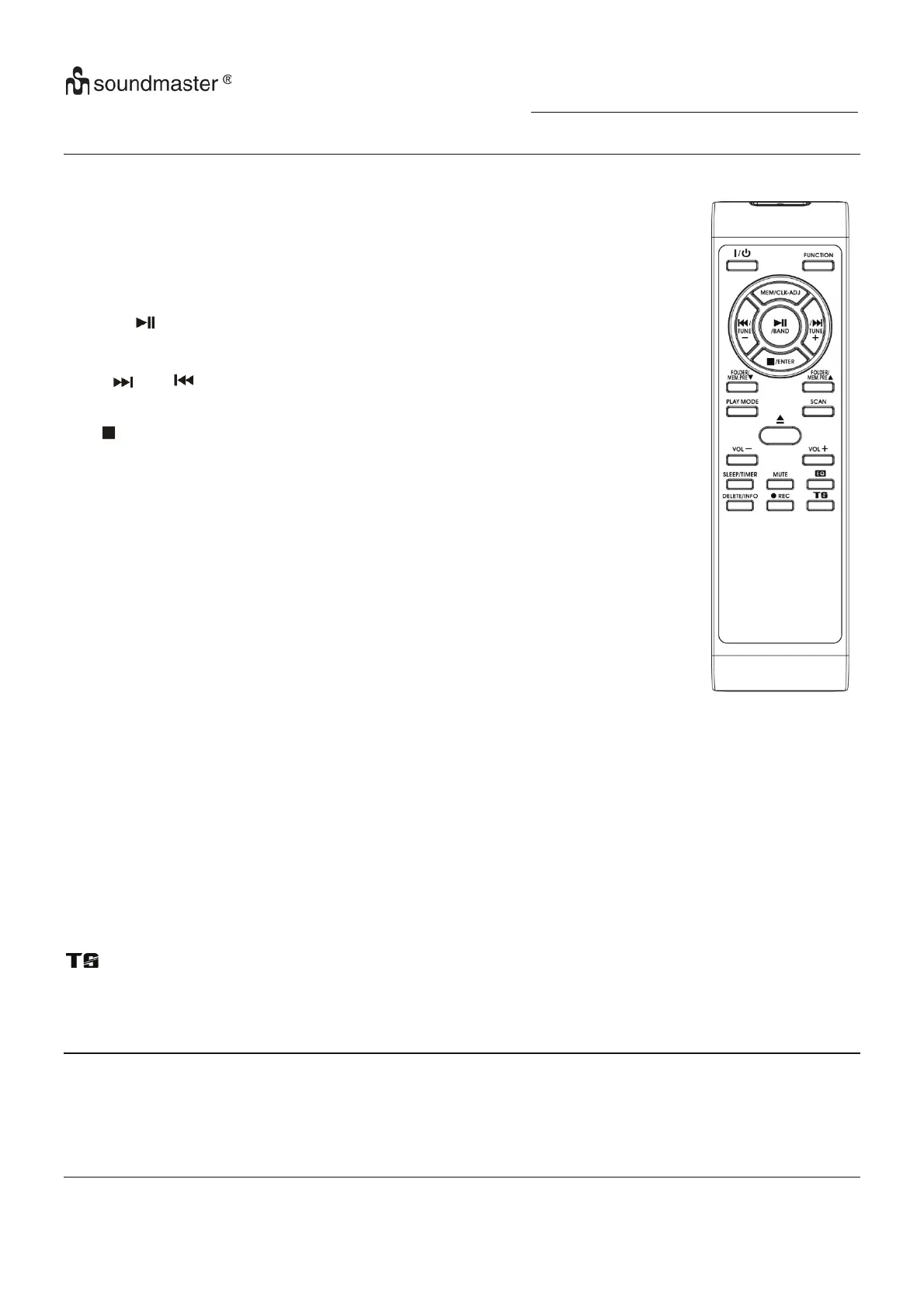
Remote control transmitter
Control functions
Battery installation (battery not provided)
The infra-red transmitter require 2 pc “AAA” size battery for operation
Button description
On/standby Press to power on/standby the system
Play/pause /Band In CD/USB mode: press to start playback/pause mode
In DAB mode, press to select DAB/FM
Skip up /down / Tune+/-
Press to select previous / next tracks at CD/USB mode
Press to step up/down of radio frequency at tuner mode
Stop /Enter In CD/USB mode: press to stop the playback
In Tuner mode: select stereo/mono mode
Folder/Pre Up-Down
In Tuner mode: press to select preset memory up/down
In USB mode: press to select folder up/down
Play mode In CD mode: press to active random/repeat function
Open/close Press to open/close the CD tray
Volume -/+ Press to adjust volume level up/down
Sleep/Timer
In power on mode: press to active sleep function
In standby mode: press and hold to enter timer set up mode and
press once to active/de-active timer function
Del/info
In USB mode: press to delete the file in the USB/SD memory
In MP3 playback mode: press to active ID3 function
In DAB/FM mode, press to see the broadcast information
Rec Press to active encoding/Mp3 file copy function
Function Press to select the function
Mem/Clk-adj In standby mode : press & hold to adjust clock
In CD/USD/SD/Tuner mode: press to preset memory
Scan In FM/DAB mode, press to search the station
Preset EQ Press to select difference EQ mode for enjoyment
In encoding mode: press to active track separation function
Mute Press to cut the sound temporarily
Specification
UKW/FM: 87.5-108 MHz
DAB: Band III: 174.92-239.2 MHz
Power Supply: AC230V~50Hz
Power consumption: 20W
Remark
Due to ErP stage two requirements and protect the environment. The unit will switch to standby mode automatically once no any
music playing over 15 minutes.















 To Next Page