MCD5600 / English Instruction Manual
2
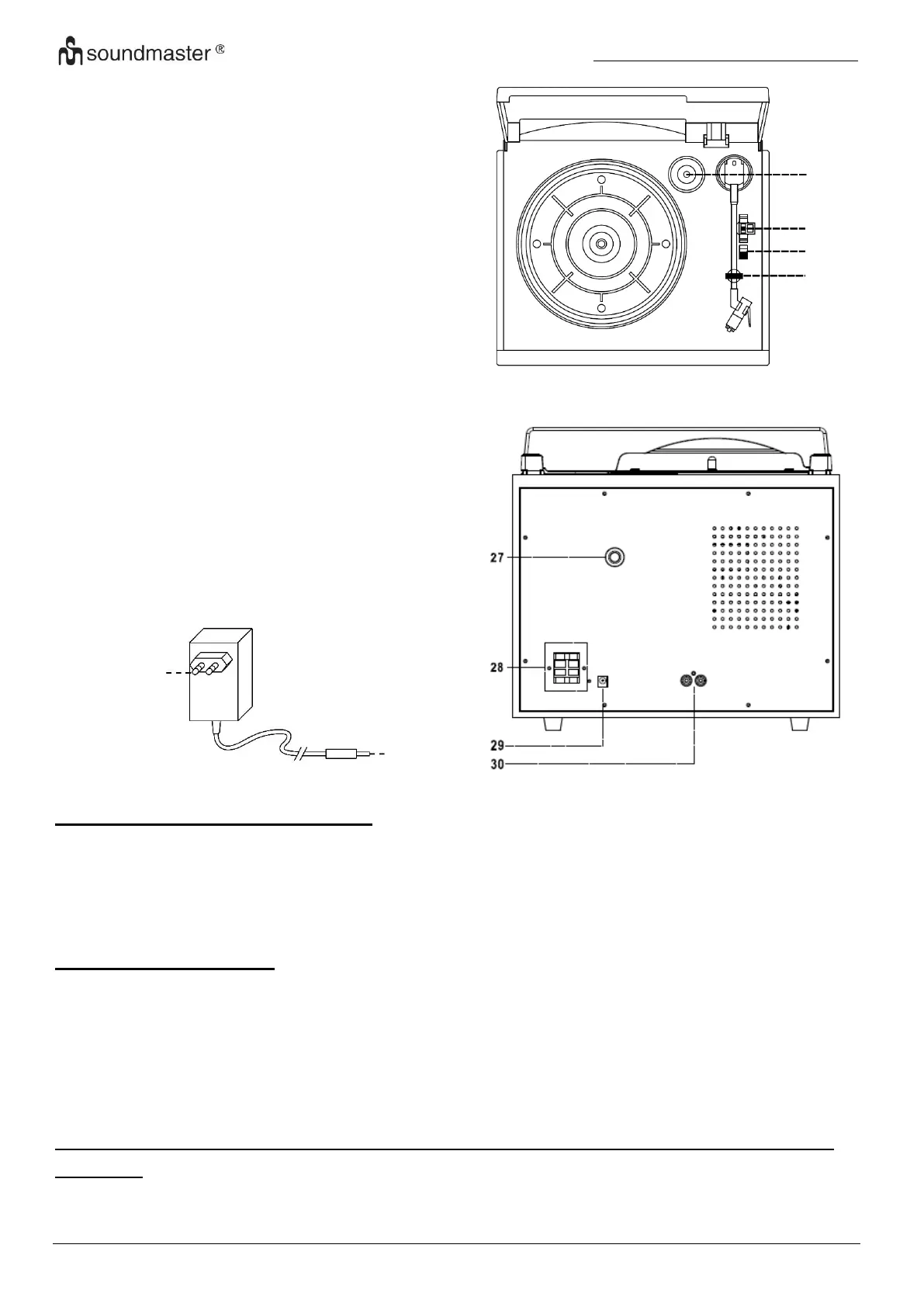
TURNTABLE
23) Spindle adaptor
24) Turntable speed selector
25) Auto stop on/off switch
26) Tone arm rest
BACK VIEW AND AC/DC ADAPTOR
CONNECTIONS OF SPEAKER BOX
Connect the speaker cable to the speaker terminal located on the rear side of the unit. Put the red
cable into the red terminal and the black cable in the black terminal of the speaker position (left
and right).
CONTENT OF DELIVERY
Ensure the AC/DC Adaptor, Remote Control, DAB/FM antenna have been taken out of the
packaging
27) DAB+ / FM antenna
28) Speaker clip connection
29) DC Socket
30) LINE OUT Sockets (R + L)
31) AC/DC Adaptor
32) DC PIug
32















 To Next Page