MCD5600 / English Instruction Manual
3
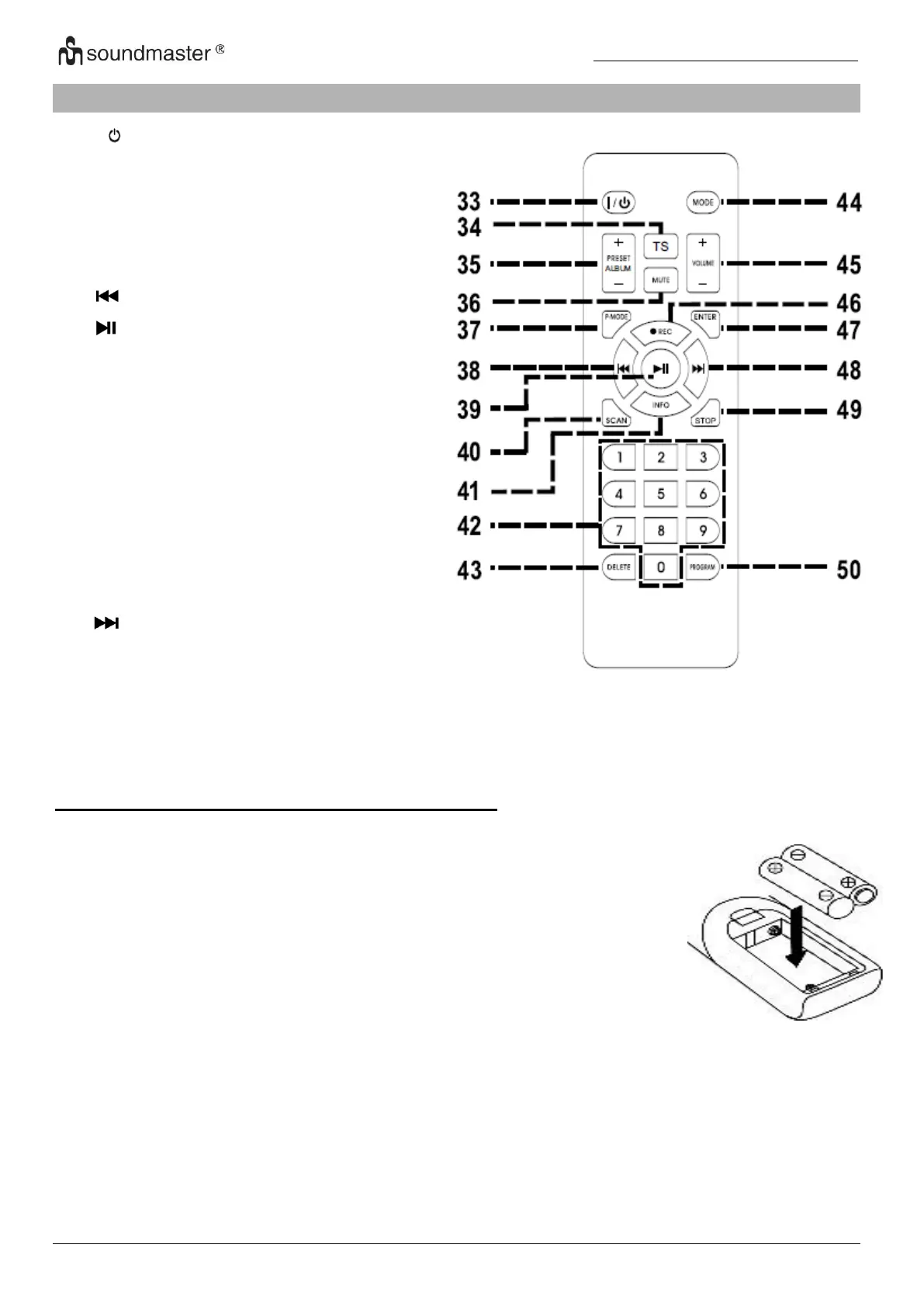
REMOTE CONTROL
37. P.MODE – Repeat / Random
38. Track / station backwards
41. INFO Title & station information’s
42. 0-9 Direct title selection
43. DELETE USB title delete
44. MODE Function selection
48. - Track / station forward
49. STOP CD/USB playback stop
50. PROGRAM Preset and Title
programming
BATTERY INSTALLATION OF REMOTE CONTROL
The remote control requires 2 pcs AAA dry battery.
Hold and pressing the clasp with the thumb in the right direction of
arrow in the illustration, and take out the battery compartment by
sliding with forefinger in the direction to yourself.
Take out the battery compartment from the remote control. Install 2
pcs AAA dry battery in the compartment with the positive polarity
upturned level hold and push the battery compartment into the
remote control lightly. It’s okay once hear a click.















 To Next Page