MCD5600 / English Instruction Manual
4
GETTING STARTED
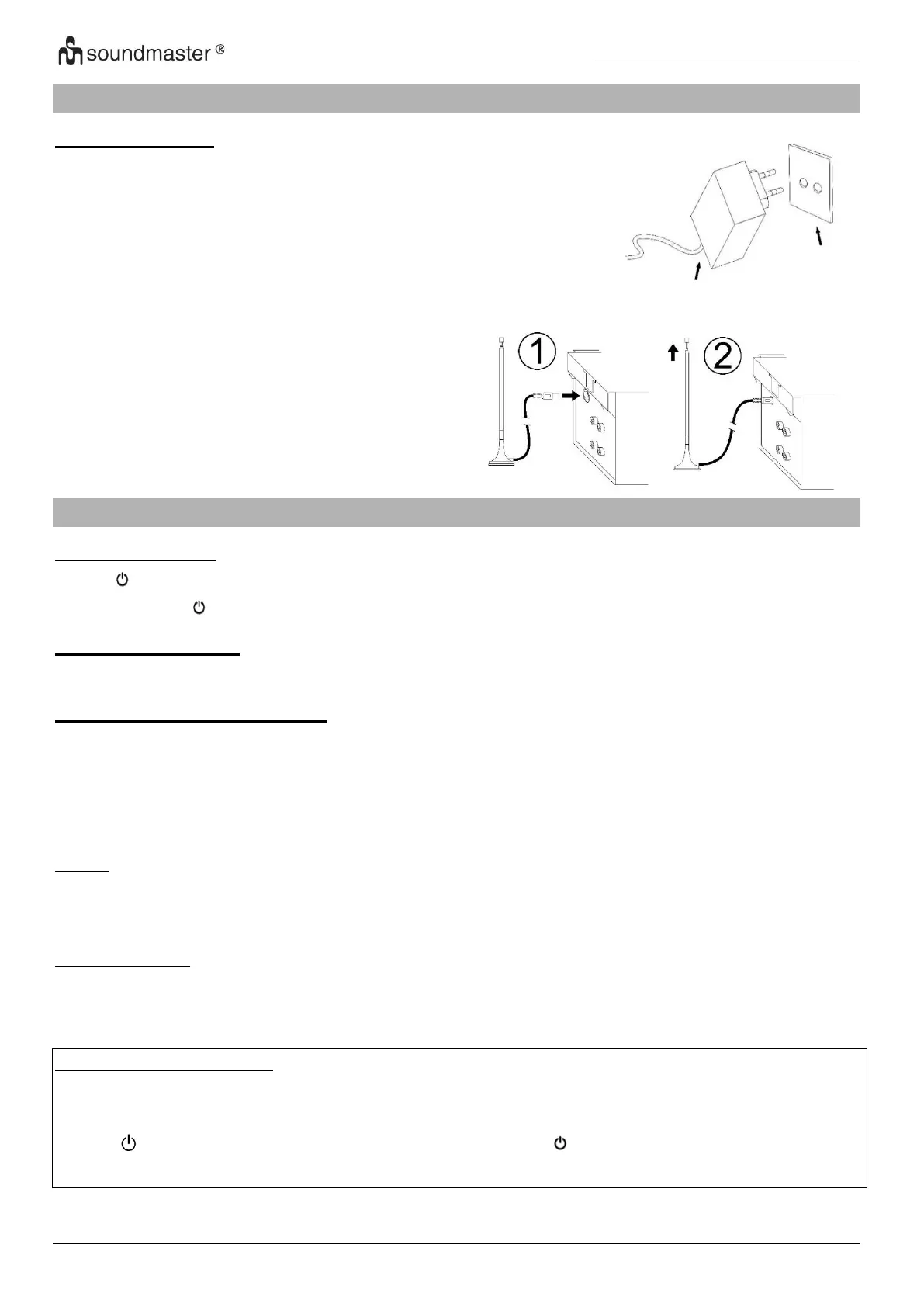
POWER SOURCE
Connect the DC jack to the DC socket of the
unit.
This system is designed to operate on
normal 230V 50Hz AC only. Attempting to
operate from any other power source may
cause damage to the system, and such
damage is not covered by your warranty.
Connect the provided DAB/FM antenna to the
antenna socket and align it for best reception.
BASIC OPERATIONS
POWER ON / OFF
Press “ /MODE/VOLUME” to enter the on mode.
Press and hold “ /MODE/VOLUME” to turn off the unit in standby mode.
SELECTING MODES
Press “MODE” repeatedly to switch between modes.
ADJUSTING VOLUME/SOUND
Rotate “VOLUME” on the unit or press “VOL -/+” on the remote to decrease / increase the
volume.
"BASS": Rotate to increase / to decrease low frequency
"TREBLE": Rotate to increase / to decrease high frequency
MUTE
Press „MUTE“ on the remote control to switch off the volume.
Press the button again or change the volume.
INFORMATION
Press repeatedly “INFO” to announce the available information’s MP3 and radio mode.
ERP power management
If nobody presses and holds the POWER button to turn OFF the unit after stopping
playing, the unit will power off automatically after around 10 minutes.
Press “ / MODE / VOLUME” button on the unit or the “ /I” button on the remote to wake
the device up from standby mode.















 To Next Page