PL585 / English Instruction Manual
1
REMOTE CONTROL
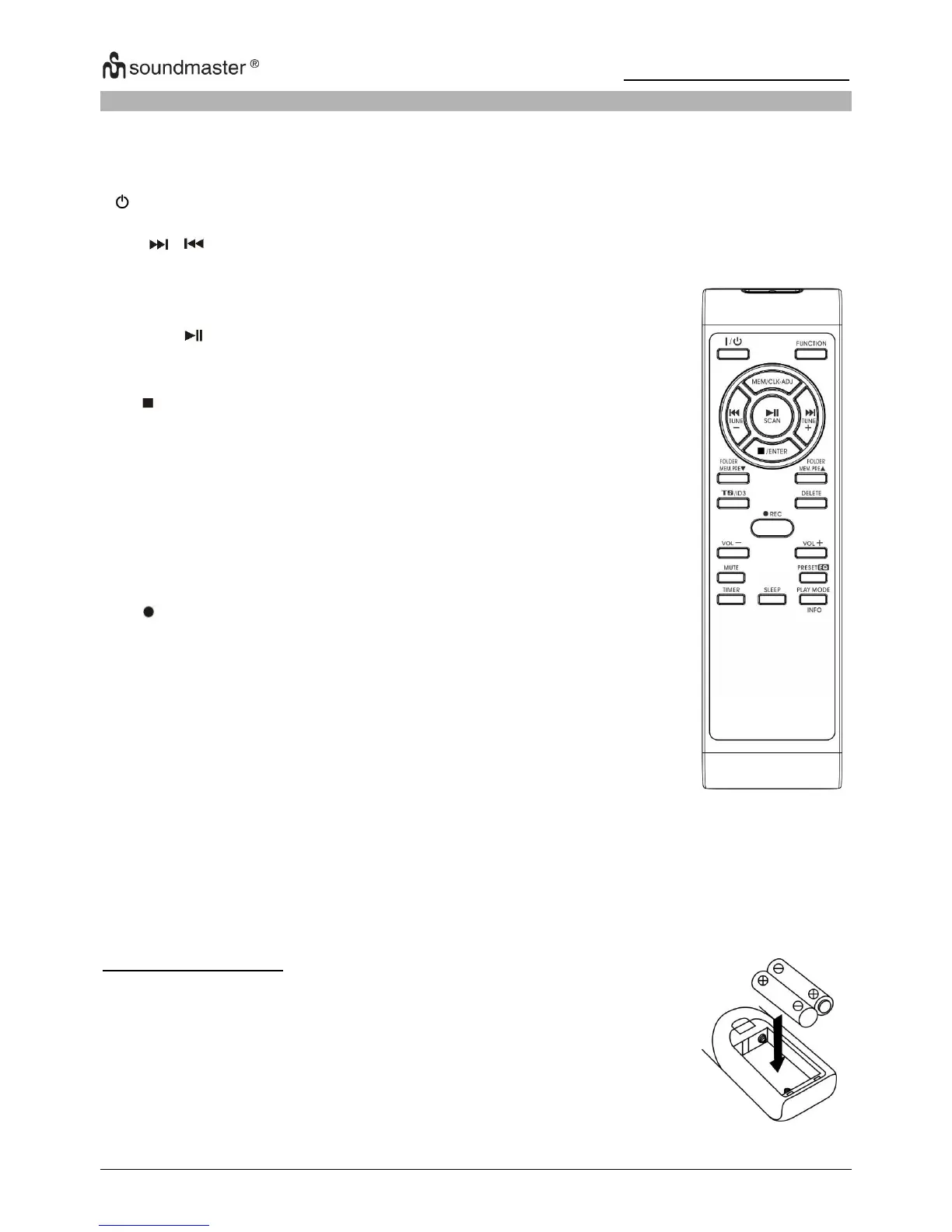
Button description
Press to select the functions (Phono(AUX)/USB/DAB/FM)
Press to power on / standby the system
In USB mode : to select next track / previous
In DAB/FM mode : press to step up/down of frequency
In USB mode : press to active USB program function
In DAB/FM mode : press to active preset station mode
In standby mode : press to adjust clock
Press once to start USB playback. Press once again to
pause the playback temporarily
In FM/DAB mode, press to perform station Auto Scan
function
In USB playback mode: press to terminate playback
In USB stop mode: press to cancel programmed memory.
In Tuner mode : select stereo/mono mode
In USB mode : press to skip up/down the Folder
In Tuner mode : press to select preset memory up/down
In encoding mode : press to active track separation
function
In MP3 playback mode : press to active ID3 function
In USB mode : press to active file delete function
In Phono / Aux-in mode : press to select the bit rate (128,
192 or 256 kbps) for USB encoding
Press to active USB encoding function
Press to adjust volume level down / up
Press to mute the sound from speaker temporarily
Press to select difference EQ mode for enjoyment
In standby mode : press to set the alarm on/off time and
active/de-active alarm function
In Power on mode : press to active sleep function
In USB mode : press to active repeat / random playback
mode
In DAB/FM mode: press to display the broadcast
information if available.
1) The battery compartment is located on the back of the
remote control.
2) Remove the battery compartment door by pressing in on
the tab and lifting it off.
3) Insert two (2) AAA size batteries (not included) into the
battery compartment following the polarity markings inside
the battery compartment.
4) Replace the battery compartment door.












 To Next Page