UR190 / English Instruction Manual
7
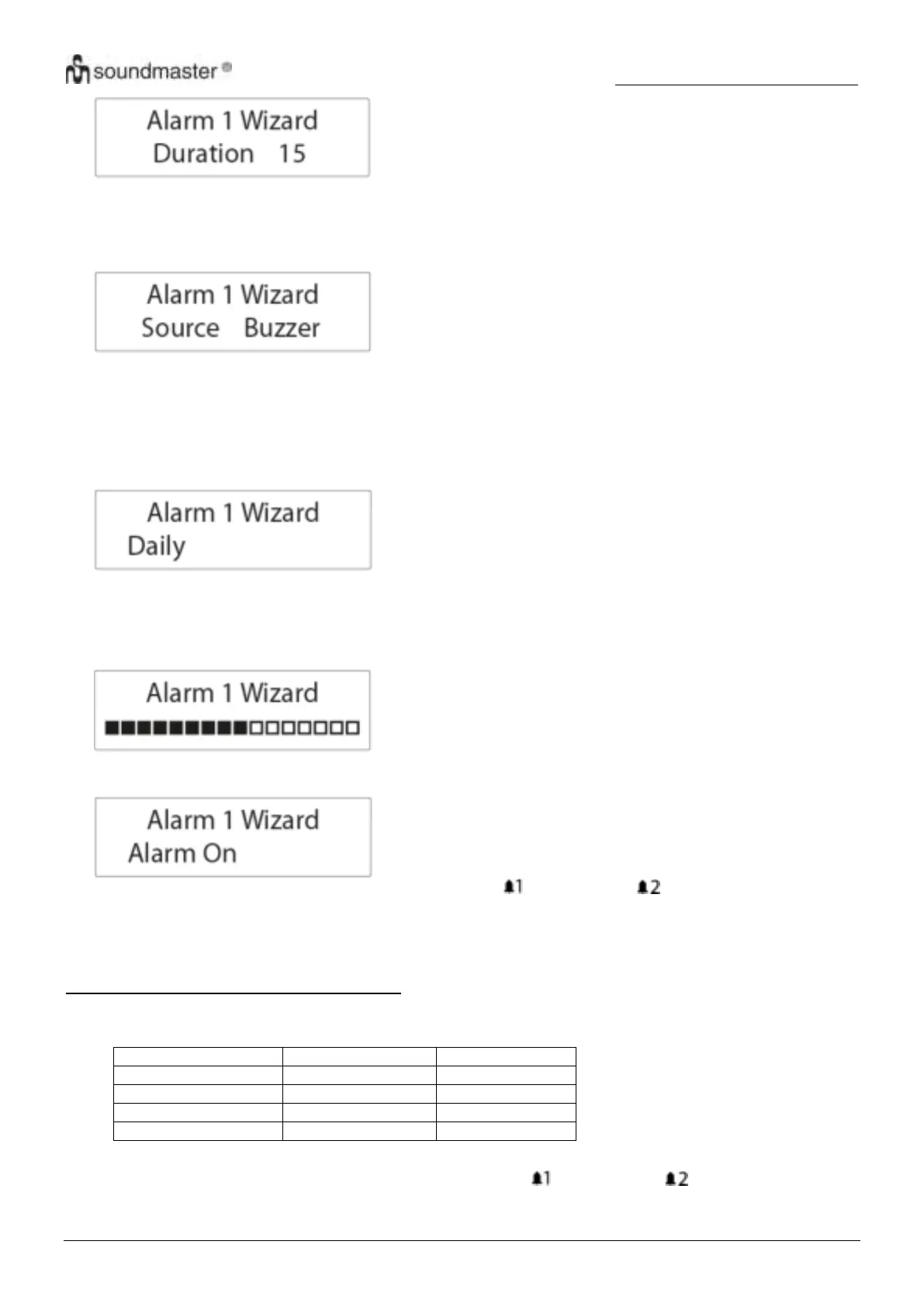
The duration defines the time before the radio returns to standby mode if the alarm is not deactivated.
Duration options: 15, 30, 45, 60, 90 and 120 minutes.
5. Rotate “SELECT“ (12) to cycle through the source options and then press “SELECT“ (12) to confirm the
selection.
The source defines the sound source of the alarm.
Source options: “DAB”, “FM” and “Buzzer”.
If DAB or FM is selected, you will also be prompted to select the last played station or one of the preset stations (if
set) as the alarm.
6. Rotate “SELECT“ (12) to cycle through the interval options and then press “SELECT“ (12) to confirm the
selection.
The interval defines on which days the alarm is active.
Interval options: Daily, Once, Weekends and Weekdays.
If “Once” is selected, you will also be prompted to set a specific date.
7. Rotate “SELECT“ (12) to adjust the volume level and then press “SELECT” (12).
This setting defines the sound volume of the alarm.
8. Rotate “SELECT“ (12) to select alarm on or off and then press “SELECT“ (12) to confirm the selection.
When the alarm setting is active, the corresponding alarm icon ( for Alarm 1 and for Alarm 2)
will show on
the display.
At the set time, the alarm will sound. The volume will increase gradually until it reaches the set volume level.
The corresponding alarm icon will also flash on the display.
Turning the alarms on or off in standby mode
1. In standby mode, press “ALARM” repeatedly to cycle through the alarm on or off settings.
See the table below for details.
2. Press “SELECT“ (12) to confirm the setting.
When the alarm setting is active, the corresponding alarm icon ( for Alarm 1 and for Alarm 2) will show
on the display.











 To Next Page