Need help?
Do you have a question about the soundsation Scenemaker 1216 and is the answer not in the manual?
Details the process of unpacking the SCENEMAKER 1216 unit and its accessories.
Lists recommended SOUNDSATION accessories for the DMX controller.
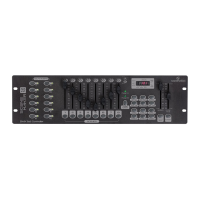
Identifies and explains the controls and indicators on the front panel of the controller.
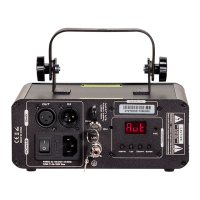
Details the ports and connections available on the rear of the SCENEMAKER 1216.
Defines common terminology used in intelligent light programming.
Instructions for connecting the controller to power and lighting fixtures.
Explains how to assign DMX channels to fixtures for control.
Guide to assigning DMX channels for Pan and Tilt movements of fixtures.
Procedure to reset the controller to its factory default settings.
Instructions on how to copy settings from one scanner to another.
How to choose fade time implementation for channels or Pan/Tilt movements.
How to manually control scanners and their attributes using faders.
Steps to review recorded scenes and chases without playback.
Steps to enter the programming mode on the controller.
Guide to creating a static lighting state (scene) and storing it.
Instructions on how to play back recorded programs or banks of scenes.
How to review the contents of a recorded program bank.
Procedure for modifying existing scenes within a program.
Instructions for copying a bank of scenes from one location to another.
Steps to create a chase by sequencing recorded scenes.
How to activate and play back a programmed chase.
Procedure to review the steps and scenes within a chase.
Options for editing chases, including copying banks, scenes, or inserting steps.
Instructions for clearing all programmed chases from memory.
How to insert a scene at a specific step within a chase.
Instructions for copying a scene from one bank to another.
Procedure for deleting a scene from a bank.
How to reset all scenes, setting their values to zero.
How to operate the controller in sound-activated mode.
Instructions for running programs and chases automatically.
Function to immediately turn off all lighting output.
An introduction to the DMX-512 protocol for lighting control.
Guidance on connecting multiple DMX fixtures in a daisy chain.
Explanation of the purpose and use of a DMX terminator.
Comparison of 3-pin and 5-pin XLR DMX cable standards.
 General
| Brand | soundsation |
|---|---|
| Model | Scenemaker 1216 |
| Category | DJ Equipment |
| Language | English |

 To Next Page