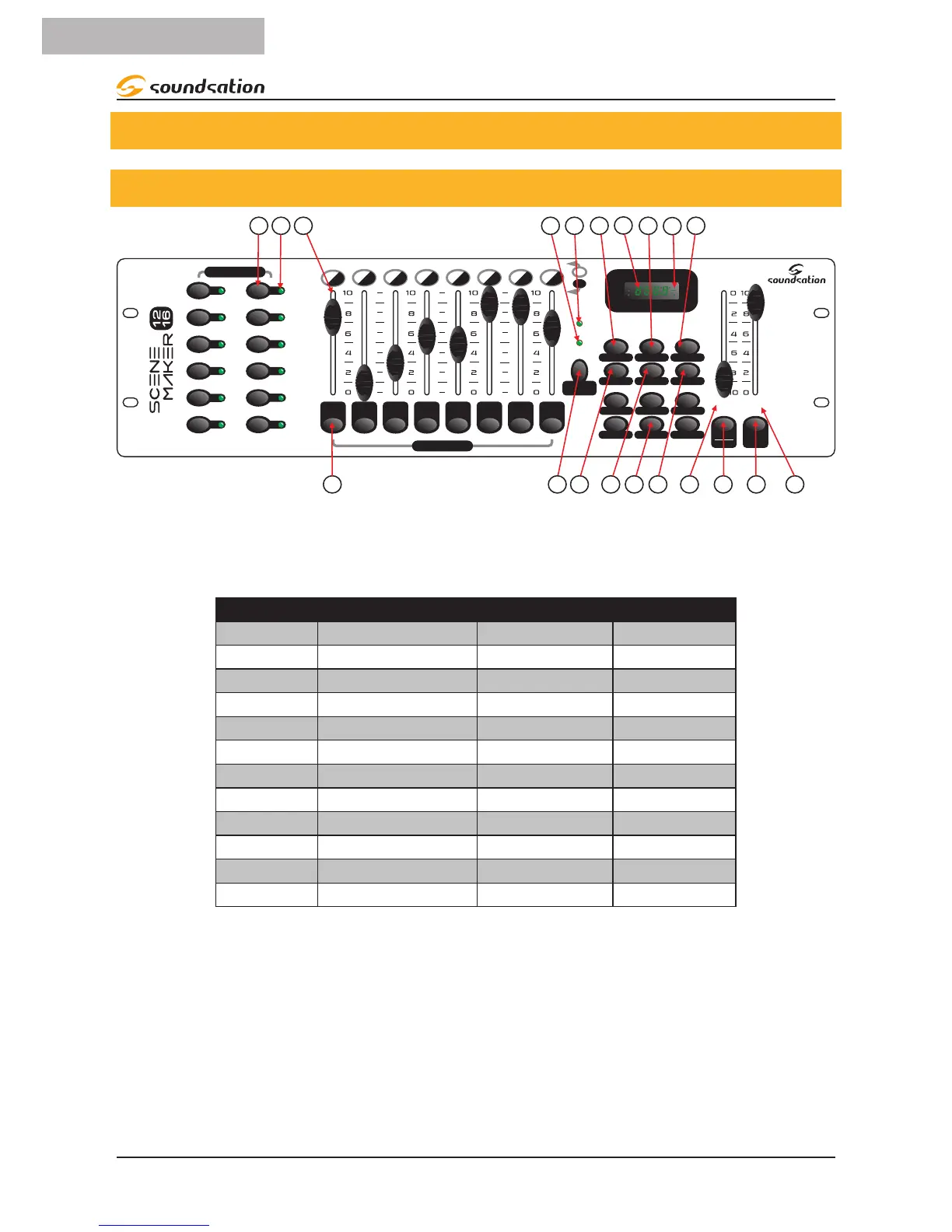
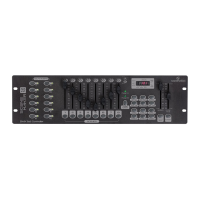
1. Scanner Buttons (1-12): 12 scanners of 16 DMX channels & fader control. Press a
scanner button to turn on manual fader control. Press the scanner button again to
turn off fader control.
Scanners DMX channels Fader control LED
1 1-16 Off/On Off/On
2 17-32 Off/On Off/On
3 33-48 Off/On Off/On
4 49-64 Off/On Off/On
5 65-80 Off/On Off/On
6 81-96 Off/On Off/On
7 97-112 Off/On Off/On
8 113-128 Off/On Off/On
9 129-144 Off/On Off/On
10 145-160 Off/On Off/On
11 161-176 Off/On Off/On
12 177-192 Off/On Off/On
2. Scanner Indicator LEDs: The LED next to the button lights up or goes out to indi-
cate your selection.
3. Scene Select Buttons: Press the scene buttons to load or store your scenes. There
are a maximum of 240 programmable scenes.
4. Channel Faders: These faders are used to control the intensity of channel 1-8 or
channel 9-16 depending upon the selected page (A or B).
5. Program Button: Used to enter Program mode.
8


 To Next Page