EasyManua.ls Logo

Soundstream MOSFET 50W x 4 - User Manual

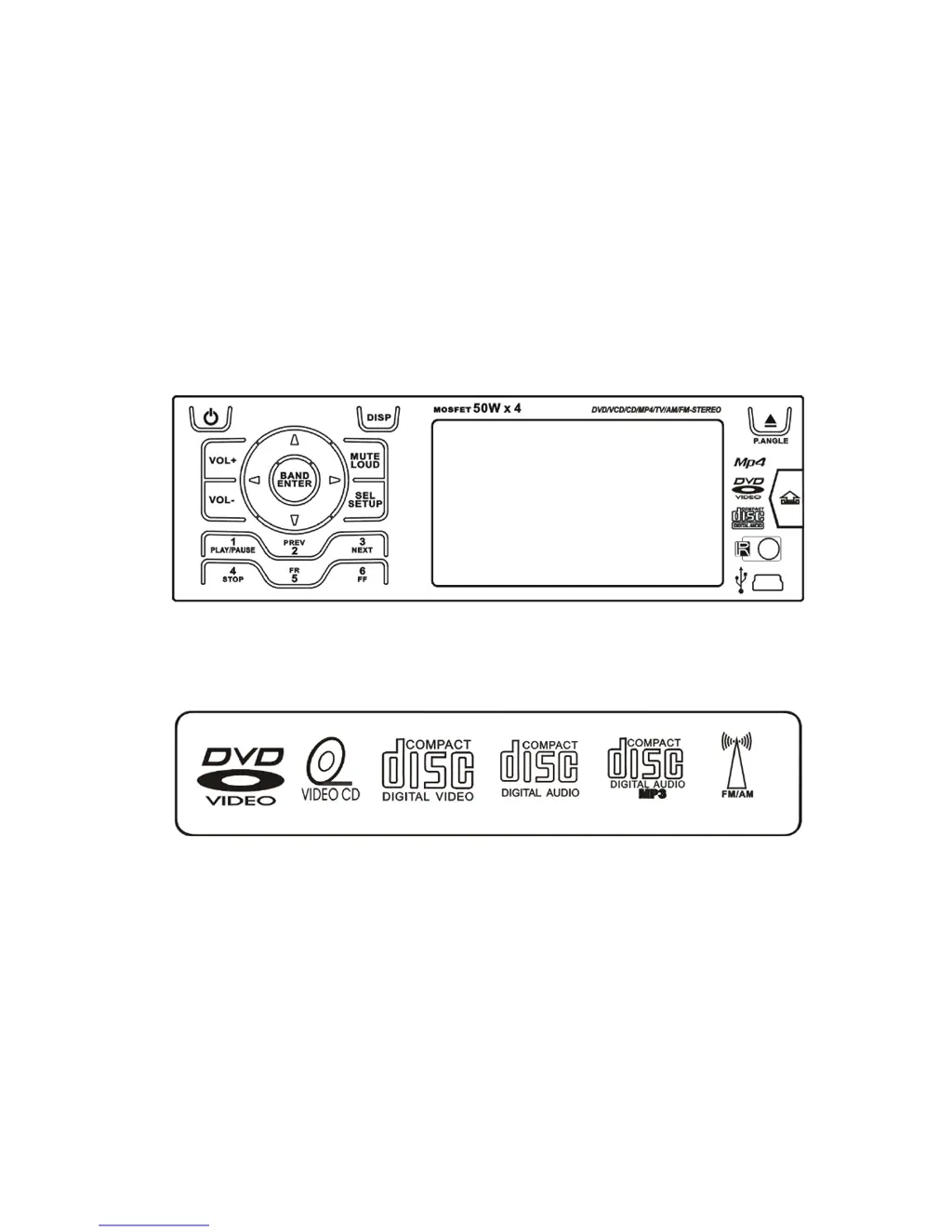
Soundstream MOSFET 50W x 4
30 pages
Print Icon
To Next Page IconTo Next Page
Loading...
OWNER’S MANUAL
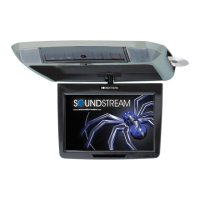
Mobile Video System

Questions and Answers

  • A
    Annette WarrenAug 14, 2025
    Why is the radio reception poor on my Soundstream MOSFET 50W x 4 Car Video System?
    • D
      Daniel GouldAug 14, 2025
      If you are experiencing poor radio reception with your Soundstream Car Video System, ensure the antenna is fully extended and properly connected. If the antenna is broken, replace it. Also, check the antenna connection to ensure it is properly grounded.
  • H
    Holly GonzalezAug 17, 2025
    How to fix no sound on Soundstream MOSFET 50W x 4 Car Video System?
    • J
      Jeremy BentonAug 17, 2025
      If there is no sound coming from your Soundstream Car Video System, first, cancel the mute function. Then, adjust the volume to a suitable level.
  • K
    Kathryn VillaAug 20, 2025
    What to do if the picture pauses on my Soundstream MOSFET 50W x 4 Car Video System?
    • G
      Gene BurnsAug 20, 2025
      If the picture stops or pauses while using your Soundstream Car Video System, it could be due to a dirty or damaged disc, or an incorrect color system setup. Adjust the color system to PAL or NTSC according to your TV.
  • M
    Michaela StoneAug 25, 2025
    How to troubleshoot no picture on Soundstream Car Video System?
    • D
      danielbatesAug 25, 2025
      If you are experiencing no picture on your Soundstream Car Video System, open the monitor. Ensure you choose the correct video input on your TV to receive the picture from the unit.
  • R
    Richard TaylorAug 27, 2025
    What to do if function buttons do not work on Soundstream MOSFET 50W x 4?
    • J
      Jeffrey RomeroAug 27, 2025
      If the function buttons on your Soundstream Car Video System are not working, press the RESET button.
  • D
    Dana AdamsAug 30, 2025
    What to do if the disc can't be inserted in Soundstream MOSFET 50W x 4?
    • S
      Sarah JonesAug 31, 2025
      If the disc cannot be inserted into your Soundstream Car Video System, push the disc while pressing the EJECT button. It is possible that a disc is already loaded in the mechanism. Also, try pressing the RESET button.
  • C
    Craig WoodSep 3, 2025
    Why is audio skipping on my Soundstream MOSFET 50W x 4 Car Video System?
    • B
      Brian DanielsSep 3, 2025
      If your Soundstream Car Video System is experiencing audio skipping, the disc might be dirty or damaged.
  • L
    Loretta MccoySep 6, 2025
    Why won't the disc play on my Soundstream MOSFET 50W x 4?
    • M
      Mrs. Cindy OconnorSep 6, 2025
      If the disc does not play on your Soundstream Car Video System, it might be dirty or damaged.
  • R
    Rachel ThompsonSep 9, 2025
    Why does the disc come out automatically from Soundstream MOSFET 50W x 4?
    • G
      Gerald Peters DDSSep 9, 2025
      If the disc comes out automatically from your Soundstream Car Video System, the temperature is outside the range of the operating temperature.

Summary

Safety Information

Safe Driving Practices

Guidelines for safe operation of the unit while driving.

Cleaning Precautions

Instructions to avoid water, moisture, dust, and humidity for cleaning.

Parking Safety

Advice on cooling the unit after parking in direct sunlight.

Fuse Replacement Warning

Caution against using fuses with higher current ratings than supplied.

Product Features

Key Specifications and Capabilities

Details on unit size, display, media compatibility, audio/video features, and connectivity.

Included Accessories

Accessory List and Identification

Identifies all components included in the package, such as mounting hardware and cables.

Front Panel Controls

Front Panel Button Functions

Detailed explanation of the purpose and operation of each button on the front panel.

Rear Panel Connections

Rear Panel Port Identification

Details the various input/output ports and adapters on the rear of the unit.

Base Panel Features

Base Panel Reset Button

Location and function of the reset button on the base panel.

Remote Control Functions

Remote Control Button Layout

Explains the function of each button on the remote control for device operation.

Remote Control Battery Replacement

Remote Battery Replacement Guide

Step-by-step guide for replacing the batteries in the remote control.

Unit Installation Guide

Din Front-Mount Installation

Instructions for installing the unit into the dashboard using the mounting sleeve.

Din Front-Mount Securing Steps

Steps for attaching the trim bezel and using the rear mounting bolt.

ISO Mount Installation

ISO Mount Installation Procedure

Guide for installing the unit using side screw holes and car mounting brackets.

Unit Removal Procedure

Removal with Mounting Sleeve

Instructions on detaching the front panel and using keys to slide the unit out.

Wiring Diagram and Connections

Connector Identification and Purpose

Details on all wires, adapters, and input/output connectors for proper wiring.

Disc Handling and Compatibility

Supported Disc Formats

Lists the types of discs (DVD, CD, VCD, MP3) that the player can read.

Disc Handling and Cleaning Guide

Best practices for handling discs to prevent damage and ensure proper playback.

Disc Operation Guidelines

Disc Insertion and Handling Tips

Visual guide for correct disc placement and handling to avoid damage.

Repairing Discs with Rough Edges

Method to fix rough edges on new discs for optimal player performance.

Basic Unit Operations

Power and Source Selection

How to turn the unit on/off and switch between different input sources.

Volume and Mute Control

Adjusting audio volume and activating/deactivating the mute function.

Audio and Sound Settings (EQ)

Accessing and adjusting Equalizer (EQ) settings for sound preferences.

Unit Reset Procedure

Steps to reset the unit to factory default settings.

SEL Button Functionality

Using the SEL button to access Sound, Picture, and Tuner parameter setups.

Sound Parameter Setup Details

Detailed settings for Fader, Balance, Bass, Treble, Loudness, and EQ.

Picture Parameter Setup Details

Adjusting Picture settings like NTSC/PAL, Color, Brightness, and Contrast.

Tuner Parameter Setup Details

Configuring tuner settings for Local, Stereo, and Area (country).

Control and Feature Adjustments

Viewing Angle Adjustment

How to adjust the display angle of the unit's front panel.

Restore Default Viewing Angle

Procedure to reset the motorized display to its factory position.

Brake Control Function

Information on connecting the brake wire for safety features.

Telephone Mute and Auto Antenna

Setup for automatic muting during calls and antenna control.

Radio Operation Guide

Switching Radio Bands

How to select between FM1, FM2, FM3, AM1, and AM2 wave bands.

Automatic and Manual Tuning

Methods for automatically seeking and manually tuning radio stations.

Storing and Recalling Preset Stations

Instructions for saving and accessing favorite radio stations.

Manual Station Storage

How to manually store the current frequency to a preset channel.

Recalling Preset Stations

Accessing previously stored radio stations using number buttons.

Clock Adjustment and Display

Clock Adjustment Method

Steps to set the time, including format (12/24 hr) and date.

Clock Display Priority

How the clock display behaves in RADIO Mode and when using the DISP button.

DVD Player Operations

Disc Insertion and Ejection

Instructions for loading and removing discs from the player.

Playback Control Functions

Managing playback: play, pause, stop, fast forward, rewind, and track navigation.

Setup and Navigation

Accessing the setup menu and using directional controls for navigation.

Display and Zoom Features

Using the display button for information and zoom for picture magnification.

Advanced DVD Controls

Controls for repeat, angle selection, PBC, menu, audio, subtitle, and program.

Playback Modes and Options

Using slow motion, PAL/NTSC output, number buttons, and random playback.

SD;USB Media Operations

SD;USB Mode Switching

How to switch to and from SD/USB modes and automatic behavior.

SD;USB Operation Similarities

Note that operations in SD/USB mode are similar to DVD mode.

iPod Connectivity and Control

iPod Music Playback

Controlling iPod music playback using the unit's buttons.

iPod Picture and Video Display

Enabling iPod video output and controlling media via iPod or unit.

AV Input Operation

Rear View Camera Operation

Rear View Camera Activation

Automatic switching to rear view when backup camera is connected.

Rear View Mode Limitations

Features available and unavailable when in rear view mode.

TV Operation Guide

TV Station Tuning Methods

Direct station selection, automatic tuning, and AST scan for TV channels.

Storing and Recalling TV Presets

How to save and recall favorite TV channels using preset buttons.

TV Audio Format Selection

Switching between PAL/NTSC audio formats for compatibility.

TV Area Setting

Selecting the correct TV area for optimal reception and sound.

DVD Setup Menu Configuration

Navigating the Setup Menu

How to enter and navigate the main and submenus of the setup.

General Setup Options

Configuration for TV display, angle mark, OSD language, and SPDIF output.

Display and System Settings

Settings for Captions, Screen Saver, and Last Memory.

Speaker and Audio Setup

Configuration for speaker downmix and Dolby Digital settings.

Preference Settings (TV, Audio, Subtitle)

Customizing TV type, audio language, subtitle language, and disc menu language.

Parental Control and Defaults

Setting up parental ratings, password, and restoring default settings.

Technical Specifications

General Unit Specifications

Details on power, dimensions, weight, and output power.

Tuner Specifications (FM;AM;TV)

Frequency ranges, IF, and sensitivity for FM, AM, and TV tuners.

DVD Player Performance

Technical details for DVD playback, including signal-to-noise ratio and distortion.

Troubleshooting Common Issues

Audio and Disc Playback Issues

Solutions for no sound, disc not playing, or audio skipping.

Display and Reception Problems

Fixes for no picture, picture pauses, or poor radio reception.

Unit Functionality Issues

Troubleshooting for memory loss, insertion errors, or non-working buttons.

Troubleshooting Notes and Warnings

Important notes on consulting service dealers and avoiding disassembly.

Soundstream MOSFET 50W x 4 Specifications

General IconGeneral
BrandSoundstream
ModelMOSFET 50W x 4
CategoryCar Video System
LanguageEnglish

Related product manuals