
 Need help?
Do you have a question about the Soundstream VRCPAA-106M and is the answer not in the manual?
Configure language, date, time, and beep tone.
Setup for Steering Wheel Control functionality.
Restore unit to default factory settings.
Displays unit hardware and firmware version information.
Adjust brightness, dimming levels, and wallpaper.
Configure audio balance, fader, EQ, and subwoofer settings.
Manage Bluetooth connection and pairing.
Configure rear camera view and parking assist lines.
How to connect and use Apple CarPlay.
How to connect and use Android Auto.
Accessing and calling phone contacts.
Configure auto answer and microphone gain.
View recent call records.
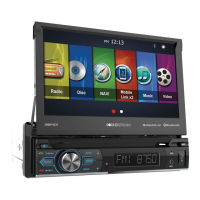
The Soundstream VRCPAA-106M is a 2-DIN AV Center head unit designed for in-car entertainment and connectivity. It features a 10.6-inch TFT LCD touchscreen display with a resolution of 1024x600 pixels, offering a clear and interactive user interface.
This head unit serves as a central hub for various audio, video, and connectivity functions in a vehicle. Its primary functions include:
 General
| Brand | Soundstream |
|---|---|
| Model | VRCPAA-106M |
| Category | Car Video System |
| Language | English |












 To Next Page