EasyManua.ls Logo

Soundstream VRCPAA-7D - User Manual

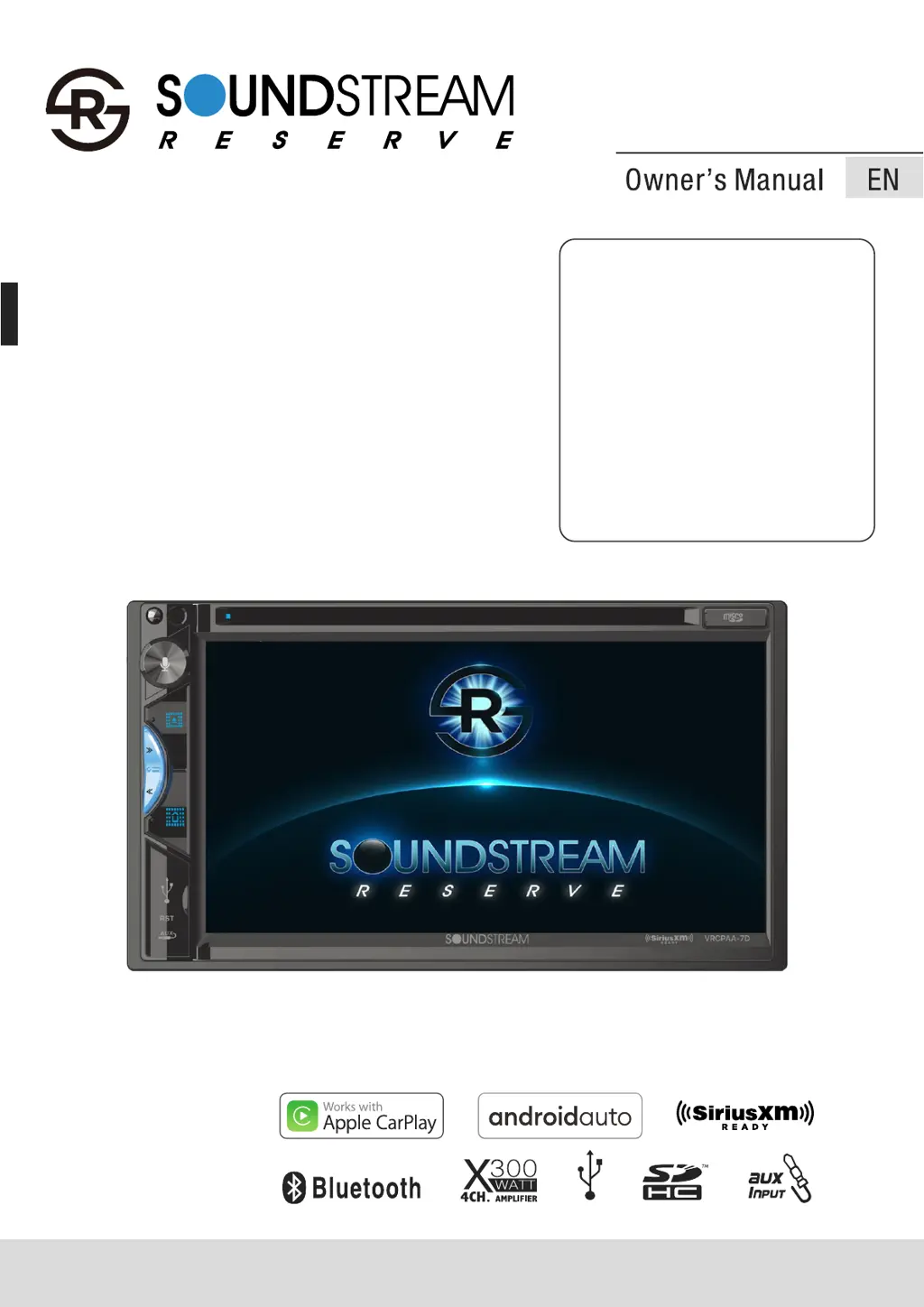
Soundstream VRCPAA-7D
27 pages
Print Icon
To Next Page IconTo Next Page
Loading...
2 DIN 7" Monitor
Touch screen
DVD/CD/MP3/MP4/
USB/SD
AM/FM Radio
Support Apple CarPlay
Support Android Auto
Support Bluetooth
Sirius xm ready
VRCPAA-7D
AV Center
2-DIN DVD Headunit
TM
TM

Questions and Answers

  • K
    Katherine WatsonAug 5, 2025
    What to do if my Soundstream VRCPAA-7D Car Video System shows 'No Signal'?
    • S
      Sara MillerAug 5, 2025
      If your Soundstream Car Video System displays 'No Signal', it means the SiriusXM Connect Vehicle Tuner is having trouble receiving the satellite signal. First, make sure your vehicle is outside with a clear view of the southern sky. Then, check that the SiriusXM magnetic mount antenna is properly mounted on a metal surface on the outside of your vehicle, away from any obstructions. Inspect the antenna cable for any damage or kinks; replace the antenna if needed. If the issue continues, try disconnecting and reconnecting the tuner.
  • S
    Sharon MoralesAug 10, 2025
    How to fix 'Check Antenna' error on Soundstream Car Video System?
    • H
      harnoldAug 10, 2025
      If your Soundstream Car Video System displays a 'Check Antenna' error, it means the radio has detected a fault with the SiriusXM antenna. This could be because the antenna cable is either disconnected or damaged. To resolve this, first verify that the antenna cable is securely connected to the SiriusXM Connect Vehicle Tuner. Next, carefully inspect the antenna cable for any signs of damage or kinks. If you find any damage, you will need to replace the antenna.
  • M
    Melissa ByrdAug 14, 2025
    What to do if my Soundstream VRCPAA-7D says 'Check Tuner'?
    • T
      tchristianAug 14, 2025
      If your Soundstream Car Video System displays 'Check Tuner', the radio is having trouble communicating with the SiriusXM Connect Vehicle Tuner, or the tuner might be disconnected or damaged. First, verify that the SiriusXM Connect Vehicle Tuner cable is securely connected to the radio's SiriusXM connector/cable. If the problem continues, try disconnecting and reconnecting the tuner.
  • J
    jessica69Aug 18, 2025
    Why does my Soundstream VRCPAA-7D say 'Channel Not Subscribed'?
    • A
      Allison MurrayAug 18, 2025
      The 'Channel Not Subscribed' message on your Soundstream Car Video System means the channel you're trying to access isn't included in your current SiriusXM subscription package, or the channel you were listening to is no longer included.
  • C
    Caitlyn RamirezAug 23, 2025
    Why does my Soundstream VRCPAA-7D say 'Channel Not Available'?
    • D
      dianabrownAug 23, 2025
      The 'Channel Not Available' message on your Soundstream Car Video System means that the channel you've requested is not a valid SiriusXM channel, or the channel you were listening to is no longer available. This message may also appear briefly when initially connecting a new SiriusXM Connect Vehicle tuner.
  • M
    Mrs. Meghan MoralesAug 27, 2025
    What to do if I entered the wrong passcode on my Soundstream VRCPAA-7D Car Video System?
    • O
      orichardsonAug 27, 2025
      If you've entered the wrong passcode on your Soundstream Car Video System, it means the unlock code you entered is incorrect. To fix this, input the correct four-digit code to unlock the channel. If you don't remember the code, reset the lock code to the default following the instructions.
  • T
    Timothy PattersonAug 31, 2025
    What does 'Please Enter the Lock Code' mean on my Soundstream VRCPAA-7D Car Video System?
    • B
      Bianca BennettSep 1, 2025
      The 'Please Enter the Lock Code' message on your Soundstream Car Video System means you're being prompted to enter the lock/unlock code. Enter the four-digit code to unlock the channel.

Soundstream VRCPAA-7D Specifications

General IconGeneral
Display Size7 inches
TouchscreenYes
BluetoothYes
GPS NavigationNo
Apple CarPlayYes
Android AutoYes
DVD PlayerNo
SD Card InputYes
Rear Camera InputYes
Steering Wheel Control CompatibleYes
AM/FM RadioYes
Video InputYes
Video OutputYes
Number of Channels4
Video Playback FormatsAVI, WMV
Audio Playback FormatsMP3, WMA, AAC, FLAC, WAV
Power Output50W x 4
Resolution800 x 480 pixels

Related product manuals