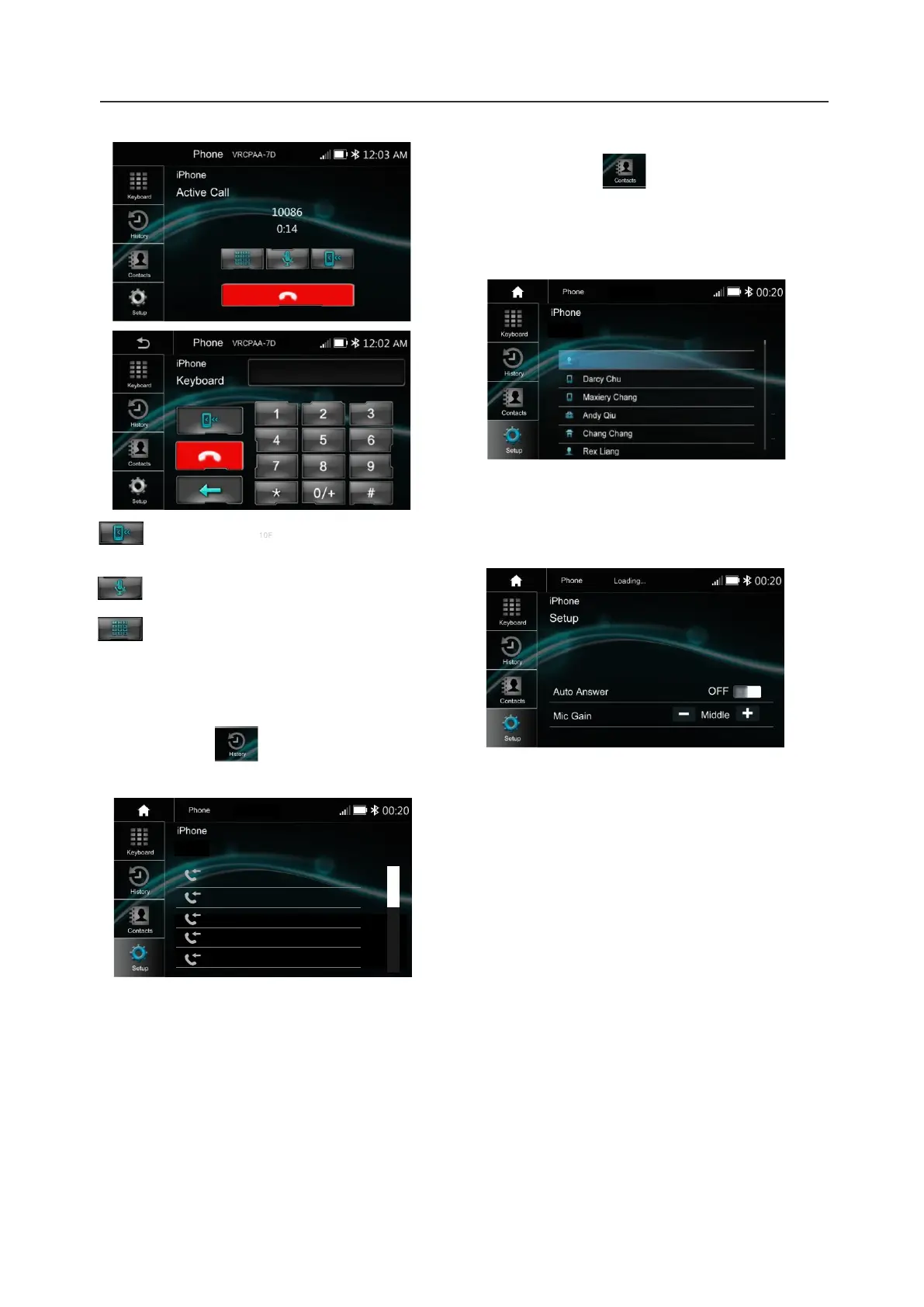
13.Bluetooth Phone
Call History
Touch the icon to display the Call
combined list.
Slide the bar at right side up and down to display
a call logs up to 20 records.
Touch the icon to access the phone
book of the connected mobile phone.
To make a call from the phonebook, simply
touch the contact name.
Contacts
BT Setup
Auto Answer On /OFF, incoming call
auto answer.
MIC Gain, Low / Middle / High
18
Interchange between phone and
source unit
ON/OFF the Microphone function
Display the Keypad.
Contacts
Ray
VRCPAA-7D
History
VRCPAA-7D
10000
10000
10000
10000
10000













 To Next Page