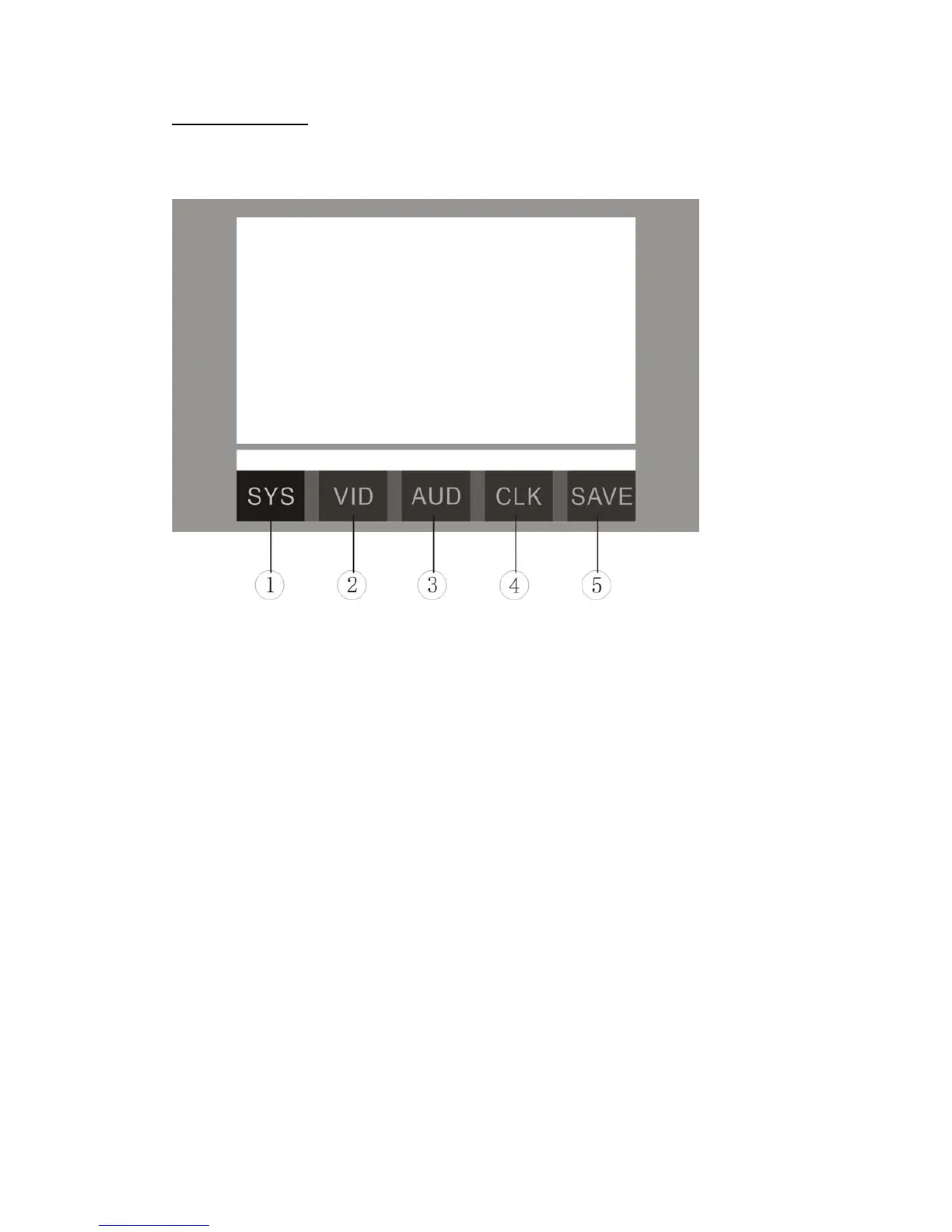
SYSTEM SETUP
Touch the icon “SETUP” or hold on pressing the [MENU] button of panel to enter the
SETUP of system parameters:
1. SYSTEM SETUP
2. VIDEO SETUP
3. AUDIO SETUP
4. CLOCK SETUP
Touch the icon 1~4 to select the main menus directly.
5. SAVE SETTINGS
Touch the icon 5 to save all settings and exit SETUP.
SETUP MENU OPERATION
Press the [BAND] button of panel or remote control to switch the main menus as
following:
SYSTEM – VIDEO – AUDIO – CLOCK – SYSTEM
Press the [∨] / [∧] buttons of remote control or press the [MENU] button of panel to
select the item you want to change.
Press the [<] / [>] buttons of remote control or press the [VOLUME + / -] buttons of
panel to change the value of item.
Holding on pressing the [MENU] button of panel to exit SETUP of system parameters.










 To Next Page