Source Technologies, LLC ST9612 Secure MICR Printer User’s Guide
9
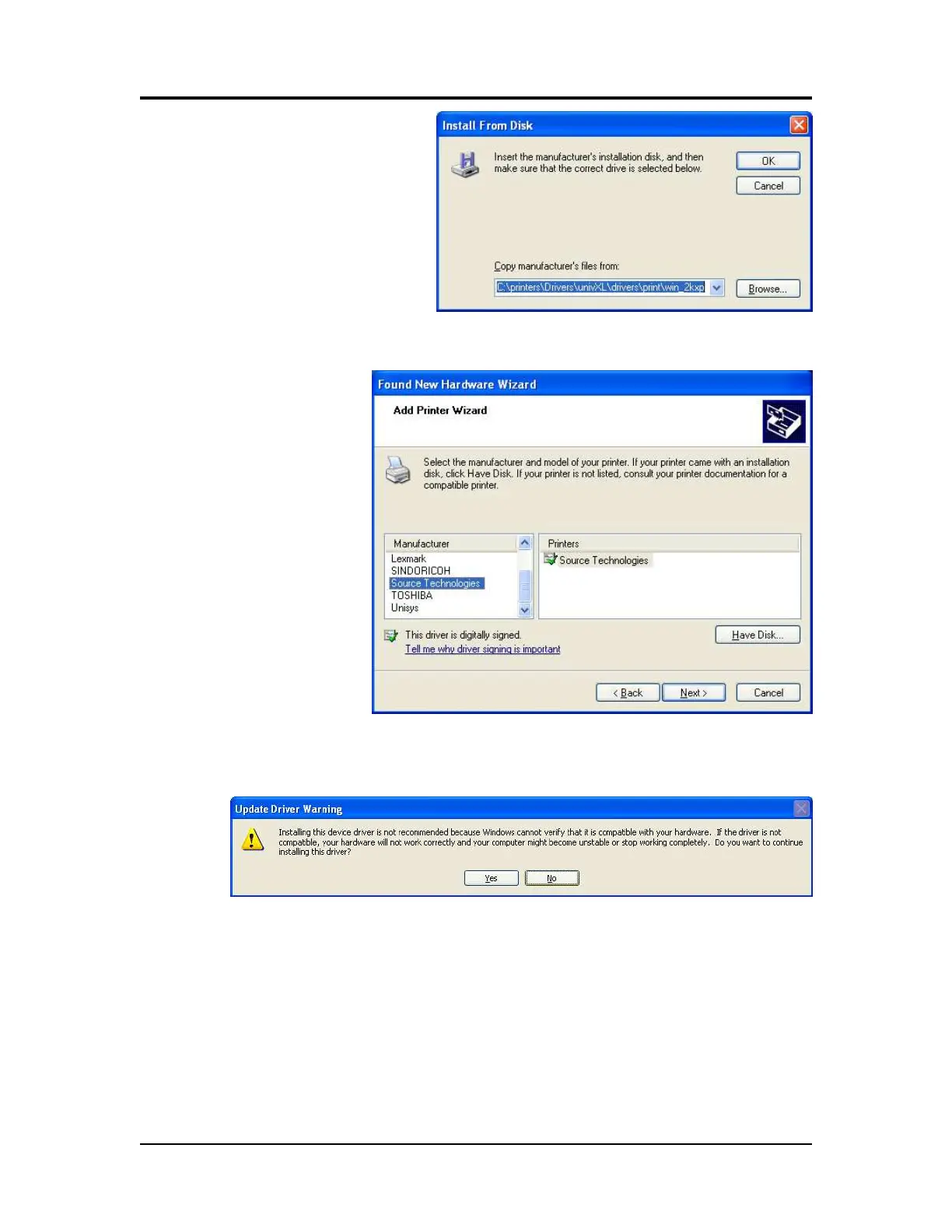
16. Select Browse. Browse
to the driver files on your
disk and then select
Open.
17. Select OK.
18. Select Source
Technologies
from the
Manufacturer list
and then click
Next >.
19. Select Yes to continue.
20. Once the files have copied, select Finish to close the Wizard.
Printer and Driver Installation | 1



 To Next Page