Source Technologies, LLC ST9612 Secure MICR Printer User’s Guide
22
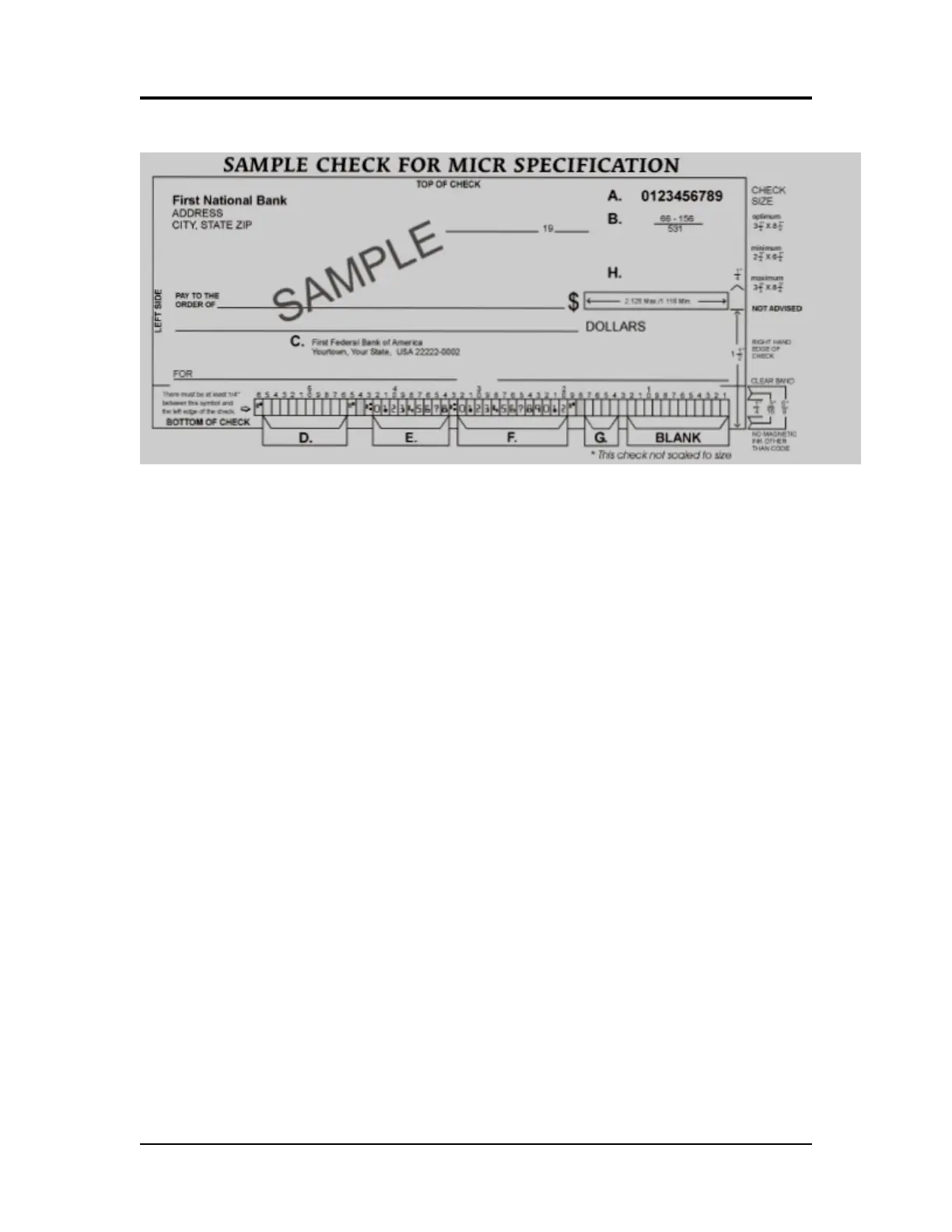
Figure 3.1: Sample Check
A. Serial Number: Must be in the upper right corner and match the serial number in the
MICR line (see D for further explanation).
B. Fractional Routing Transit Number: Should be in the upper right corner and must
match the routing transit number in the MICR line with the exception of the state
prefix number (ex. 66 = NC, 67 = SC, 64 = GA, etc.) and the preceding zeros.
C. Bank Name, State, City: The bank logo is optional. Name of bank, city and state
where the account will be assigned/opened are required fields.
D. Aux On-Us (46-55): This is a required field if the customer desires services offered
by the bank which require a serial number. The serial number format is controlled by
the payer’s bank. A & D should match.
E. Routing Number (34-42): Designates the Federal Reserve district and financial
institution. Each city, state or region that the bank serves has a unique institution
identifier. IMPORTANT: positions 35-42 are the Routing Numbers; position 34 is the
check digit.
F. Account Number: This is a unique number assigned to the customer’s account.
G. Optional Serial Number: Used for personal accounts (checks only). This should be
a 4-digit, zero-filled field that matches the serial number in the upper right corner.
H. Convenience Amount Area: should be in the general location shown above in the
diagram. The illustrated box in the diagram is optional and if used, should conform
to ANS X9.7. A single stroke dollar sign is required.
MICR Check Design | 3



 To Next Page