Source Technologies, LLC ST9612 Secure MICR Printer User’s Guide
12
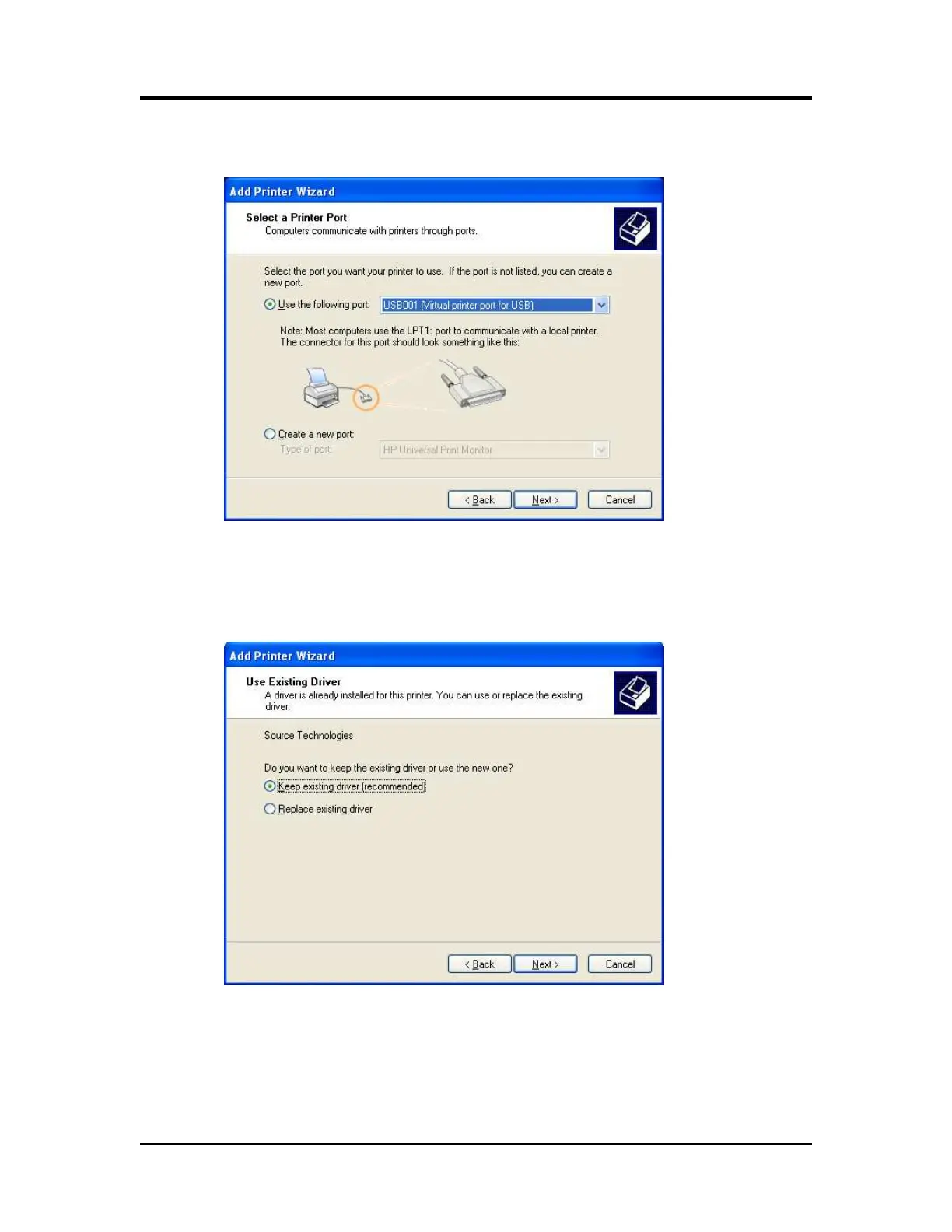
3. Choose the port to which your MICR printer is connected and then select
Next >.
4. Select the Have Disk button and the Browse button and locate the driver
files. Select Source Technologies as the Manufacturer and select Next >.
5. Choose Keep existing driver and select Next >.
Printer and Driver Installation | 1



 To Next Page