Quick Reference
Loading paper
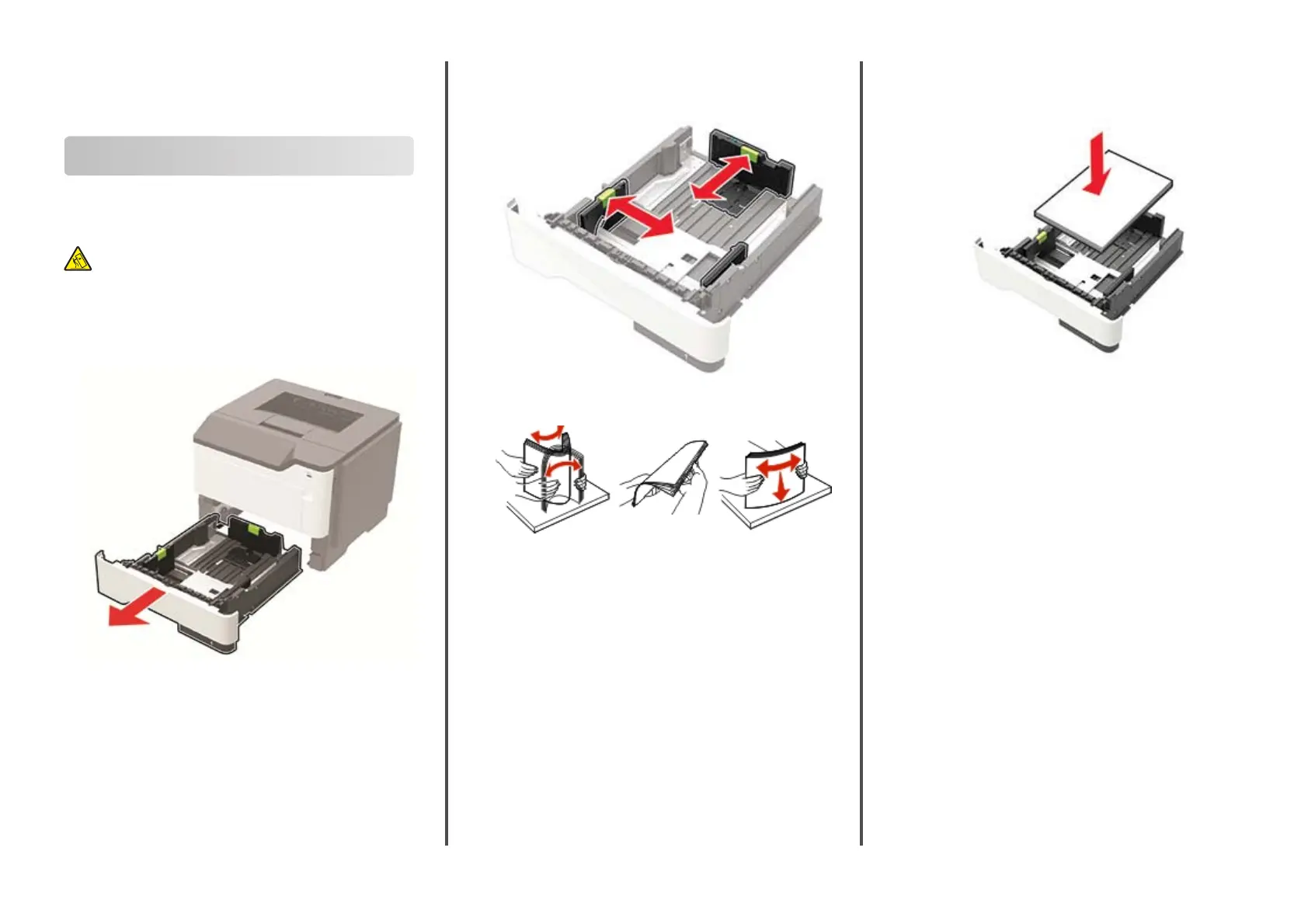
Loading trays
CAUTION—TIPPING HAZARD: To reduce the risk of
equipment instability, load each tray separately. Keep all
other trays closed until needed.
1
Remove the tray.
Note: To avoid paper jams, do not remove trays while the
printer is busy.
2
Adjust the paper guides to match the size of the paper that you
are loading.
3
Flex, fan, and align the paper edges before loading.
4
Load the paper stack with the printable side facedown, and
then make sure that the side guides fit snugly against the
paper.
Notes:
•
Load letterhead facedown with the top edge of the
sheet toward the front of the tray for one
‑
sided printing.
•
Load letterhead faceup with the bottom edge of the
sheet toward the front of the tray for two
‑
sided printing.
•
Do not slide paper into the tray.
•
To avoid paper jams, make sure that the stack height is
below the maximum paper fill indicator.
5
Insert the tray.
If necessary, set the paper size and paper type from the control
panel to match the paper loaded.
1
11401A Granite Street | Charlotte, NC | 800.922.8501 | Sourcetech.com



 To Next Page