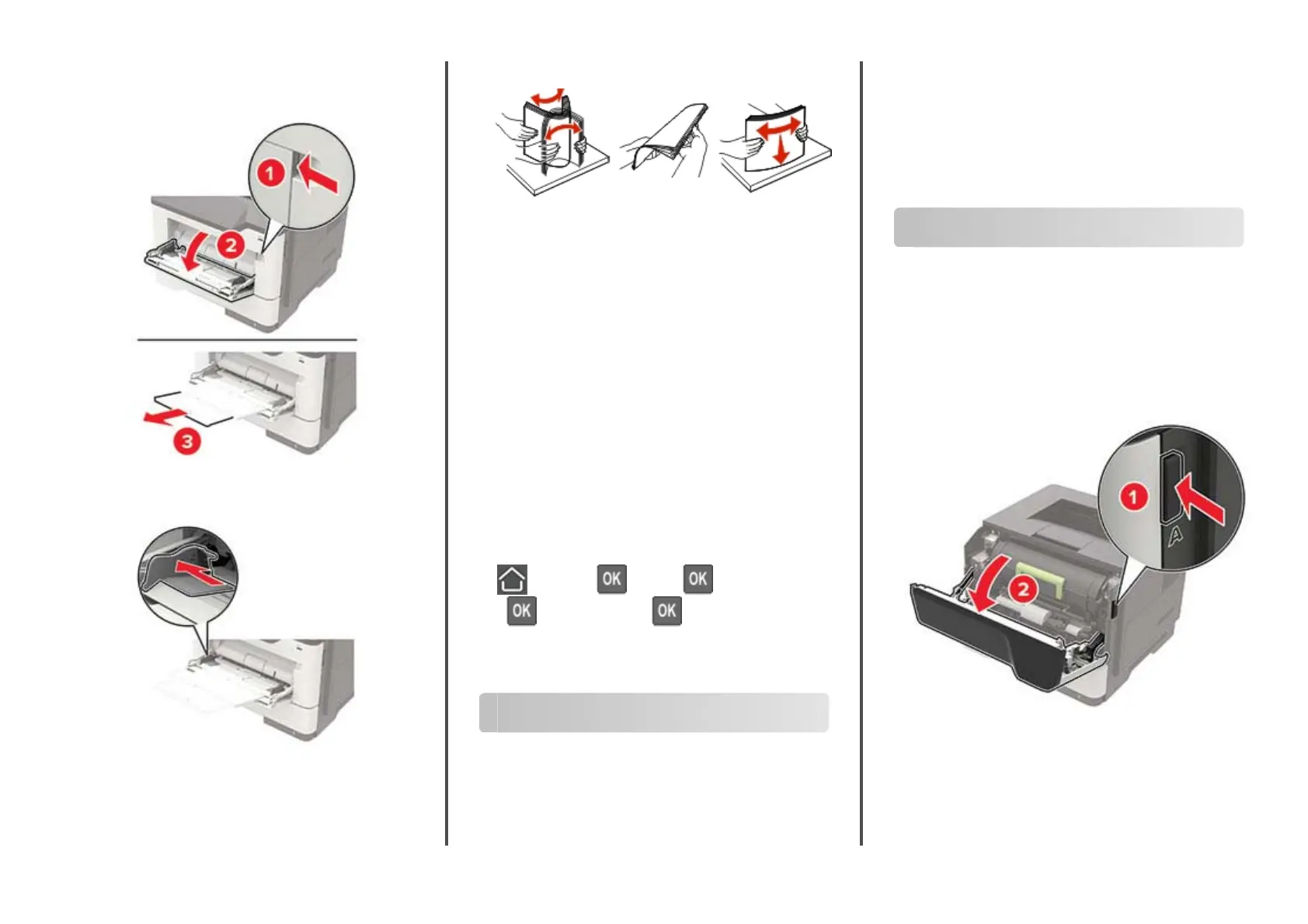
Loading the multipurpose feeder
1
Open the multipurpose feeder.
2
Adjust the guide to match the size of the paper that you are
loading.
3
Flex, fan, and align the paper edges before loading.
4
Load paper with the printable side faceup.
Notes:
•
Load letterhead faceup with the top edge of the sheet
toward the front of the tray for one
‑
sided printing.
•
Load letterhead facedown with the bottom edge of the
sheet toward the front of the tray for two
‑
sided printing.
•
Load envelopes with the flap facedown on the left side.
•
Load European envelopes with the
flap
facedown and
entering the printer first.
Warning—Potential Damage: Do not use envelopes with
stamps, clasps, snaps, windows, coated linings, or self
‑
stick
adhesives.
5
From the control panel, set the paper size and paper type to
match the paper loaded.
Setting the size and type of the
specialty media
1
From the control panel, navigate to:
> Settings > > Paper > > Tray Configuration
>
> Paper Size/Type >
2
Select a paper source, and then configure the size and type of
the specialty media.
Printing
Printing from a computer
Note: For labels, card stock, and envelopes, set the paper size
and paper type in the printer before printing the document.
1
From the document that you are trying to print, open the Print
dialog.
2
If necessary, adjust the settings.
3
Print the document.
Note: For details of the function of the printer driver, refer to
the Help of the printer driver.
Maintaining the printer
Replacing the toner cartridge
1
Open door A.
Warning—Potential Damage: To prevent damage from
electrostatic discharge, touch any exposed metal frame of
the printer before accessing or touching interior areas of the
printer.
2
11401A Granite Street | Charlotte, NC | 800.922.8501 | Sourcetech.com



 To Next Page