2
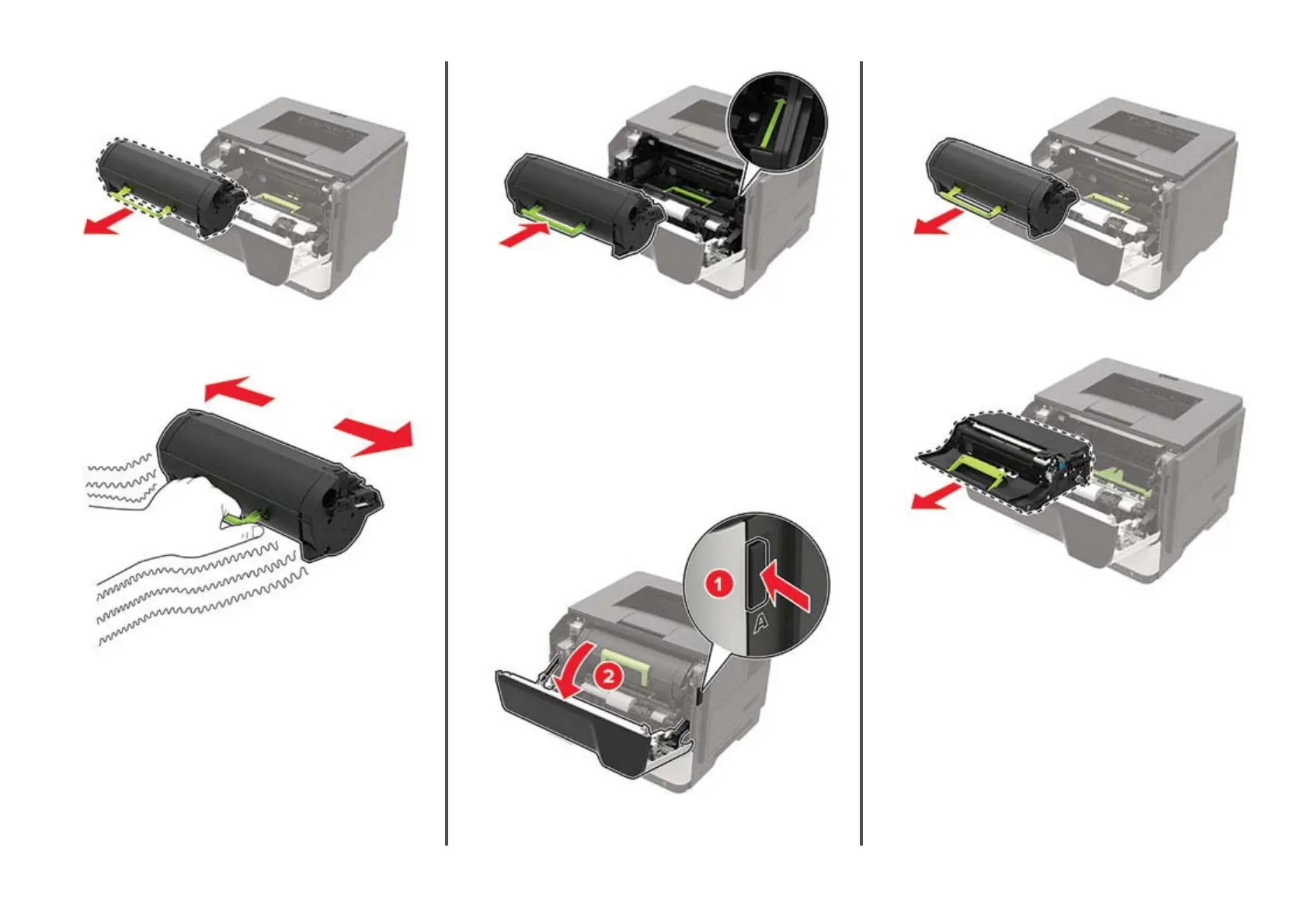
Remove the used toner cartridge.
3
Unpack the new toner cartridge, and then shake it three times
to redistribute the toner.
4
Insert the new toner cartridge.
Note: Use the arrows inside the printer as guides.
5
Close door A.
Replacing the imaging unit
1
Open door A.
Warning—Potential Damage: To prevent damage from
electrostatic discharge, touch any exposed metal frame of
the printer before accessing or touching interior areas of the
printer.
2
Remove the toner cartridge.
3
Remove the used imaging unit.
3
11401A Granite Street | Charlotte, NC | 800.922.8501 | Sourcetech.com



 To Next Page