Using the control panel
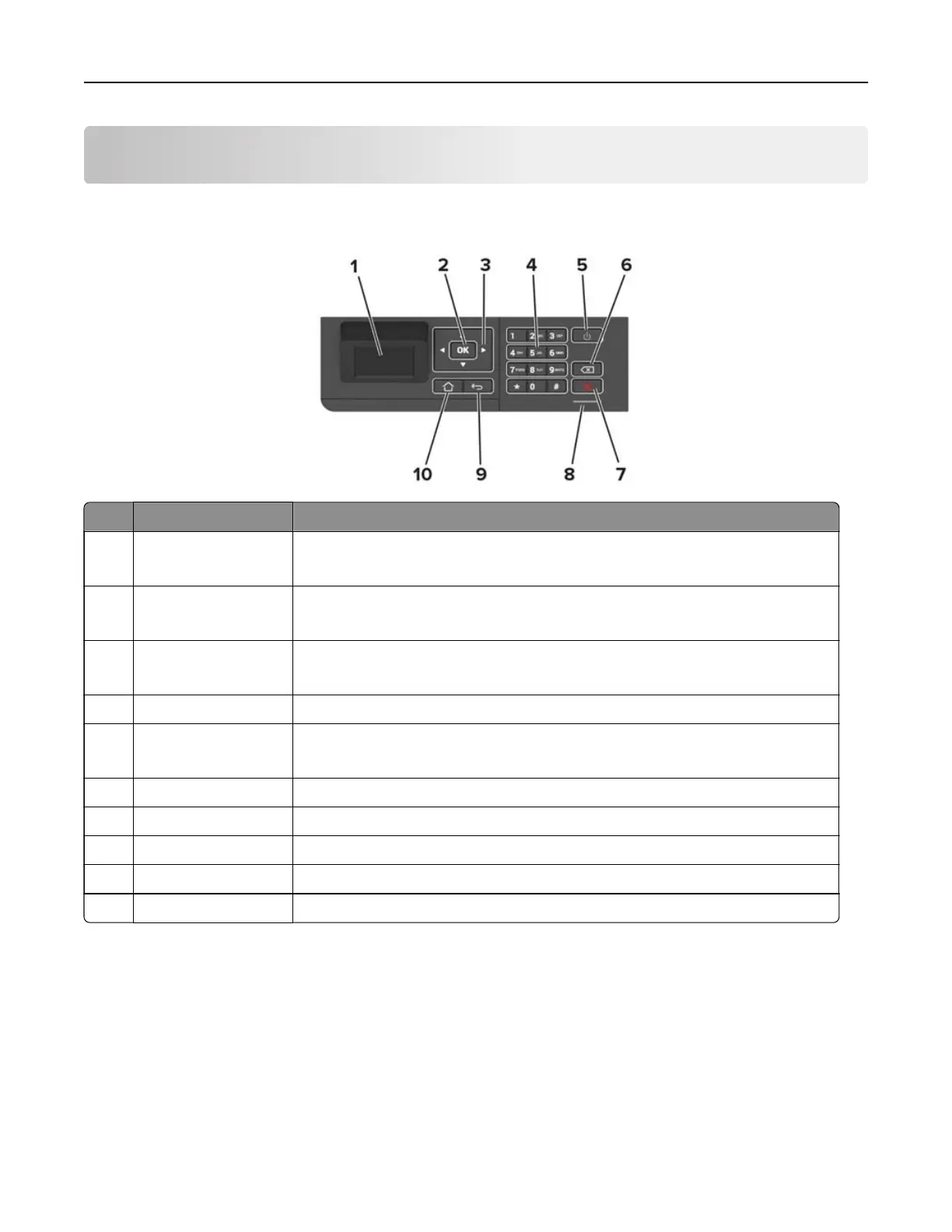
Panel with 2.4-inch LCD
Use the To
1 Display
• View printer messages and supply status.
• Set up and operate the printer.
2 Select button
• Select a menu option.
• Save the changes in a setting.
3 Arrow buttons
• Scroll through menus or move between screens and menu options.
• Adjust the numeric value of a setting.
4 Numeric keypad Enter numbers or symbols in an input field.
5 Power button Turn on or turn o the printer.
Note: To turn o the printer, press and hold the power button for five seconds.
6 Backspace button Move the cursor backward and delete a character in an input field.
7 Stop or Cancel button Stop the current printer task.
8 Indicator light Check the printer status.
9 Back button Return to the previous screen.
10 Home button Go to the home screen.
Using the control panel 12



 To Next Page