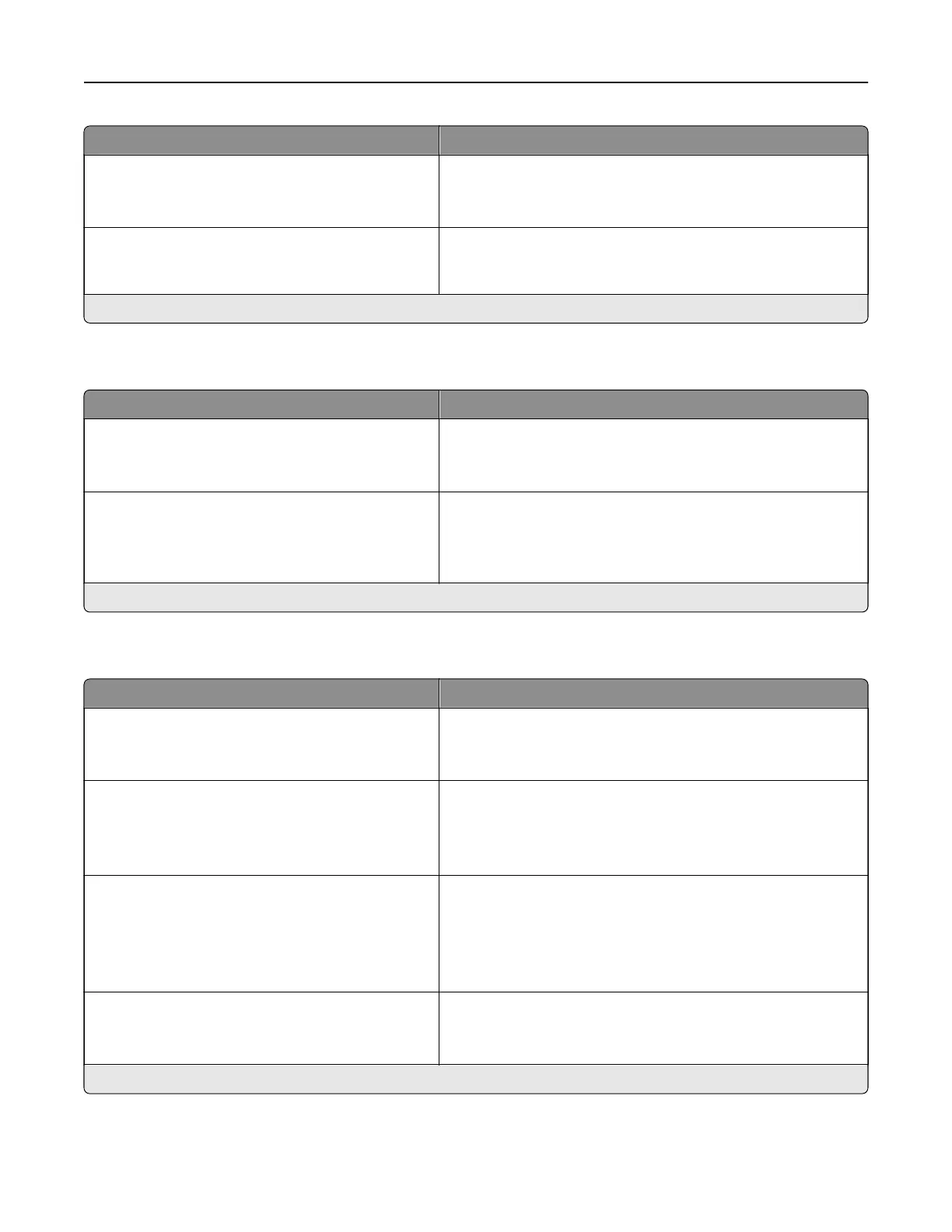
Menu item Description
Flash Drive Access
Enabled*
Disabled
Enable access to the flash drive.
Note: This menu item appears only in some printer models.
Screen Timeout
5–300 (60*)
Set the idle time in seconds before the display shows the home
screen, or before the printer logs o a user account
automatically.
Note: An asterisk (*) next to a value indicates the factory default setting.
Remote Operator Panel
Menu item Description
External VNC Connection
Don’t Allow*
Allow
Connect an external Virtual Network Computing (VNC) client
to the remote control panel.
Authentication Type
None*
Standard Authentication
Set the authentication type when accessing the VNC client
server.
Note: When set to Standard Authentication, VNC Password
appears.
Note: An asterisk (*) next to a value indicates the factory default setting.
Notifications
Menu item Description
Error Lighting
O
On*
Set the indicator light to come on when a printer error occurs.
Note: This menu item appears only in some printer models.
Supplies
Show Supply Estimates
Show estimates*
Do not show estimates
Show the estimated status of the supplies.
Supplies
Cartridge Alarm
O
Single*
Continuous
Set the number of times that the alarm sounds when the toner
cartridge is low.
Note: This menu item appears only in some printer models.
E‑mail Alerts Setup
E‑mail Setup
Primary SMTP Gateway
Type the IP address or host name of the primary SMTP server
for sending e-mail.
Note: This menu item appears only in some printer models.
Note: An asterisk (*) next to a value indicates the factory default setting.
Understanding the printer menus 45



 To Next Page