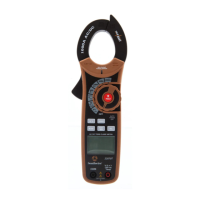
10 A
16040T
MAX
MIN
MODE
10 A
16040T
MAX
MIN
MODE
8
1. Set the rotary function
switch to the
position.
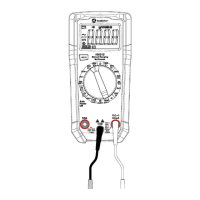
2. Insert the black test lead
into the COM input jack and
the red test lead into
the V input jack.
3. Touch the test lead probes
to the circuit under test.
4. Read the voltage on the LCD display.
AC Voltage Measurements
Observe all safety precautions
when working on live voltages.
WARNING:
Operation cont.
V
V
- +
1. Set the rotary function switch
to the
V position.
2. Insert the black test lead into the
COM input jack and the red test
lead into the V input jack.
3. Touch the test lead probes to
the circuit under test. Touch the
red test lead to the positive side
of the circuit and the black test
lead to the negative side of the circuit.
4. Read the voltage on the LCD display.
DC Voltage Measurements
Observe all safety precautions
when working on live voltages.
WARNING:
7
Operation
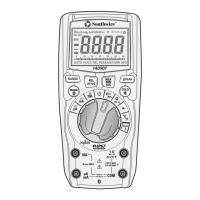
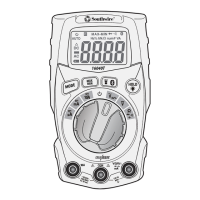
MODE Button
Used to select AC voltage, Frequency or % Duty Cycle, AC or DC current, and Ohms,
Diode Test, Continuity or Capacitance.
MAX/MIN Button
1. Momentarily press the MAX/MIN button to activate the MAX/MIN mode. “MAX”
will appear on the LCD display and the meter will display and hold the highest
reading. The meter will update the reading when a higher “max” occurs.
2. Momentarily press the MAX/MIN button again to view the lowest reading.
“MIN” will appear on the LCD display and the meter will display and hold the
lowest reading. The meter will update the reading when a lower “min” occurs.
3. Press and hold the MAX/MIN button to end MAX/MIN and return to normal
operation.
NOTE: MAX/MIN does not work on Frequency, Duty Cycle, Resistance,
Continuity, Diode Test and Capacitance.
FLASHLIGHT / Bluetooth
®
Button
Bluetooth
®
wireless technology allows readings to be displayed and stored on
mobile devices. To activate, press and hold the button until the " " symbol
appears on the LCD display. The Bluetooth
®
function should be disabled when not
connected to a mobile device in order to conserve battery power. To turn the
Bluetooth
®
function off, press and hold the button until the " " symbol no
longer appears on the display.
Visit nextgenmeters.southwiretools.com for mobile app download information.
To turn the flashlight on and off, momentarily press the button.
HOLD/Backlight button
To freeze the reading on the LCD display, momentarily press the HOLD button.
The “ ” indicator will be displayed while the reading is being held. Momentarily
press the HOLD button again to return to normal operation.
The backlight illuminates the LCD display when the ambient light is too low to view
the displayed readings. To turn the backlight on, press the HOLD button until the
backlight turns on. To turn the backlight off, press the HOLD button until the
backlight turns off.
H


 To Next Page
 Loading...