11 12
Operation
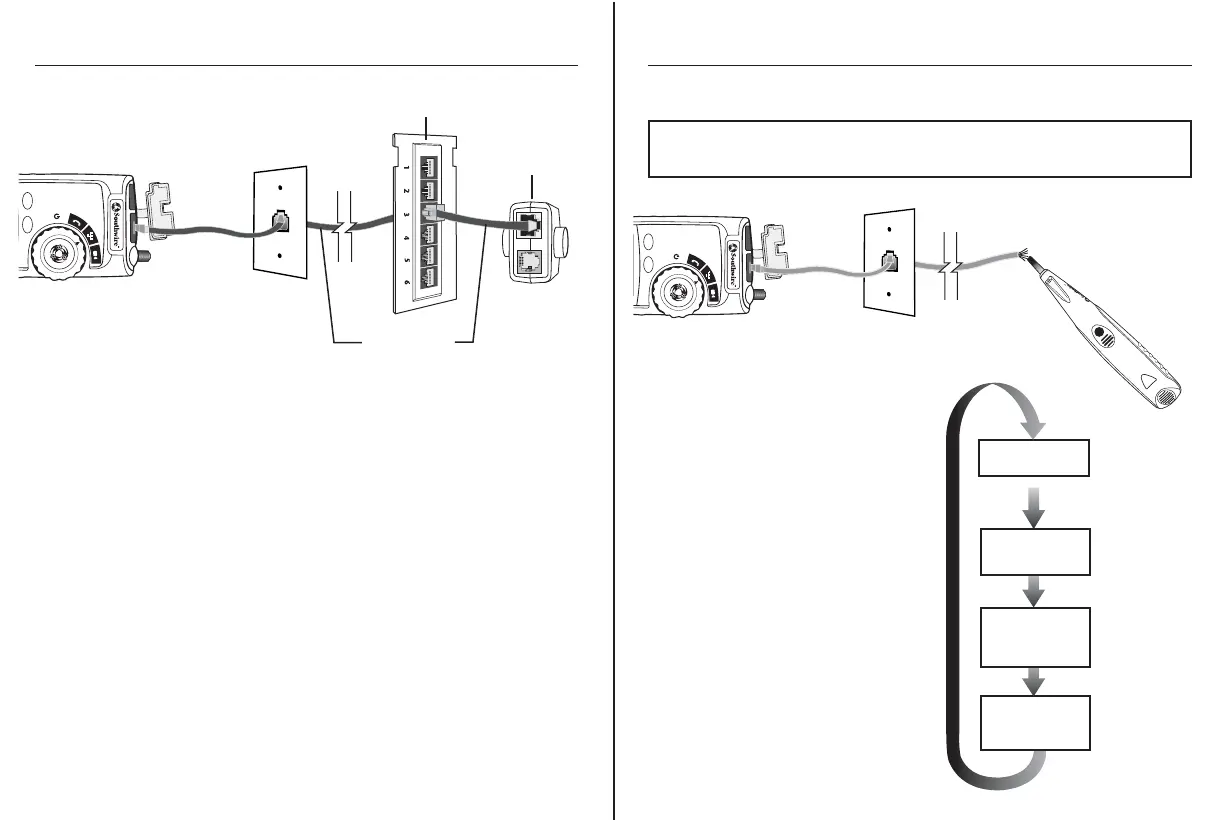
Using the Tone Generator to Trace a Data Cable
(C)
TEST MODE
Lo:
Low pitch tone
HI 2:
Warbling tone
HI 1:
Alternating High/
Low pitch tone
TONE MODE
Lo
TONE MODE
HI 1
TONE MODE
HI 2
1. Connect the cable under test to
the RJ45 port on the tester.
2. Set the rotary function switch to
the Data position.
3. Press the MODE button to switch
to the Tone Generator.
4. Repeatedly press the Mode button
to select the desired tone.
Refer to sequence chart (C)
for explanation tone selection.
M300P
CYCLE
MODE
Open
Rev
Shield
Split ID 1
Test
Short
Tone
Data
Video
12345678
NOTE: It is necessary to use a separate amplifier probe
Southwire Model T120AP (
sold separately) in order to hear the tone.
Amplifier Probe
Operation
Testing an Installed Data Cable
Patch Cable
Patch Panel
1. Connect a known good patch cable to the wall port or patch panel
of the cable being tested.
2. Connect the other end of the patch cable to the RJ45 port on the tester.
3. Detach the remote from the bottom of the tester.
4. Connect another known good patch cable to the RJ45 port on the remote.
5. Connect the other end of the patch cable to the wall port or patch panel
at the other end of the cable being tested.
6. Set the rotary function switch to the Data position
7. Interpret the results of the test using the Display and Wiring
Examples shown on page 15.
Testing Shielded Cable
When testing a shielded cable, the Shield indicator will appear on the display
if the shield is connected at both ends of the cable. If the shield is shorted to a
wire within the cable, the Shield indicator and the corresponding shorted pin
will flash. A dash mark under the flashing pin will appear indicating a short.
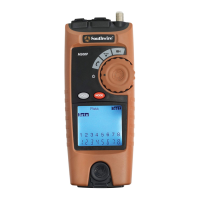
M300P
CYCLE
MODE
Detachable
Remote



 To Next Page