9 10
Operation
Operation
Testing a Data Patch Cable Terminated with RJ45 Connectors
Data
1. Connect one end the cable under test to the RJ45 port on the tester.
2. Detach the remote from the bottom of the tester.
3. Connect the other end of the cable under test to the RJ45 port on the remote.
4. Set the rotary function switch to the Data position.
5. Interpret the results using the Wiring and Display Examples on page 15.
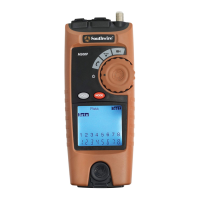
M300P
CYCLE
MODE
WARNING: Exposure to voltage can
damage the tester. Immediately disconnect the
cable under test if the Voltage warning appears
on the display. Make sure the cable is not
connected to any device that can supply
voltage before retesting.
Do not connect two different cables into the
Voice (RJ11/RJ12) and Data (RJ45) test ports
at the same time. The cables will interact
with each other and alter test results.
M300P
CYCLE
MODE
Open
Rev
Shield
Split ID 1
Test
Short
Tone
Data
Video
12345678
Detachable
Remote
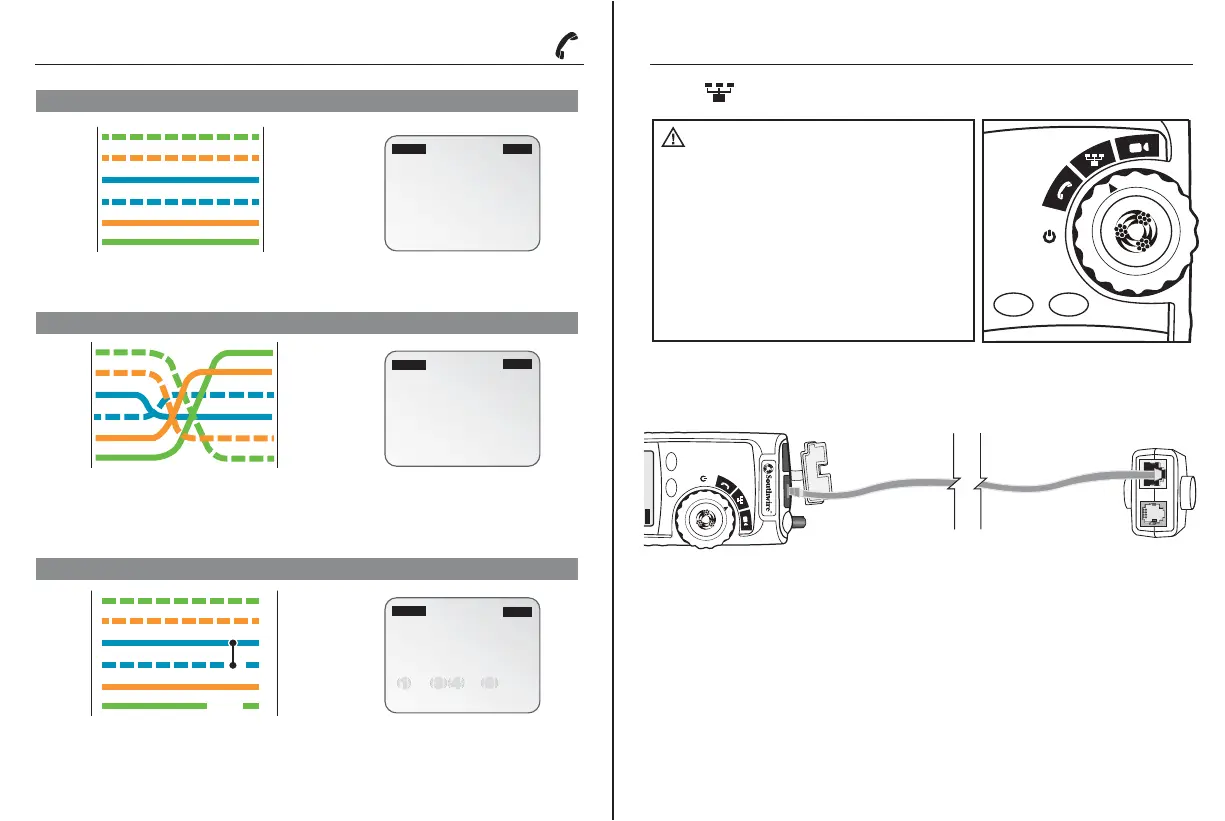
USOC Phone Cable Properly Wired
Display
123456
123456
Pass
Test
Voice
TESTER
1
2
3
4
5
6
1
2
3
4
5
6
REMOTE
123456
654321
Pass
Rev
Test
Voice
Pass appears on the display indicating a properly wired cable. The pin numbers on the
top row and bottom row are the same indicating proper continuity.
A cross wired cable reverses the connection at one end of the cable. Pins 1, 6 cross over to
pins 6, 1, pins 2, 5 cross over to pins 5, 2, and pins 3, 4 cross over to pins 4, 3. Cross wired cables
are often used between the wall port and phone.
Pass and X-over appear on the display indicating a properly wired cross wired cable. The pin numbers
on the bottom row indicate the corresponding reversal to the pin members on the top row.
The pair on pins 3 and 4 is shorted and the pair on pins 1 and 6 is open.
Fail, Short and Open appear on the display indicating a defective cable. The pins with wiring errors will
flash. The dash lines below pins 3 and 4 indicate a shorted pair. The blank space under pins 1 and 6
indicate an open pair.
TESTER
1
2
3
4
5
6
1
2
3
4
5
6
REMOTE
REMOTE
TESTER
1
2
3
4
5
6
6
5
4
3
2
1
USOC Cross Wired Phone Cable Properly Wired
USOC Phone Cable with Shorted and Open Pair
1 2 3 4 5 6
2 - - 5
Open
Fail
Short
Voice
Test
Display
Display
Shor t
Open
Wiring and Display Examples for Voice Cable



 To Next Page