
 Need help?
Do you have a question about the SP VirTis Wizard 2.0 and is the answer not in the manual?
Explains shelf- or product-driven freeze-dry cycle control for the Wizard 2.0.
Lists the main capabilities and benefits of the VirTis Wizard 2.0 controller.
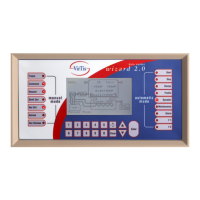
Describes the functions of manual and automatic mode buttons on the controller interface.
Details the configurable parameters for manual operation of the freeze dryer.
Step-by-step guide for operating the freeze dryer using Manual Mode.
Instructions on how to create and save freeze-dry recipes on the controller.
Configuration of temperature, time, and ramp/hold parameters for initial product treatment.
Settings for initial conditions before primary freeze-drying begins.
Defines temperature, time, vacuum, and ramp/hold settings for the drying process.
Specifies setpoints and post-heat settings for the final drying stage.
Procedure for starting and running a freeze-dry cycle in Automatic Mode.
Explanation of the vacuum pump oil purge function to remove contaminants.
Description of the P-Rise test for determining product dryness.
How to control the isolation valve for chamber isolation or condenser defrost.
Information about printing recipe and process data directly from the controller.
Procedure for calibrating temperature readings on the controller.
Procedure for calibrating vacuum readings on the controller.
How to adjust the date and time settings on the controller.
Configuring various system settings like shelf/product driven mode and units.
Setting operational limits and alarms to protect product and equipment.
Accessing and understanding password-protected factory default configurations.
Explanation of service routines and their purpose for system diagnostics.
Performing output tests on solid-state relays for troubleshooting.
Monitoring vacuum pump oil service intervals and triggering maintenance alarms.
Information on hardware/software revisions and SP Service contact details.
Overview of the alarm system and common alarm conditions and corrective actions.
Troubleshooting common issues related to refrigeration, vacuum, and temperature systems.
Details on system parameters configured at the factory for optimal operation.
Explanation of service routines and their purpose for system diagnostics.
Suggested PID tuning parameters for heating and cooling controls.
Using the relay test screen to observe output sequences during operation.
 General
| Brand | SP |
|---|---|
| Model | VirTis Wizard 2.0 |
| Category | Controller |
| Language | English |

 To Next Page