14 | CLARO
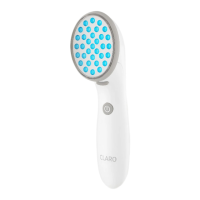
For best results, it is recommended that you treat one aected area for the
full 3-minute treatment cycle. The device will beep 2 times after 3 minutes
have gone by. Then, move the device to another area and start treatment
by touching the Treatment Head face to the new area of skin. Repeat this
process until all aected areas have been treated with the blue light.
4. Turn the Device OFF by pressing the ON/OFF button. The
Power Indicator Light will go o.
NOTE: It is recommended that you keep the Device in contact with the
skin during the entire 3 minutes of treatment. Should the Device be
removed from the skin before completion of the 3 minute treatment
cycle, the treatment lights will turn o and the Device will return to
Standby mode. To continue with treatment, simply touch the Treatment
Head to your skin again and the lights will turn on for another three (3)
minute treatment cycle.
RED LIGHT TREATMENT
1. Make sure that the Device power is OFF.
2. Remove the Blue Treatment Head and install the Red
Treatment Head following the instructions in “How to Change
the Treatment Heads” (page 9).
3. Repeat Steps 2 and 3 above (under Blue Light Treatment) to
treat each of the skin areas with up to 3 minutes of Red Light.
WARNING: Each aected skin area (for example, on your face) should
be treated with a maximum of 3 minutes blue light and 3 minutes red light per
day. DO NOT exceed 6 minutes total blue and red light treatment per aected
skin area per day.


 To Next Page