CLARO | 13
TREATMENT STEPS
Start by gently washing and drying your skin before starting your
treatment. Then begin with the blue light treatment to kill acne causing
bacteria followed by the red light treatment to reduce inammation and
facilitate healing.
EYE SAFETY WARNING:
The CLARO has been designed so that the lights only go on when the
Treatment Head is in contact with skin or other surface. DO NOT use the
CLARO on your eyes or attempt to look directly at the Head. Goggles are
provided with the CLARO your safety and comfort.
• Position the goggles over your eyes.
• Tie the elastic band so that the goggles t comfortably
around your head.
BLUE LIGHT TREATMENT:
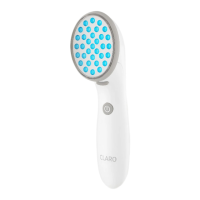
1. Install the Blue Treatment Head into the CLARO.
2. With the treatment head facing away from you, turn the
CLARO only pressing the ON/OFF button. The device will
beep once an the green light will come on. The light will
activate once you have put device to your skin..
3. The Treatment Heads contain contact sensors that turn the
treatment lights on when you touch the Device to your skin and
o when you take the Device away. With the Device in standby
mode. Begin your Blue light treatment by gently touching the
Treatment Head of the CLARO to your skin, which will turn the
treatment lights on.
(Continue next page)


 To Next Page