FROZEN PRODUCT OPERATION
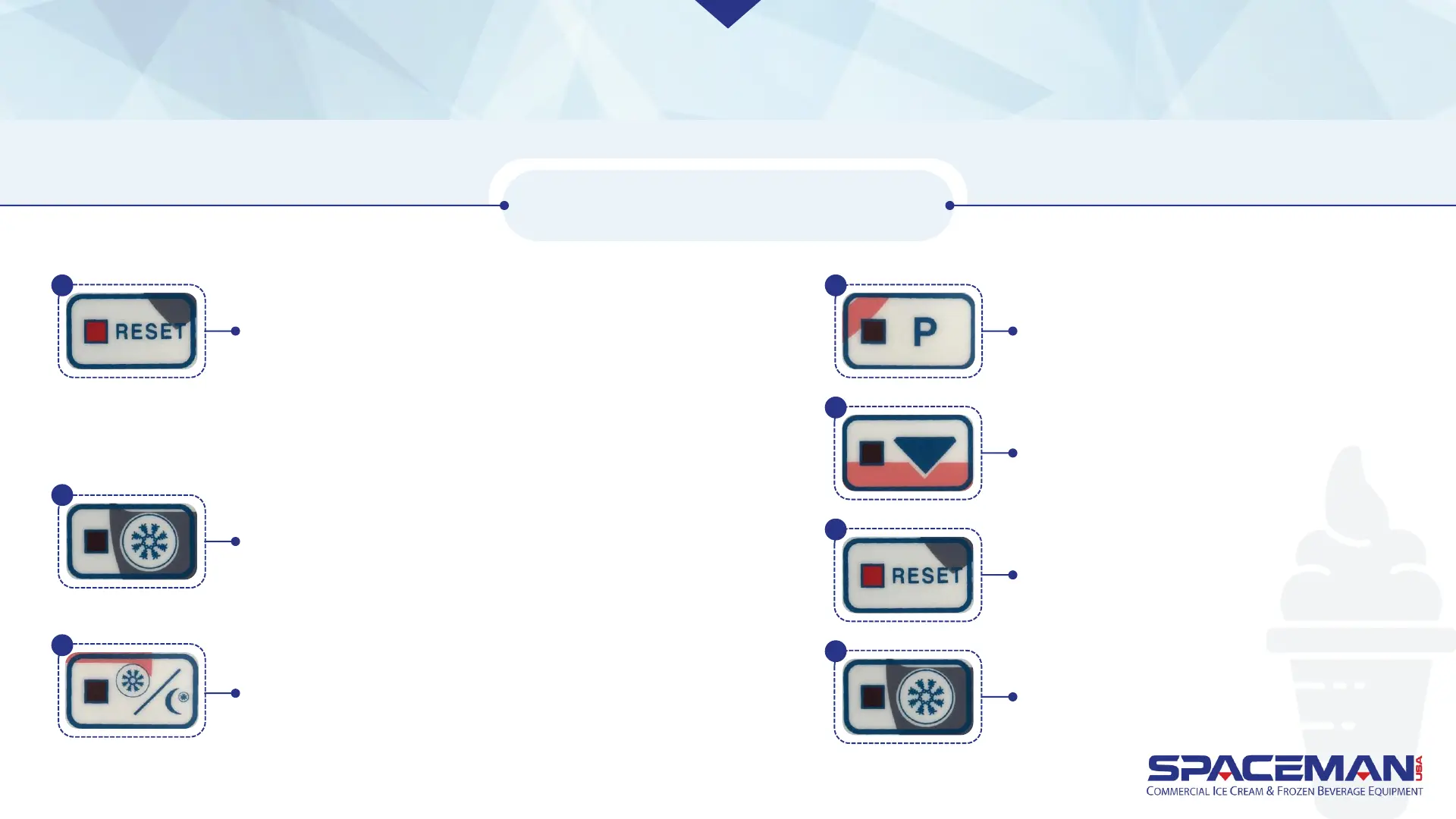
Press RESET to stop all machine functions. Press
and hold RESET until display shows settings.
Viscosity is the first setting shown; press RESET
again twice (without holding) to reach the
date/time setting.
If you scroll past the date/time setting, hit RESET
until it comes back around.
Press STANDBY to increase highlighted number.
Press P to decrease highlighted number.
Press and hold ARROW for 3
seconds to save changes.
Press RESET to return to normal
machine operation.
Press FREEZE to return to freezing operation.
CHANGE DATE AND TIME
Press FREEZE to toggle cursor between date/time
fields. Once highlighted, a field can be changed.
1
2
3
4
5
6
7
Spaceman USA Soft Serve Pump Training
rev042219



 To Next Page