5
- The top right button performs the action shown at the bottom right of the screen.
- To confirm a selection, press the middle OK button or the corresponding upper
button.
- To return to the home screen, simply press the hang up button or by
closing the cover and opening it again.
4. FIRST STEPS BEFORE SWITCHING ON
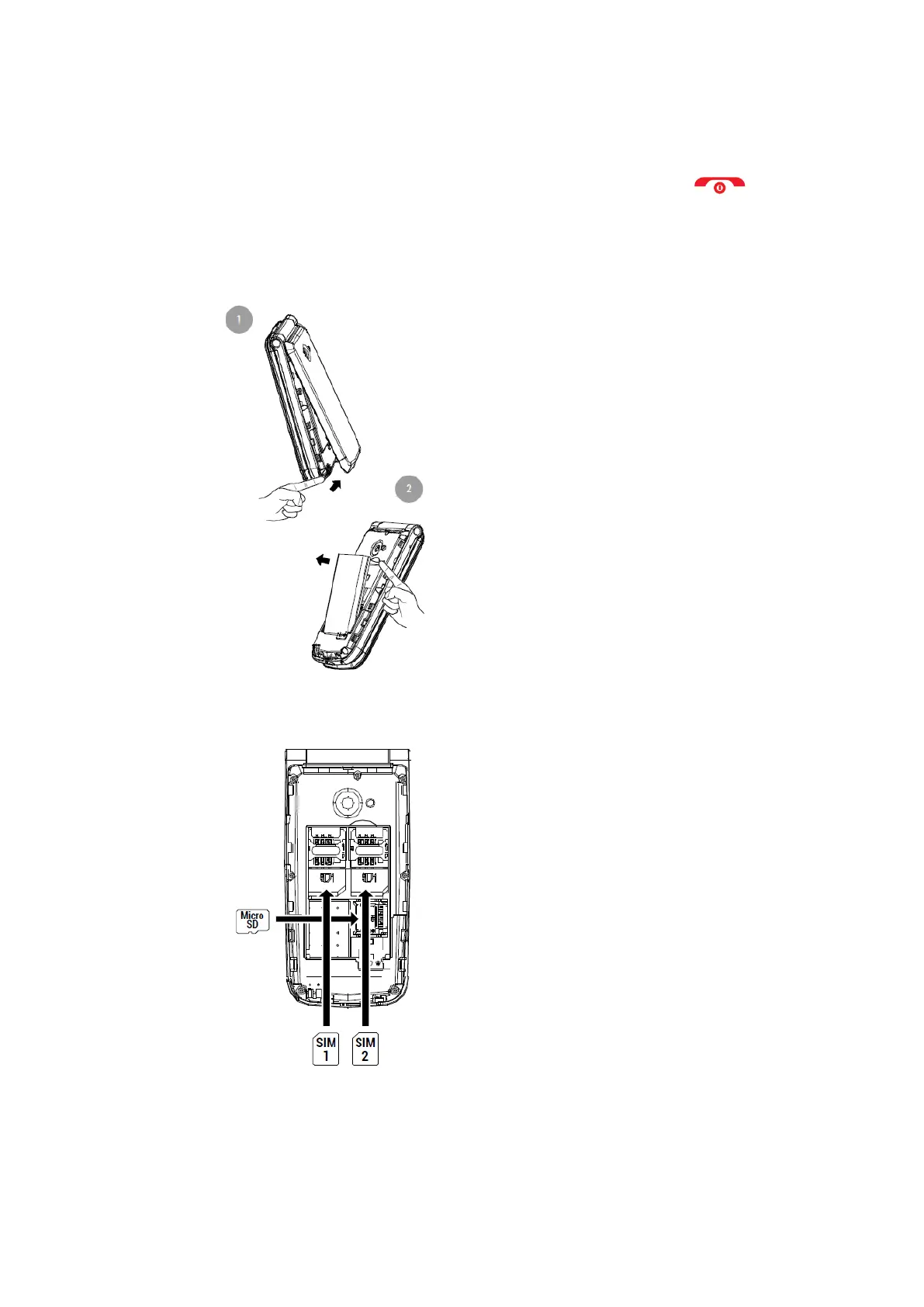
- Lift the battery cover by the tab on the bottom of the phone.
- Remove the battery by lifting it out of the recess at the top of the battery
compartment.
- Insert the SIM card(s) (MiniSIM format) in the indicated position, matching the
golden contacts of the phone and the card(s).
- If a micro SD card is present, insert it in the indicated position. Please note that this
is an open compartment. Carefully slide the cover open and you can open the
compartment.



 To Next Page