
 Need help?
Do you have a question about the Specialized TURBO and is the answer not in the manual?
Details the process of charging the bicycle's battery, including indicator lights and safety notes.
Explains how to power on the electric assist system and initiate basic operation.
Provides instructions on how to safely remove and attach the bicycle's battery pack.
Guides users on performing system diagnostics and interpreting battery status indicators.
Explains how the battery communicates system status via LEDs and diagnostics.
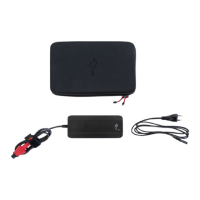
Details the procedure for charging the bicycle battery using the provided charger.
Explains the different motor assist modes (TURBO, ECO, NO ASSIST, REGEN) and their functions.
Step-by-step guide to powering on the bicycle's electric system and initial checks.
 General
| Category | Electric Bicycle |
|---|---|
| Top Speed | 28 mph (45 km/h) with pedal assist (varies by model and region) |
| Frame Material | Aluminum or Carbon Fiber, depending on the model |
| Wheel Size | 700c or 650b (varies by model) |
| Brakes | Hydraulic disc brakes (varies by model) |
| Weight | Approximately 50-55 lbs (23-25 kg) (varies by model and size) |


 To Next Page