
 Need help?
Do you have a question about the Specialty Concepts MARK-15 and is the answer not in the manual?
Works with most batteries/panels. Efficient, full charging, battery safe, reduced maintenance.
Shuts off when battery is full and provides robust control functions.
Simple, rugged electronics with low component count ensure long-term reliability.
Features minimum RF noise and protection from external RF noise.
Discusses compatibility with various solar panels and voltage/current limits.
Details compatibility with standard lead-acid batteries for RVs, boats, and remote systems.
Specifies that system loads must be 12 volts DC unless an inverter is used.
Safety warnings regarding electrical hazards, battery ventilation, and open flames.
Cautions against exceeding unit's voltage/current ratings and deviating from wiring instructions.
Details flush mounting and wall mounting options for the controller.
Lists necessary tools and materials for installation, including wire gauge recommendations.
Guidance on selecting an accessible location close to the battery for optimal cooling.
Recommends indoor mounting, avoiding direct sunlight or excessive moisture.
Instructions for preparing the mounting location and cutting openings.
Guidance on selecting appropriate wire type and size for connections.
Steps for running wires from the battery and solar panel to the controller location.
Details on wiring the controller to the battery and solar array terminals.
Recommendation to install appropriate fuses for circuit protection.
Emphasizes correct wire polarity to prevent damage to the controller.
Procedure for checking voltage drop across connections to ensure proper charging.
Explains the Low Frequency Pulse Width Modulation charging technique.
Provides guidance on annual checks, connection integrity, and corrosion.
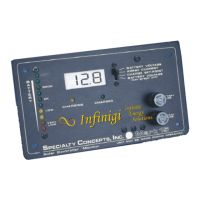
Details the four parameters available on the digital display.
Indicates when the battery is actively charging from the solar array.
Indicates when the battery has reached full charge termination voltage.
Provides a visual indication of the battery's general condition.
Explains how to set the bar-graph display to 'Dot' or 'Bar'.
Lists common problems and references for solar system troubleshooting.
Describes normal system behaviors like constant charging or battery gassing.
Details issues like incorrect system sizing, panel problems, and bad connections.
Addresses weak or faulty solar panel connections to the controller.
Covers weak or faulty battery connections impacting voltage regulation.
Explains how an incorrect charge termination set-point can affect battery charging.
Addresses blank display issues possibly due to bad connections or defective unit.
Troubleshoots blank display only at night, suggesting battery connection issues.
Diagnoses low voltage conditions with no daytime charging, indicating panel or set-point issues.
Explains that charging/charged lights on with bad battery connection is common.
Addresses charging light on with zero amps, indicating system or connection problems.
Discusses high voltage with charging light on, suggesting bad battery connection or high set-point.
Explains charging light on at night due to low light or mis-wiring.
Troubleshoots rapidly changing display readings, indicating normal conditions or battery issues.
Addresses lower than expected charge current due to panel condition or connection.
Discusses lower than expected panel voltage, indicating potential panel defects.
Covers battery over-charging, considering normal conditions and controller issues.
Addresses battery under-charging or not holding charge due to system size or connections.
 General
| Brand | Specialty Concepts |
|---|---|
| Model | MARK-15 |
| Category | Controller |
| Language | English |

 To Next Page