23
4-1. Setup – IP CAMERA
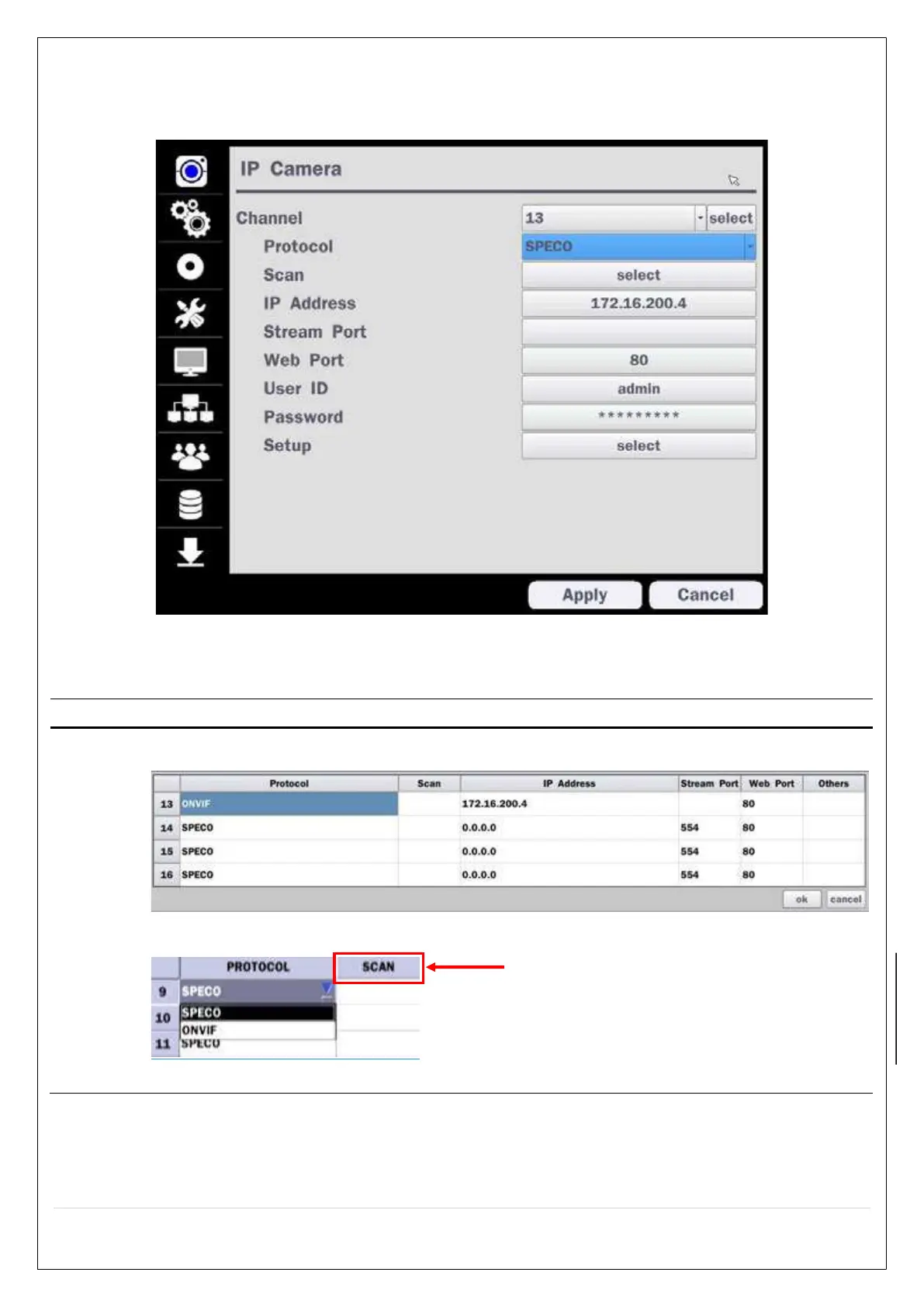
Press the SETUP button and enter the password. The setup menu is displayed as picture below. Select IP
Camera icon and press SEL button to enter the setup menu item.
Figure 4.1.1 IP Camera mode setup screen
Table 4.1.1. Menu items in IP Camera mode setup
Item Description
CHANNE
L
To manually connect each camera, click on the “select” to get this window:
Under the column labeled Type, Select IP Camera Manufacturer.
Scan: Double click the empty box to search IP camera on the local network.
Double Click to Scan



 To Next Page