26
4-1-2. ONVIF Setup Menu
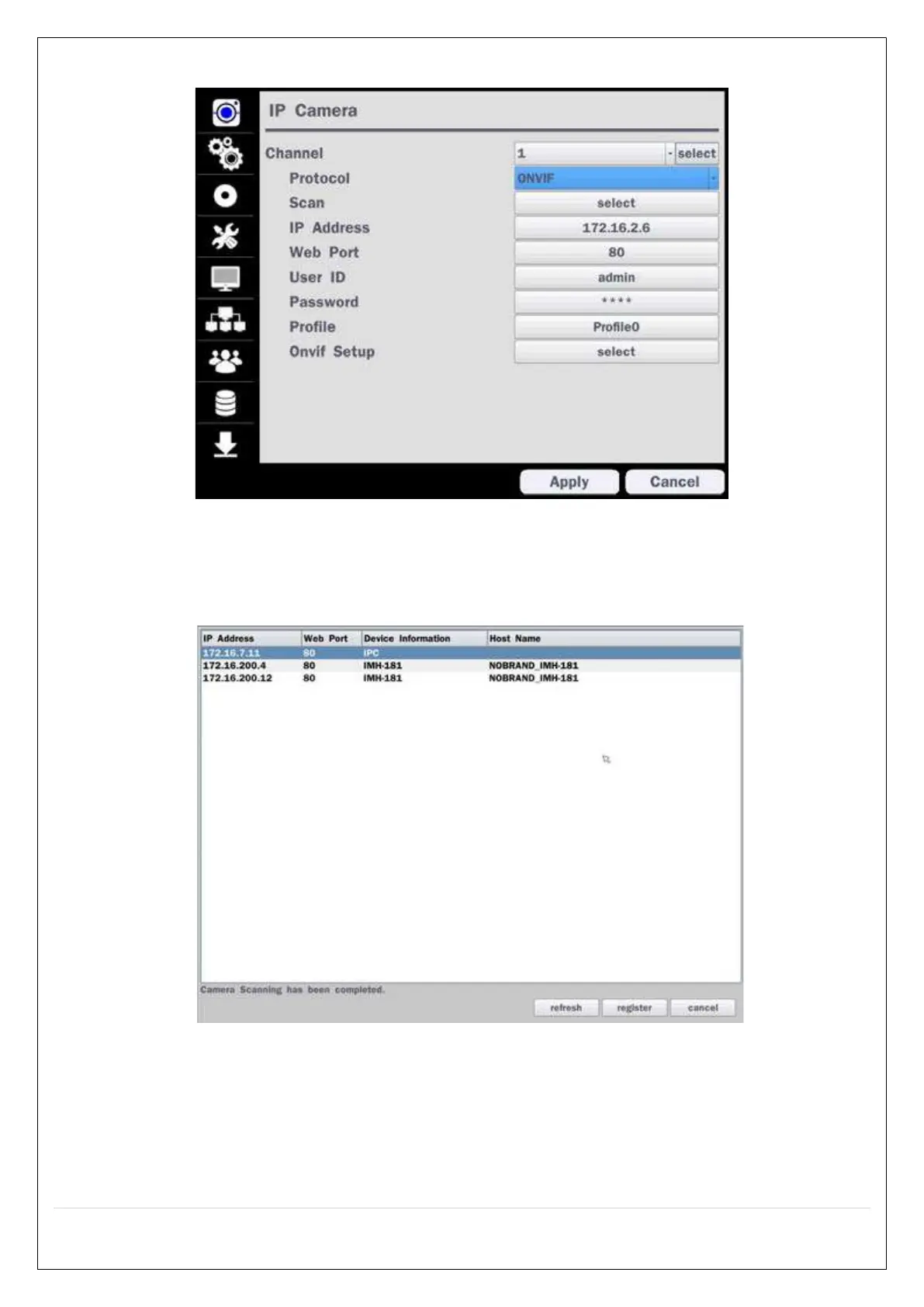
Figure 4.1.2 IP Camera Setup Screen (ONVIF)
The NS Series can search for IP Cameras that are conformant to ONVIF (Open Network Video Interface Forum).
In order to search for ONVIF Cameras, the field associated with VENDOR has to be set to ONVIF.
Click on the Box associated with Scan to scan the networks for ONVIF Conformance cameras.
Figure 4.1.4 ONVIF Camera Scan Window



 To Next Page