UMS Multi SW User Guide
11
6. Setup of UMS Multi Client
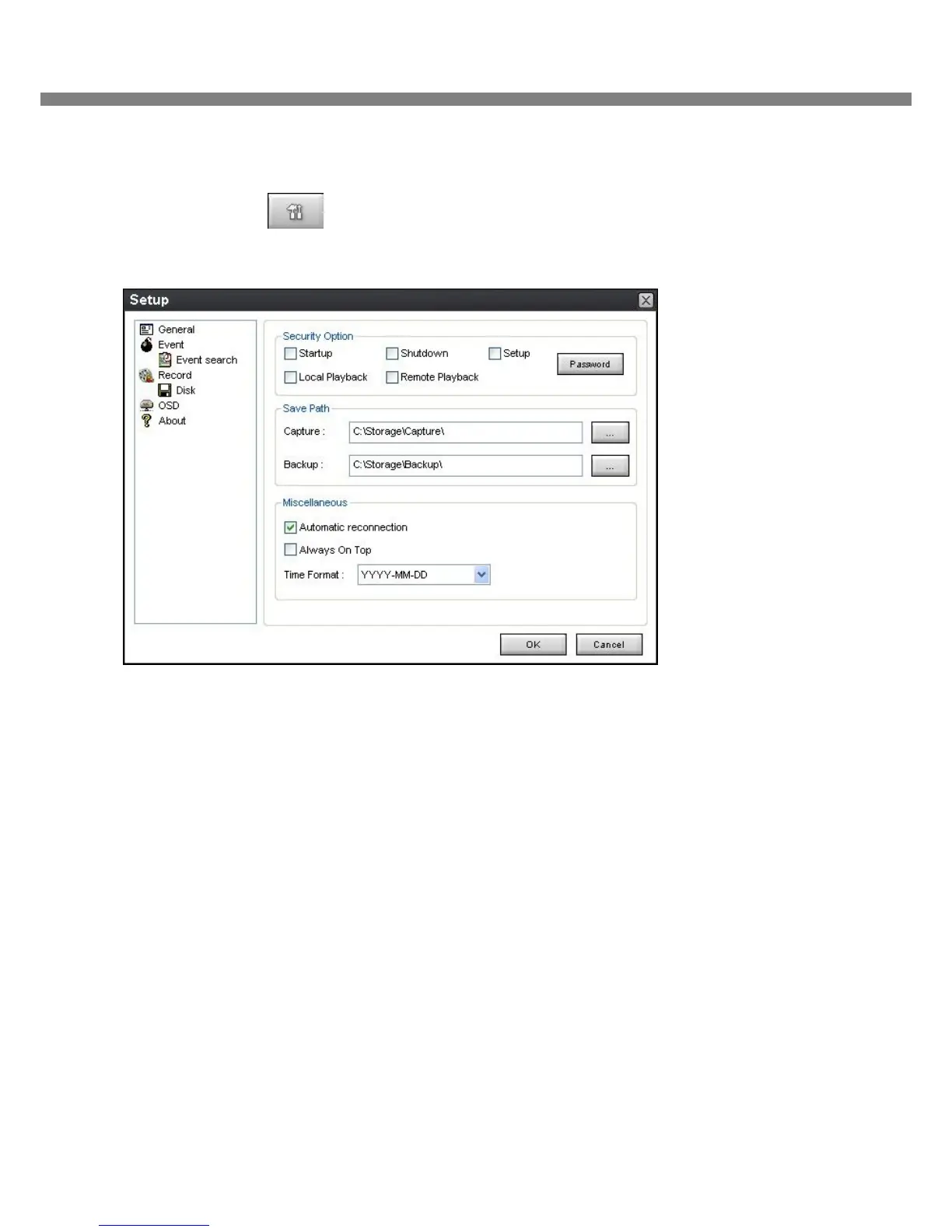
Click the setup icon to setup the configuration of UMS Multi Client software. The Setup window
displays.
6-1. General
6-1-1. Security Option: Set a password for security options.
Select security options and set a password.
Then when you access any of selected functions, you need to enter the password.
You can also set the save path for capturing and backup.
6-1-2. Save Path: Specify the location to save captured still image for Capture and Backup data.
6-1-3. Miscellaneous
Automatic reconnection: If a user selects this function, client S/W will automatically try to connect the finally
connected IP address, after the network is disconnected.
Always On Top:
Time Format: Change the way the Client software displays the time.



 To Next Page