UMS Multi SW User Guide
21
7-2. Still-image capture during Live
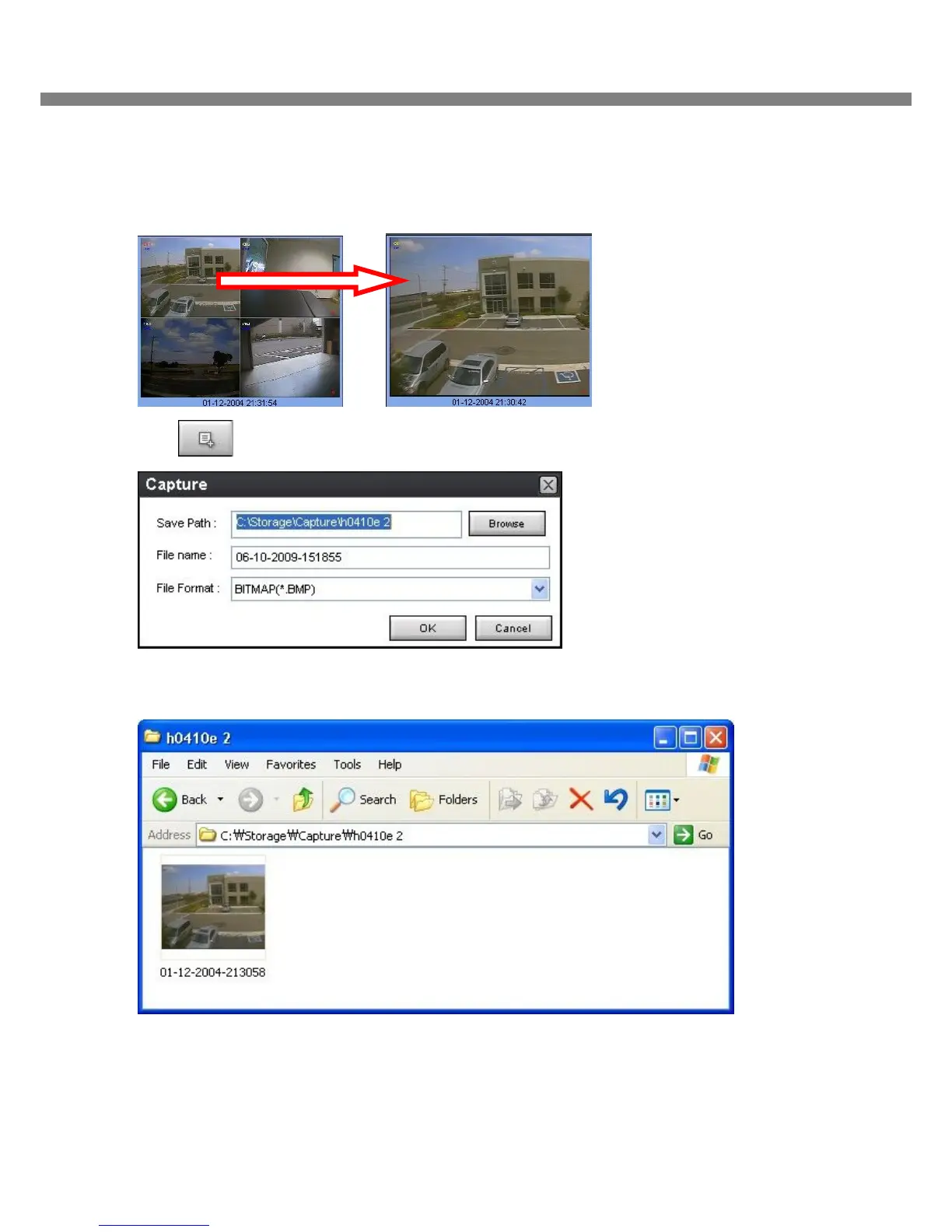
1. Double-click a channel to capture from the display screen. (Otherwise all channels will be captured.).
2. Click CAPTURE button. And then a Capture window displays.
3. Set Save path, File Name, and File Format. And then click OK button.
4. Still image is saved as set in Capture window.



 To Next Page