CMS User Guide
24
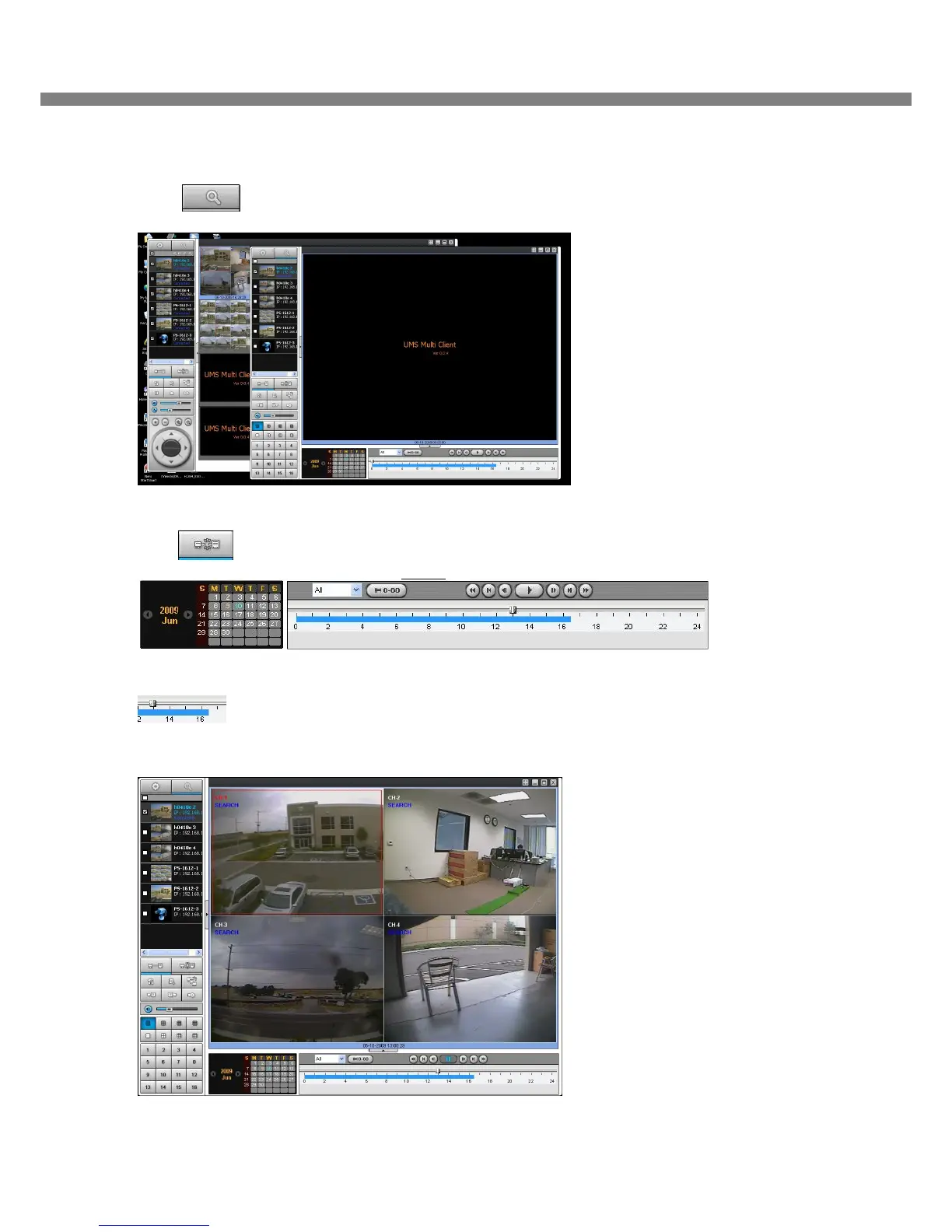
7-4-2. Playback of recorded video on remote DVR
1. Click REMOTE PLAYBACK button. And then Playback Window display over Live Window.
2. Select site to connect from the directory window.
3. Click CONNECT button. And then Green bar displays on Search calendar and slide window.
4. Move scroll bar on where there is video data and Play button.
5. Video data that is recorded on a remote DVR is play-backed.



 To Next Page