Appendix F: Desktop Reflectance Probe
Operation
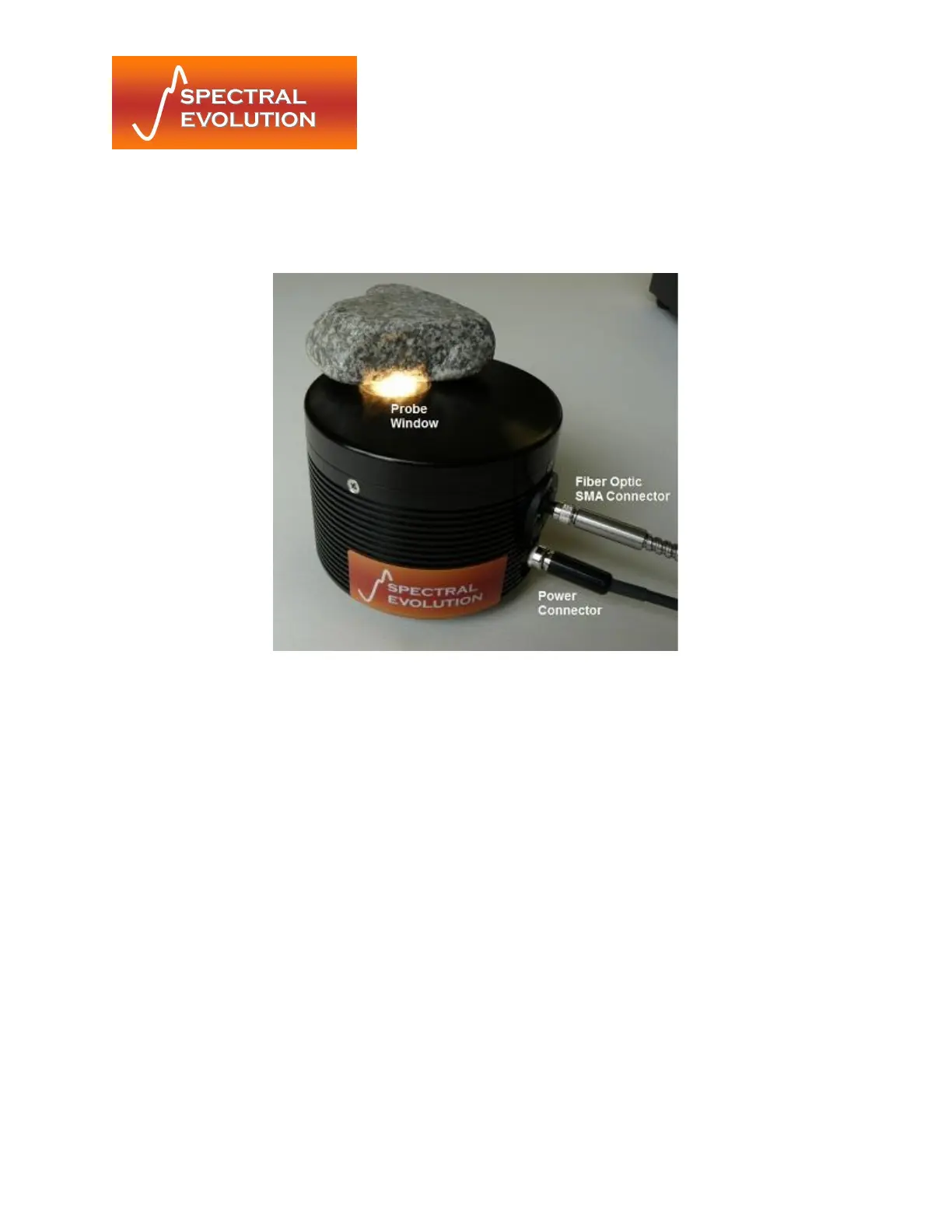
Desktop contact probe. On/Off switch is facing away from the camera.
Note that this photo does not show the updated locking power connector.
1) Connect the probe-side power connector of the provided power/triggering cable
to the contact probe as shown above. Make sure to tighten down the lock nut on
the power connector.
2) Connect the fiber optic cable to the SMA905 connector on the contact probe.
Tighten down the lock nut on the fiber to make a tight connection.
3) When ready to start taking scans thread the instrument-side connector of the
OreXpress cable into the instrument and then, using the on/off switch, turn the
probe on.
4) Gently place the sample over the sample window of the probe (presenting as flat
a surface as possible) and then follow the procedures detailed in the software
manual for taking scans.
5) After completing the needed scans, make sure to turn the probe off.
Changing the Light Bulb
1) Ensure the desktop probe is off and has had time to cool to room temperature


 To Next Page