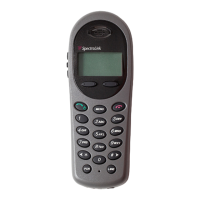
Spectralink 6020 Wireless Telephone User Guide
1725-86729-000_F.docx
May 2016 9
Typography
A few typographic conventions, listed next, are used in this guide to distinguish types of in-text
information.
Highlights interface items such as menus, soft keys, file names, and
directories. Also used to represent menu selections and text entry
to the handset.
Used to emphasize text, to show example values or inputs, and to
show titles of reference documents available from the Spectralink
Support Web site and other reference sites.
Used for URL links to external Web pages or documents. If you
click on text in this style, you will be linked to an external document
or Web page.
Used for cross references to other sections within this document. If
you click on text in this style, you will be taken to another part of this
document.
Used for code fragments and parameter names.
This guide also uses a few writing conventions to distinguish conditional information.
Indicates that you must enter information specific to your
installation, handset, or network. For example, when you see
<MACaddress>, enter your handset’s 12-digit MAC address. If you
see <installed-directory>, enter the path to your installation
directory.
Indicates that you need to select an item from a menu. For
example, Settings > Basic indicates that you need to select Basic
from the Settings menu.


 To Next Page