Need help?
Do you have a question about the SpectraLink SL8440 and is the answer not in the manual?
Explains how the CMS simplifies phone configuration and management.
Outlines prerequisites and assumed knowledge for using the guide.
Lists essential software tools required for tasks like XML editing.
Provides contact information and resources for technical assistance and support.
Lists and describes key Spectralink documentation relevant to the deployment.
Explains the meaning of various icons used throughout the guide for clarity.
Lists white papers offering in-depth information on RF deployment and optimization.
Details typographic conventions used for different types of text in the document.
Discusses the requirements of enterprise-grade VoWLAN for voice quality.
Lists recommended white papers for detailed wireless LAN layout and RF deployment.
Explains the use of WMM for delivering enterprise-grade Quality of Service.
Addresses security risks and considerations for wireless networks.
Describes various security methods like WEP, WPA-PSK, and WPA2-Enterprise.
Illustrates the typical network components for Spectralink deployment.
Lists essential components required for a typical installation.
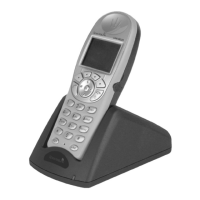
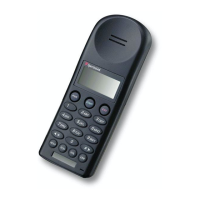
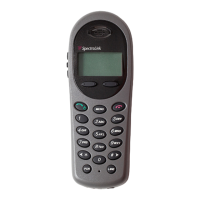
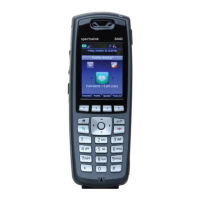
Details the different models of Spectralink 84-Series handsets.
Describes the functions of necessary servers like CMS, Time, RADIUS, and DHCP.
Explains DHCP's role in assigning network parameters to clients.
Identifies the call server's function in providing SIP telephony support.
Discusses the role of APs in providing wireless coverage and connectivity.
Explains the function of Ethernet switches in interconnecting network devices.
Covers wireless configuration parameters provisioned via Quick Network Connect (QNC).
Describes deployment scenarios like Flat and Groups.
Details configuration parameters for individual phones.
Refers to Quality of Service settings, advising consultation of AP documentation.
Explains how to set parameters at the Enterprise level for all phones.
Covers settings usually applied to all phones, with potential group overrides.
Explains how group settings override enterprise settings for specific subsets.
Details settings specific to individual handsets that override other levels.
Outlines steps for deploying Spectralink phones in a new environment.
Describes deployment steps for existing systems with a provisioning server.
Details deployment steps for existing systems without a provisioning server.
Explains using batch deployment to import multiple phones via a CSV file.
Provides instructions on preparing and saving the CSV file for batch configuration.
Guides through connecting QNC and configuring wireless settings for handsets.
Details the process of approving newly discovered handsets in the CMS.
Explains how to create and manage device groups within CMS.
Guides on importing custom .xml or .cfg files into CMS.
Details how to manually create configuration parameters directly in CMS.
Advises on testing features one by one on representative phones before full deployment.
Lists copyright notices for software components included in the product.
Explains the availability of source code for free software licenses.
 General
| Headset Jack | 3.5 mm |
|---|---|
| Bluetooth | No |
| WiFi | No |
| Push-to-Talk (PTT) | Yes |
| Type | Wireless Telephone |
| Display | LCD |
| Connectivity | DECT |
| Frequency Band | 1.92 - 1.93 GHz |
| Range | Up to 300 ft (91 m) indoors |

 To Next Page