EasyManua.ls Logo

SpectraLink SL8440 - Test Features and Make Calls

SpectraLink SL8440
75 pages
Print Icon
To Next Page IconTo Next Page
To Previous Page IconTo Previous Page
Loading...
Spectralink 84-Series Wireless Telephones Deployment Guide with CMS
721-0048-000_B.docx
February 2018 56
.
Note
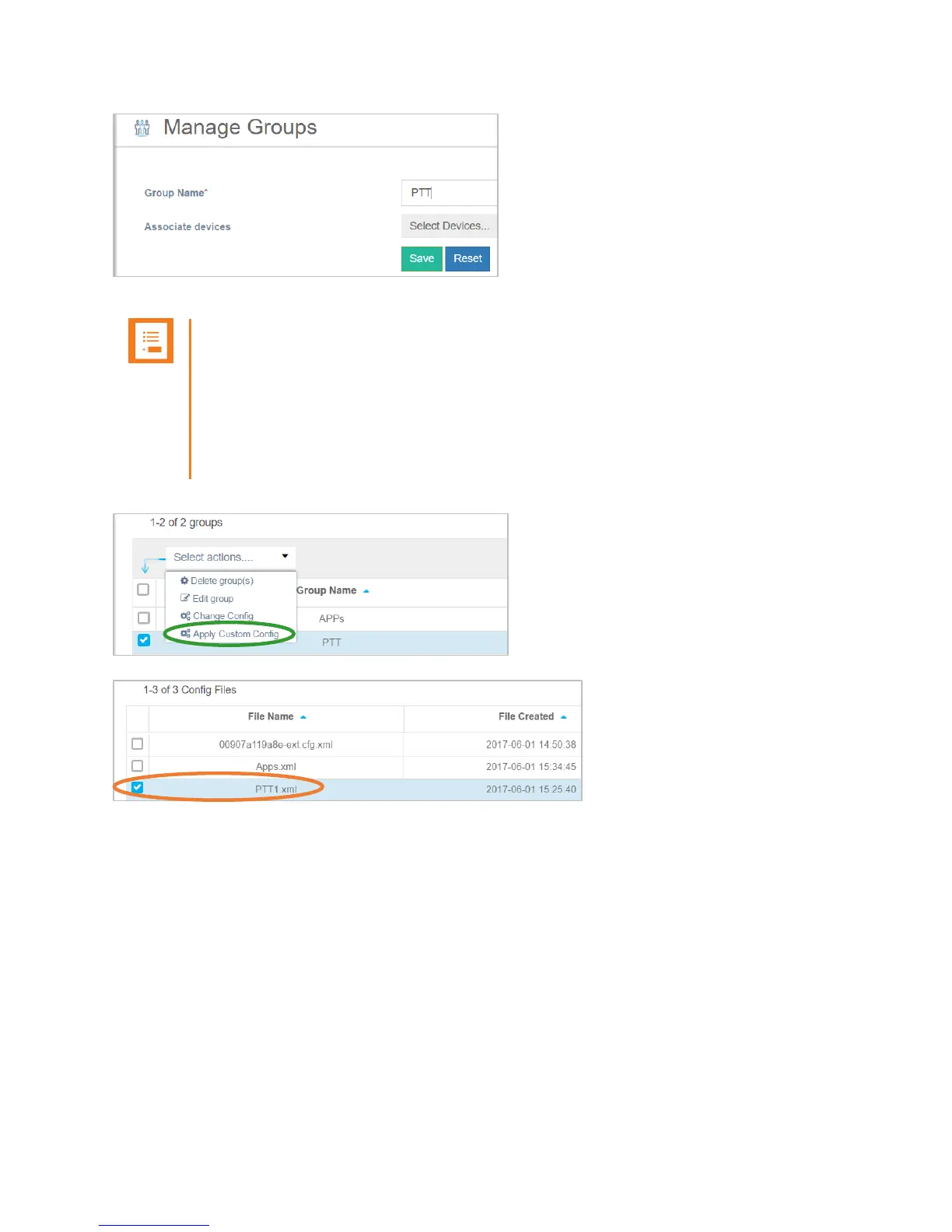
We can’t add devices yet. Devices must Heartbeat into CMS first, so skip for now.
To add a feature configurations file (PTT, PersAlarms, etc…) to a Group, select the
Group from the Group List, from the pull-down action menu select “Apply Custom
Config”. Then select the feature configuration file to be applied to this device and
select “OK”.

Test Features and Make Calls… Done!

Table of Contents

Related product manuals