English-07
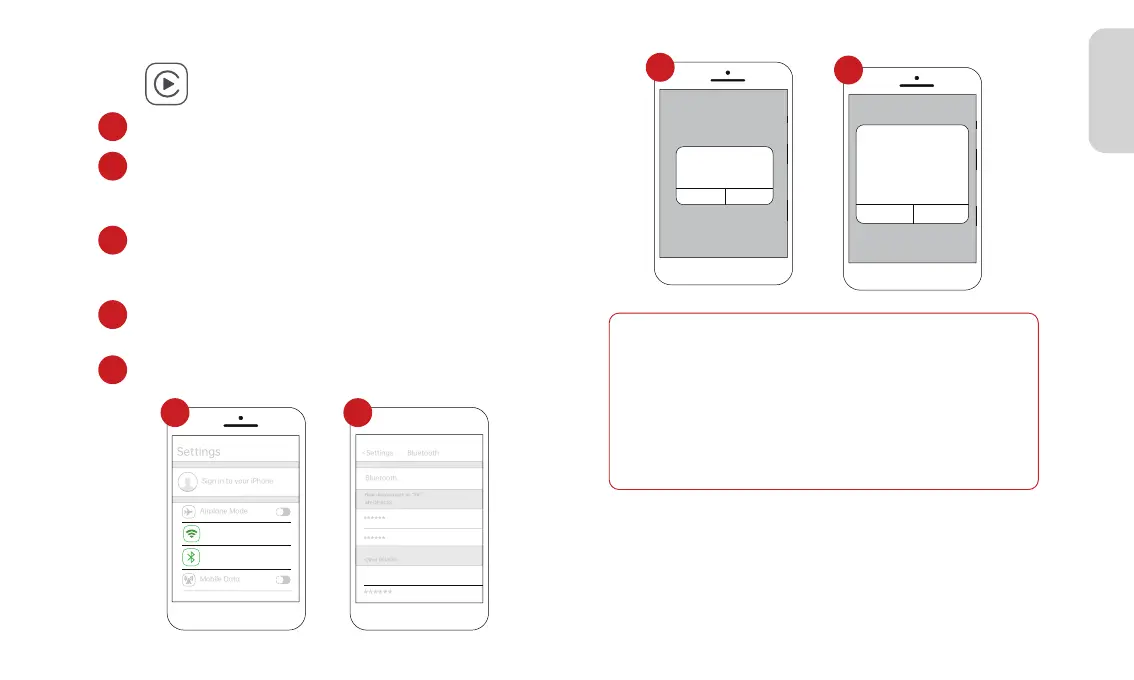
1. Go to Settings on your iPhone, turn on “Bluetooth” and “Wi-Fi”
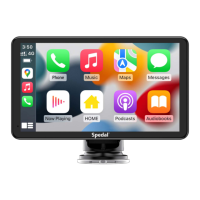
Click” ”on the home screen to enter the CarPlay.
2.Enter the “Bluetooth ”menu and select the Bluetooth device
starting with "T86-*****" from the list of “Other DEVICES”
Bluetooth devices.
3. Wait for about 20-30 seconds, and a prompt "Bluetooth
Pairing Request" will pop up on your phone. Select "Pair"
to successfully pair your phone with the device.
4.Then, a prompt "Use CarPlay with"SmartScreen"?" will pop
up on your phone. Select“Use Carplay”.
5. Please wait for a moment and you will enter the CarPlay mode.
1
2
3
4
5
>
On
>
On
Wi-Fi
Bluetooth
Now discoverable as “X6”.
MY DEVICES
T86-******
Bluetooth
Not connected
Not connected
Now discoverable as “X6”.
MY DEVICES
Other DEVICES
******
******
Spedal-******
******
<Settings Bluetooth
Bluetooth Pairing Request
******
Cancel Pair
Bluetooth
Not connected
Not connected
Now discoverable as “X6”.
MY DEVICES
Other DEVICES
******
******
Spedal-******
******
<Settings Bluetooth
Use Carplay with
“SmartScreen”
CarPlay automatically connects
your iPhone to your car’s
built-in display,and can access
your phone while it is locked.
Not Now
Use CarPlay
Note
1.Different versions of iOS may display differ- ently, please refer
to the actual situation.
2.The first connection may take a longer time, please be patient.
3.If you want to switch to Android Auto or AirPlay, you need to
turn off Bluetooth and Wi-Fi on your phone to disconnect the
Apple CarPlay connection mode.
1 2
3
4



 To Next Page