EasyManua.ls Logo

Spektrum AR635 - User Manual

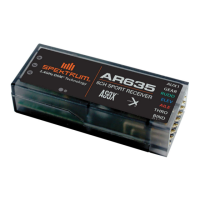
Spektrum AR635
26 pages
Print Icon
To Next Page IconTo Next Page
Loading...
1
AR635 User Guide
AR635 Bedienungsanleitung
Guide de l‘utilisateur - AR635
AR635 Guida dell‘utente

Questions and Answers

  • S
    Scott MorganJul 27, 2025
    Why does the trim change when flight mode is switched on my Spektrum AR635 Remote Control?
    • A
      angelachungJul 27, 2025
      If the trim changes when the flight mode is switched on your Spektrum Remote Control, it's likely because the trim or sub-trim isn't at neutral. If you adjust trim more than 8 clicks, adjust the clevis to remove trim. No Sub-trim is allowed. Adjust the servo arm or the clevis.
  • D
    Debra WilsonAug 1, 2025
    Why is there a trim change when flight mode is switched on my Spektrum Remote Control?
    • A
      Alexa WilsonAug 1, 2025
      When the flight mode is switched on your Spektrum Remote Control, a trim change can occur if the trim isn't at neutral. If you've adjusted the trim by more than 8 clicks, adjust the clevis to remove trim. Also, sub-trim is not allowed; instead, adjust the servo arm or the clevis to ensure proper neutral positioning.
  • K
    Kristy BradfordAug 5, 2025
    Why does my Spektrum AR635 oscillate?
    • B
      Brian CantrellAug 6, 2025
      If your Spektrum Remote Control exhibits oscillation, it could be due to several factors. You might be flying over the recommended airspeed in 3D mode; if so, switch to GF mode. Other potential causes include a damaged or imbalanced propeller (replace or balance it), motor vibration (replace parts or correctly align/tighten fasteners), a loose receiver (align and secure it), or loose aircraft controls (tighten or secure servo, arm, linkage, horn, and control surface). Flight condition variations may also contribute; adjust gain accordingly. Worn parts or irregular servo rotation may require gain adjustments, parts replacement, or servo replacement. Ensure the correct transmitter type is assigned in the receiver. If oscillation persists, decrease gain.
  • S
    Sherri WilliamsAug 10, 2025
    What to do if my Spektrum Remote Control has incorrect response to the AS3X Control Direction Test?
    • L
      Laura BennettAug 11, 2025
      If your Spektrum Remote Control gives an incorrect response to the AS3X Control Direction Test, it is due to incorrect direction settings in the receiver. In this case, DO NOT fly. Correct the direction settings (refer to the receiver manual), then fly.
  • S
    samantha61Aug 21, 2025
    What to do if Spektrum Remote Control has incorrect response to the AS3X Control Direction Test?
    • K
      Keith KlineAug 21, 2025
      If you observe an incorrect response during the AS3X Control Direction Test with your Spektrum Remote Control, **DO NOT fly** the model. This issue arises from incorrect direction settings in the receiver, which could lead to a crash. To resolve this, correct the direction settings by referring to the receiver manual before attempting to fly.
  • Y
    yespinozaNov 15, 2025
    Why is my Spektrum AR635 oscillating?
    • N
      Natalie SmithNov 15, 2025
      If your Spektrum Remote Control exhibits oscillation, several factors could be at play. First, if you're flying over the recommended airspeed in 3D mode, switch to GF mode. Other potential causes include a damaged or imbalanced propeller (replace or balance it accordingly), motor vibration (replace parts or correctly align/tighten fasteners), a loose receiver (align and secure it), or loose aircraft controls (tighten or secure servo, arm, linkage, horn, and control surface). Flight condition variations may also be a factor; adjust the gain to suit current conditions like wind, updrafts, altitude, humidity, and temperature. Worn parts, especially the propeller, pivot points, or servo, can also cause oscillation, so adjust the gain or replace these parts. Irregular servo rotation necessitate...

Summary

Introduction and Safety

Meaning of Special Language

Defines warning terms used in the manual to indicate potential harm levels.

Product Safety Information

Provides general safety guidelines, age recommendation, and warnings against counterfeit products.

AR635 Receiver Overview

Features

Highlights key attributes and unique design elements of the AR635 receiver.

Applications

Details the intended aircraft types and limitations for the AR635 receiver.

Specifications and Installation

AR635 Specifications

Lists technical data including dimensions, voltage range, resolution, and compatibility.

Receiver Installation

Provides guidelines for securely mounting the receiver in an aircraft.

Antenna Polarization

Explains best practices for antenna placement to optimize signal reception.

Transmitter Setup and Binding

Hold Indicator

Explains the function of the red LED status indicator for receiver holds.

Servo Selection

Outlines the requirements for servos compatible with AS3X operation.

Y-Harnesses and Servo Extensions

Notes on compatibility and use of Y-harnesses and servo extensions.

Setting Up the Transmitter

Recommendations for configuring transmitter settings like rates and exponential.

Binding

Details the essential process to link the receiver to a specific transmitter.

Receiver Setup Procedure

General steps and considerations for setting up the receiver.

Enter Transmitter Type

Procedure for selecting the correct radio type for receiver configuration.

Gain Control and Adjustment

Enter Gain Control

How to access the receiver's gain control mode using stick combinations.

Gain Adjustment

Explains the methods for adjusting gain values for flight stabilization.

Axis Selection (Roll, Pitch, Yaw)

Guide to selecting the axis (Aileron, Elevator, Rudder) for gain adjustment.

Lights

Explanation of LED indicators used during gain setup and adjustment.

Sensor Calibration

Sensor;Servo Direction and Compensation

Ensuring correct sensor response for flight stability before the first flight.

Rudder Sensor Calibration

Procedure to test and set the correct direction for the rudder sensor.

Aileron Sensor Calibration

Procedure to test and set the correct direction for the aileron sensor.

Elevator Sensor Calibration

Procedure to test and set the correct direction for the elevator sensor.

Flight Modes and Initialization

Flight Mode

Explains how flight modes are controlled and their effect on gain values.

Information Storage

Describes how gain values are stored for different flight modes.

Factory Default Gain Settings

Procedure to restore all gain settings to their factory defaults.

Initializing the AR635

Steps for powering the receiver on/off to initialize sensors correctly.

Adjust the gain at the airfield

Guidance on fine-tuning gain values for optimal flight performance.

Power System and Safety Features

AR635 Power System Requirements

Details the power supply needs for the AR635 receiver and AS3X system.

SmartSafe Failsafe

Explanation of the throttle safety feature for preventing unintended motor operation.

Range Testing

Instructions for performing pre-flight radio range checks.

Troubleshooting and Warranty

2.4 GHz Troubleshooting Guide

Lists common problems with AS3X and their potential solutions.

1-Year Limited Warranty

Outlines the terms and conditions of the limited warranty coverage.

Warranty Services and Support

Details procedures for obtaining warranty and non-warranty service.

Contact Information

Provides contact details for warranty, service, and customer support by region.

Regulatory Compliance

FCC Information

US regulatory compliance statements according to FCC rules.

Compliance Information for the European Union

EU regulatory compliance information including R&TTE directive conformity.

Instructions for disposal of WEEE

Guidelines for the proper disposal of waste electrical and electronic equipment.

Spektrum AR635 Specifications

General IconGeneral
Channels6
TelemetryYes
AS3XYes
SAFEYes
StabilizationYes
ModulationDSMX/DSM2

Related product manuals