EN
5
Hold Indicator
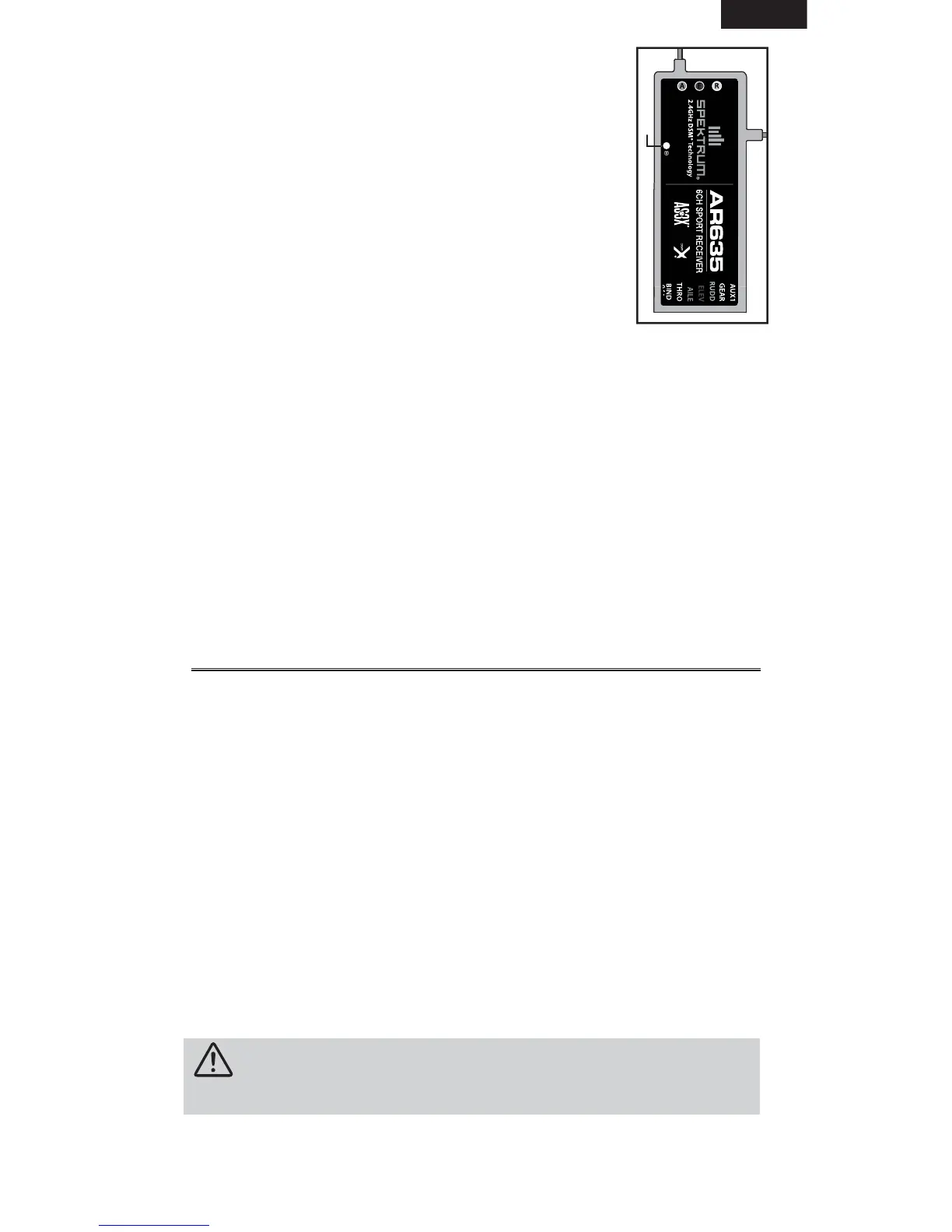
The AR635 features a red LED (Indicated by H). This LED
indicates the number of holds that have occurred since
the receiver was last powered on. The LED will fl ash the
number of holds, then pause (e.g., fl ash, fl ash, fl ash, pause,
fl ash, fl ash, fl ash, pause) This indicates three holds. Holds
are reset to zero when the receiver is turned off.
During the fi rst fl ights of a new airplane, it’s recommended
to check the red LED hold indicator.
If it’s fl ashing, it’s important to optimize the installation
(move or reposition antennas) until no hold occurs. On later
fl ights, the LED Hold Indicator can be used to confi rm RF
link performance.
Servo Selection
Select servos that are adequate for AS3X operation. The servos must be
digital, high speed and high resolution. A poor servo/linkage geometry
combination will cause several issues, including oscillations and
unwanted reaction.
Y-Harnesses and Servo Extensions
Do not use amplifi ed Y-harnesses and servo extensions with Spektrum
equipment. Only use standard, non-amplifi ed Y-harnesses and servo exten-
sions. When converting existing models to Spektrum devices, replace all
amplifi ed Y-harnesses and servo extensions.
Setting Up the Transmitter
Non-Computer Transmitter
We recommend enabling Exponential (if available) and using high rates with
Non-Computer transmitters for the best performance. If you need to use
low rates, or need to disable Exponential to match your fl ying style, you can
do so without affecting the performance of the AS3X system.
Computer Transmitter
Total Servo travel MUST be set to 125%. Changing the servo total travel
from 125% will affect the tuning and performance of the AS3X technology.
Always mechanically adjust the aircraft linkages for less control surface
throw while maintaining 125% servo travel.
If you choose to use transmitter Dual Rates, NEVER use a value lower than
50%. Doing so will severely affect the performance of the receiver. If you are
using a computer transmitter, we recommend using the following values:
• Servo Travel: 125% on Aileron, Elevator and Rudder
• Dual Rate: Maximum of 100% and a minimum of 50%
• Exponential: 20% on Aileron, Elevator and Rudder
CAUTION: The AR635 is not compatible with Delta, V-tail, or Flaperon
mixing. If using dual ailerons, elevator or rudder, a Y harness must be used.
IMPORTANT: The Dual Rate value must be between 50% and 100%. Expo-
nential can be adjusted to best fi t your fl ying style.
H


 To Next Page