EN
9
3D Computer:
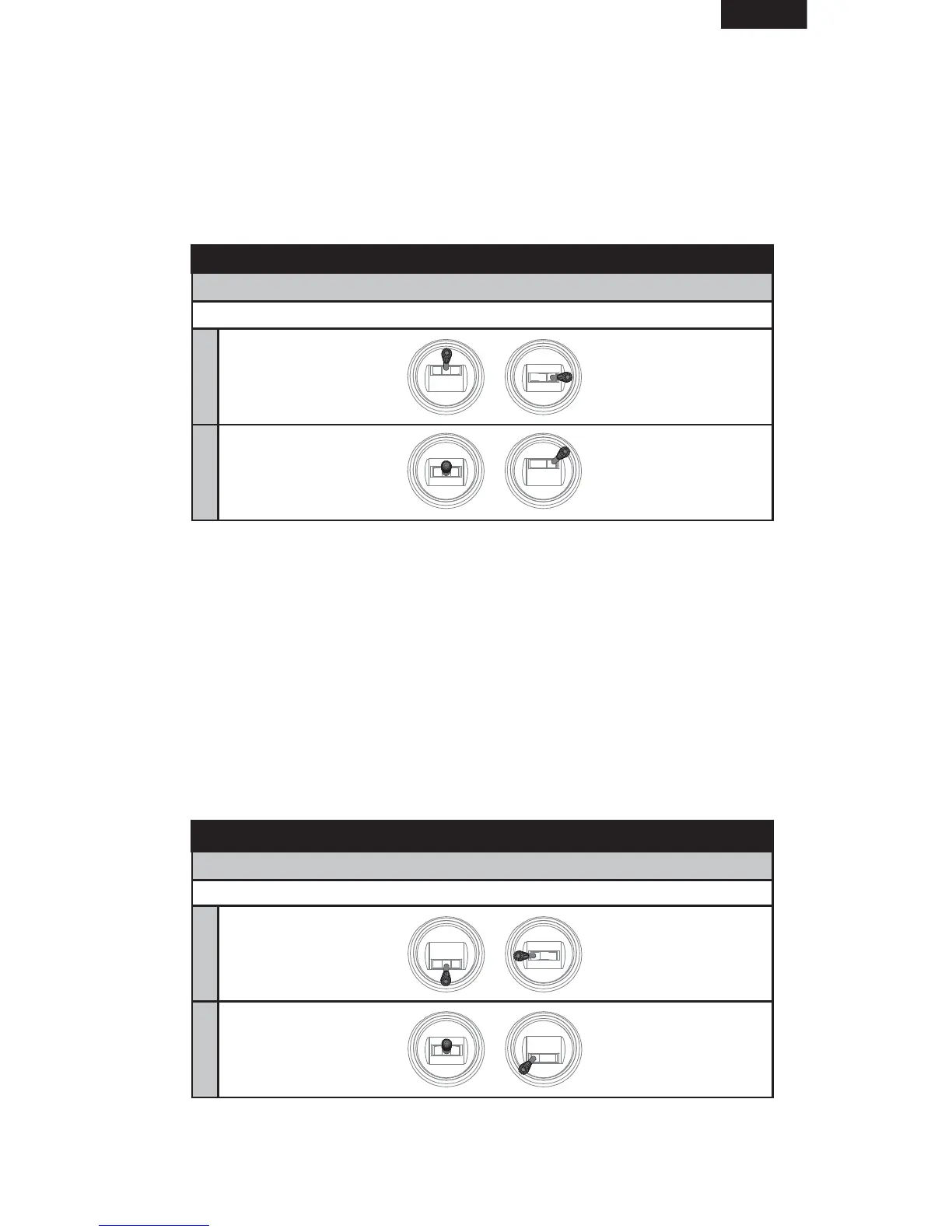
1. With the transmitter powered ON, move the throttle stick to the
middle position.
2. Hold full Right Aileron and full Down Elevator while powering on the
receiver. After 5 seconds, the blue and green LEDs in the receiver turn
solid, indicating that you have successfully entered 3D Computer
Radio mode.
3. Release the transmitter stick(s).
Entering Transmitter Type by Stick Combination:
IMPORTANT: Aileron and Elevator Reversing must be set to Normal/Normal
Computer Transmitters: 3D
Mode 1Mode 2
IMPORTANT: General Flight mode and 3D mode are toggled using the
Gear switch.
EXIT MENU: Move the controls to neutral, then throttle full down to exit the
menu. The ESC will regain control.
Sport Mode, All Transmitters:
1. With the transmitter powered ON, move the throttle stick to the
middle position.
2. Hold full Left Aileron and full Up Elevator while powering on the receiver.
After 5 seconds, the green, blue, and red LEDs in the receiver turn solid,
indicating that you have successfully entered Sport mode.
3. Release the transmitter stick(s).
Entering Transmitter Type by Stick Combination:
IMPORTANT: Aileron and Elevator Reversing must be set to Normal/Normal
All Transmitters: Sport
Mode 1Mode 2
IMPORTANT: Two gain banks are toggled using the Gear switch (DX4e AUX
switch).
EXIT MENU: Move the controls to neutral, then throttle full down to exit the
menu. The ESC will regain control.


 To Next Page