EN
6
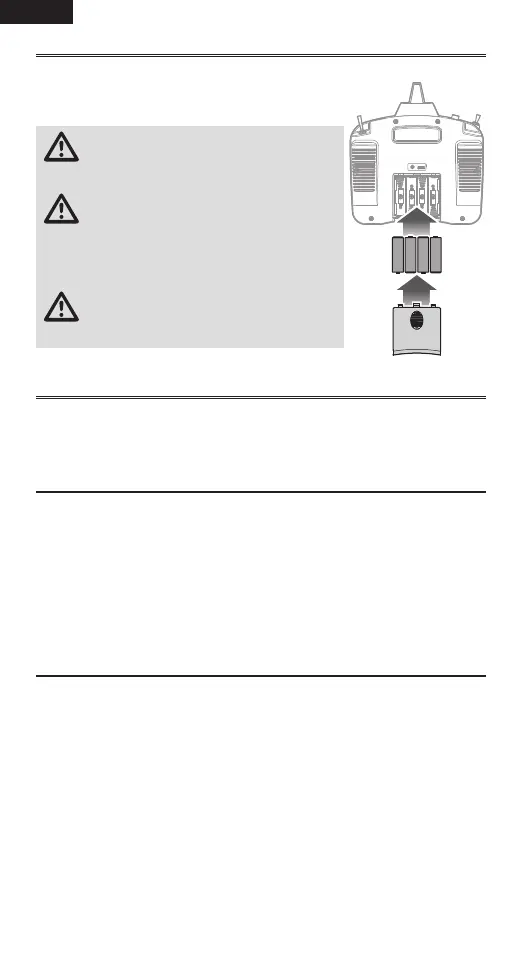
Installing the Transmitter Batteries
1. Remove the battery cover from the bottom of the transmitter.
2. Install four AA batteries as shown.
3. Install the battery cover.
CAUTION: NEVER remove the transmitter
batteries while the model is powered on.
Loss of model control, damage or injury may occur.
CAUTION: If using rechargeable batteries,
charge only rechargeable batteries.
Charging non-rechargeable batteries may cause
the batteries to burst, resulting in injury to persons
and/or damage to property.
CAUTION: Risk of explosion if battery is
replaced by an incorrect type. Dispose of
used batteries according to national regulations.
Turning the Transmitter ON and OFF
Slide the power button to power the transmitter ON. The LED indicator will
illuminate green when the transmitter is ON and transmitting. To power the
transmitter OFF, slide the power button the off position.
Binding
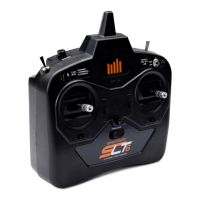
The SLT6 and your receiver must be bound to each other before they will
operate. Binding is the process of teaching the receiver the specific code of the
transmitter so it will only connect to that specific transmitter.
1. Power on the receiver. The LED on the receiver will begin flashing when not
bound to the transmitter or when the transmitter is off.
2. To bind the transmitter to SLT receiver, with the throttle in the low position,
push and hold the bind button while powering on the transmitter to put the
transmitter in bind mode.
Range Test
1. Power on the transmitter for at least five seconds with the throttle stick and
trim low.
2. Press and hold the bind/panic button and toggle the dual rate switch four
times within 10 seconds. The transmitter LED will flash and the alarm will
sound. The system is in range check mode. Do not let go of the bind button
until you are finished with the range check.
IMPORTANT: You must hold the BIND/Panic button during the entire range
check process. Releasing the button will exit the range check mode.


 To Next Page