EasyManua.ls Logo

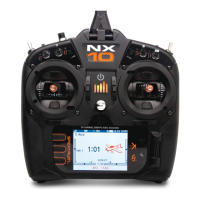
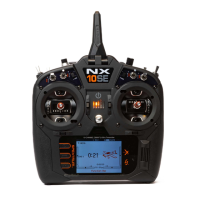
Spektrum NX10SE - User Manual

Spektrum NX10SE
54 pages
Print Icon
To Next Page IconTo Next Page
Loading...
Instruction Manual
Bedienungsanleitung
Manuel d’utilisation
Manuale di Istruzioni
®
NX10
10-Channel 2.4GHz
DSMX
®
Aircraft System

Table of Contents

Questions and Answers

  • G
    Gary JacksonJul 28, 2025
    What to do if Spektrum Transmitter doesn't bind to aircraft?
    • D
      Diane GrantJul 28, 2025
      If your Spektrum transmitter isn't binding to the aircraft, several factors could be at play. First, ensure the transmitter isn't too close to the aircraft during the binding process; move it a few feet away, then disconnect and reconnect the flight battery to the aircraft. Also, check for large metal objects nearby that could interfere, and move the aircraft or transmitter away from them. Verify that the bind plug is correctly installed in the bind port, and that both the flight and transmitter batteries have sufficient charge. Finally, confirm that your transmitter and receiver are compatible; for example, an NX10 EU version transmitter is not compatible with DSM2 receivers.
  • R
    Ronald LeonAug 5, 2025
    How to fix irregular control response with Spektrum Transmitter?
    • D
      Dana BaileyAug 5, 2025
      If your flight log shows a high number of fades, losses, or holds, or if the aircraft responds irregularly to controls when using a Spektrum transmitter, consider the following: Poor signal reception can be a factor, so reposition remote receivers to improve the RF signal path. Electronic feedback from servos or motor systems to the ESC or receiver can also cause issues; check for and eliminate any feedback. Low power can also lead to these problems; check the aircraft's power draw, increase battery power, or reduce the power demand from installed systems. Ensure all aircraft batteries are fully charged and that the installed BEC for an electric aircraft is adequate for the power demand.
  • C
    Carrie PalmerAug 9, 2025
    What to do if Spektrum Receiver stops responding during operation?
    • E
      Erika SnowAug 9, 2025
      If your Spektrum receiver stops responding during operation, it could be due to low battery voltage. Completely recharge the flight battery. It could also be caused by loose or damaged wires or connectors between the battery and receiver. Inspect the wires and connections, and repair or replace them as needed.
  • A
    Andre GravesAug 14, 2025
    Why does my Spektrum Receiver enter failsafe mode close to the transmitter?
    • T
      Tiffany DavisAug 14, 2025
      If the Spektrum receiver enters failsafe mode a short distance away from the transmitter, ensure that the main and remote receivers are installed at least 2 inches (51mm) apart.
  • K
    kristin99Aug 18, 2025
    Why is my Spektrum Receiver blinking slowly after landing (DSM2 Only)?
    • J
      jacob00Aug 18, 2025
      If your Spektrum receiver is slowly blinking after landing (DSM2 Only), it could be due to a loss of power to the receiver during the flight; in this case, check the battery voltage. Alternatively, it may happen if the system was powered on and connected, then the receiver was powered off without powering off the transmitter; to avoid this, always power off the transmitter when the receiver is powered off.
  • L
    Laura BurkeAug 23, 2025
    What causes a Spektrum Receiver to lose its bind?
    • R
      Raymond AndrewsAug 23, 2025
      A Spektrum receiver may lose its bind if the bind button was pressed before the transmitter was powered on. To resolve this, rebind the receiver by following the binding instructions.
  • R
    Richard GillOct 31, 2025
    Why won't my Spektrum Transmitter link to the aircraft after binding?
    • E
      Eric HunterOct 31, 2025
      If your Spektrum transmitter won't link to the aircraft after binding, there might be several reasons. First, make sure the transmitter isn't too close to the aircraft during the linking process; move it a few feet away and then disconnect and reconnect the flight battery. Also, check if the aircraft or transmitter is near any large metal objects and move them away. Ensure the bind plug is removed from the bind port after binding and before cycling power. If you're using a ModelMatch™ radio, verify that the correct model memory is selected on the transmitter. Check that both the flight and transmitter batteries are sufficiently charged. Also, the aircraft may have been bound using a different DSM protocol, so try binding the aircraft to the transmitter again. Finally, make sure the require...

Summary

Charging Warnings

Battery Charging and Software Updates

Charging the Lithium Ion Battery Pack

Details the procedure and precautions for charging the transmitter's internal battery.

Transmitter Functions Overview

Main Screen and Navigation

Main Screen Display

Explains the layout and information presented on the transmitter's main operational screen.

Memory Card Operations

Update Spektrum AirWare Software

Guides on updating the transmitter's firmware using a memory card.

Model Type Programming Guide

System Setup Configuration

Telemetry Data and Settings

Preflight Setup, Frame Rate, and Binding

Preflight Setup

Guides on setting up a pre-flight checklist that appears upon transmitter power-up.

Trainer Functionality

System Settings Configuration

Function List Overview

Servo Setup

Details how to configure servo travel, trim, and reverse settings.

Mixing Functions Overview

Range Test Procedure

Telemetry and Forward Programming

Telemetry Features

Covers accessing and utilizing telemetry data from aircraft sensors.

ACRO (Airplane) Setup

ACRO Aircraft Type and Options

Guides on selecting wing and tail types and configuring aircraft options for airplanes.

HELI (Helicopter) Setup

Heli Swash Type and Collective Control

Details swashplate types and collective pitch control for helicopters.

SAIL (Sailplane) Setup

Sailplane Type and Image Selection

Guides on selecting sailplane types and configuring aircraft options.

MULTI (Multirotor) Setup

Physical Transmitter Adjustments

Troubleshooting Guide

Spektrum NX10SE Specifications

General IconGeneral
BrandSpektrum
ModelNX10SE
CategoryTransmitter
LanguageEnglish

Related product manuals