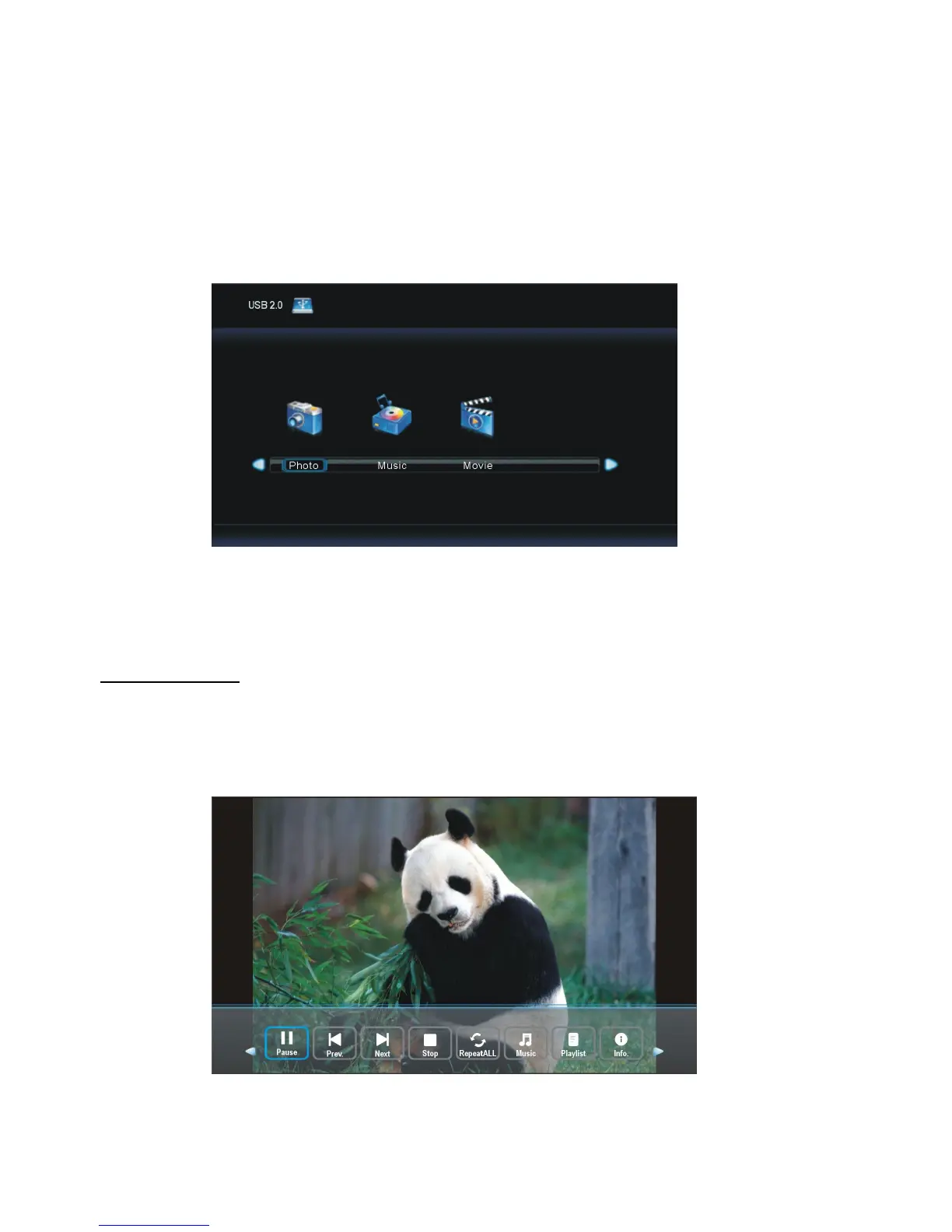
- Before following operations, insert a USB memory device first, which contains Photo,
- Press SOURCE button on the unit or remote control to switch the unit to USB/Media
- Press LEFT/RIGHT navigation button to select Photo/Music/Movie in the main menu.
- Press UP/DOWN navigation button to select preferred file.
- Select PHOTO in the main menu and press ENTER button to enter it.
- Then press ENTER button to enter disc C.
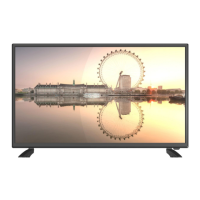
- Press navigation buttons to select the photo that want to play, and then press
ENTER button to start playback.
- Press LEFT or RIGHT navigation buttons to select preferred option, and then press
ENTER button to confirm it.


 To Next Page