Reading the temperature
The controller monitors temperature sensors, arranged in the vehicle as described below:
a) Internal temperature sensor - located in the air return duct.
b) External temperature sensor* - located outside the air-conditioner.
c) Duct temperature sensor * - located in the air ducts.
* only in systems that have heating mode.
Ventilation Mode
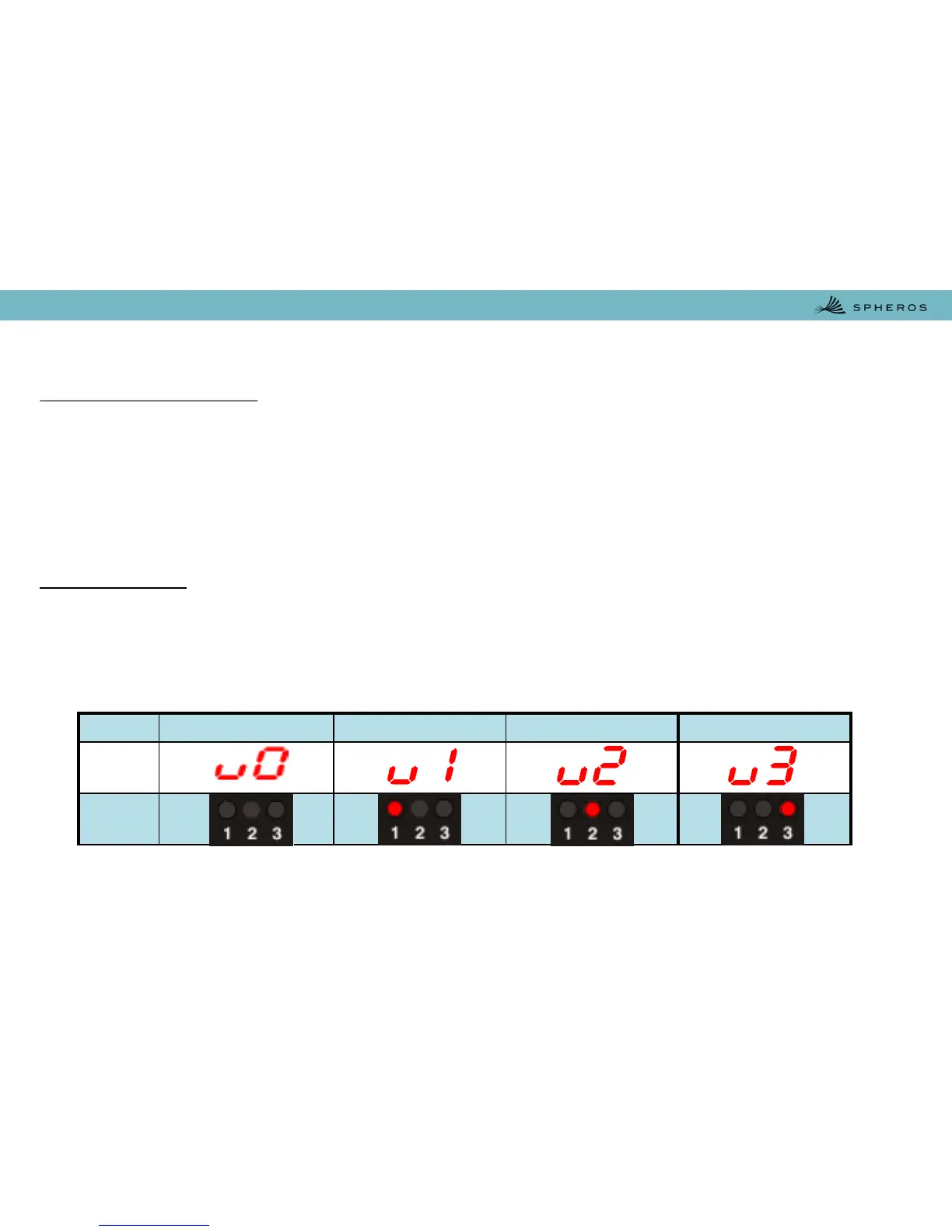
The Ventilation Mode is selected by pressing the Ventilation Control Key There are three operation
blower speeds. To change the blower speed, it is necessary, that Ventilation Mode is selected. After
pressing the Ventilation Control Key the speed will be shown and may be adjusted by pressing
Temperature Increase or Temperature Decrease Key. The three operation blower speeds will be indicated
on the Numeric Display and by the Ventilation speed indicators low, middle and high.
When you select the Ventilation Mode, the damper (air renovation) is automatically opened. For closing
the damper, the operator has to press the Air-Refreshment Control Key and the Temperature Decrease
Key.
5.5. Reading the temperature – Ventilation Mode
Off Low Speed Middle Speed High Speed
Display
Indicator


 To Next Page