SPHINX Project Twelve Service Manual
5
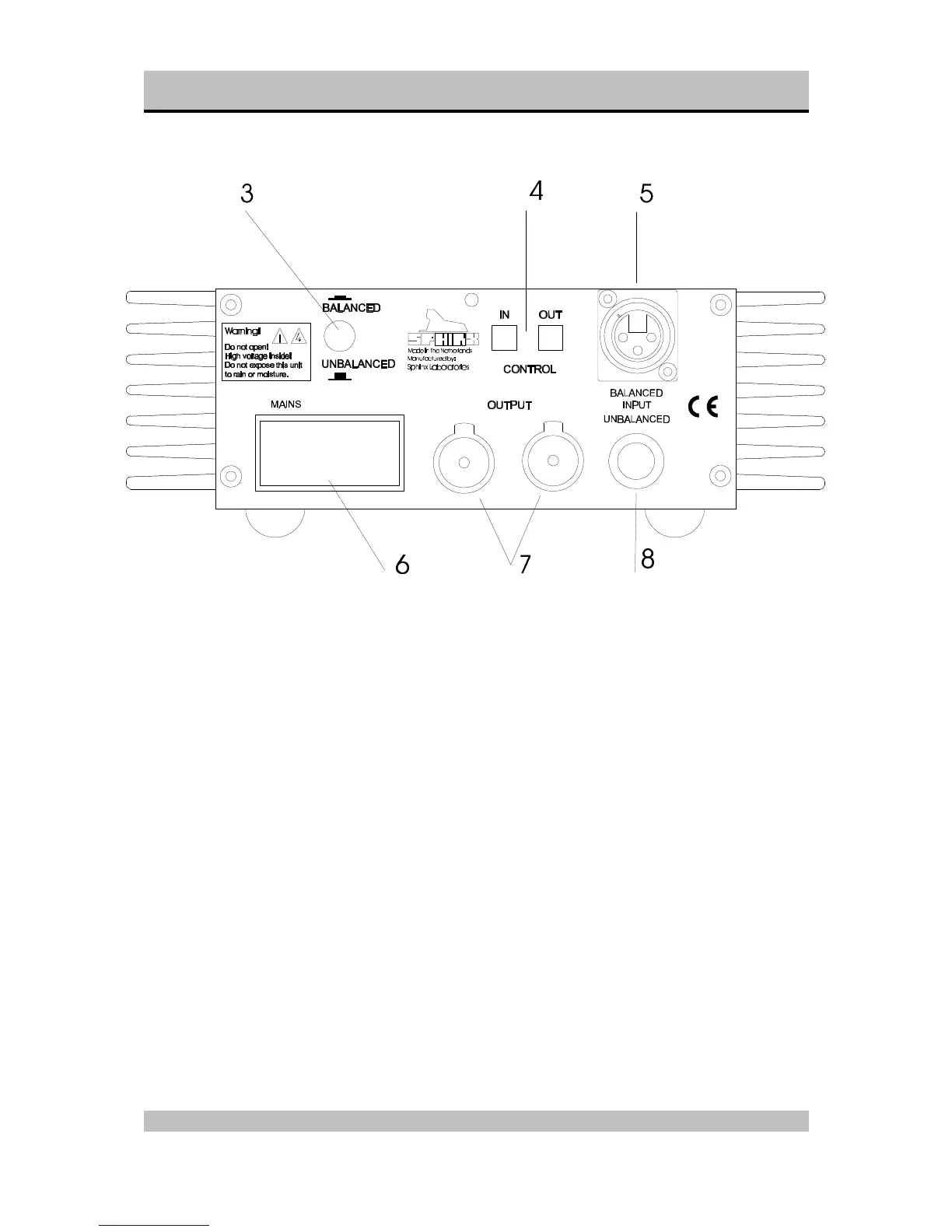
Rear panel
3. BALANCED/UNBALANCED: With this switch
you may select the balanced input (5.) or the
unbalanced input (8).
4. CONTROL IN: To connect the optical cable
from another Sphinx component like a pre-amp.
CONTROL OUT: To connect the optical cable
that goes to another Sphinx component.
5. BALANCED INPUT: To connect the balanced
XLR cable from the pre-amp output.
6. MAINS: This is the combined mains master
switch (0/1) and input.
MAINS: To connect the power amp to a mains
outlet (230 - 240 VAC).
7. OUTPUT: To connect the cable from the
loudspeaker:
red +
white -
8. UNBALANCED INPUT: To connect the
unbalanced cinch cable from the pre-amp
output.
Manufacturer's label: Here you'll find
important data on this component, such as
serial number and mains voltage to be used.


 To Next Page