Need help?
Do you have a question about the SPHINX Project Two Mk2 and is the answer not in the manual?
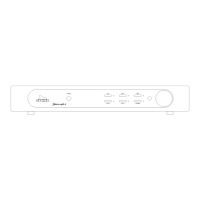
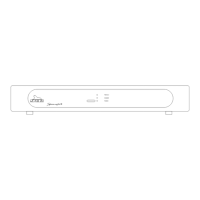
Detailed explanation of the front panel buttons, knobs, and indicators for user interaction.
Guide to all input and output connectors on the rear of the pre-amplifier unit.
Placement advice, ventilation requirements, and preventing interference during installation.
Instructions for safely connecting the power cable, including voltage checks.
Guidance on connecting audio sources and outputs, including L/R channel identification.
How to connect the pre-amp's outputs to a power amplifier using balanced and unbalanced cables.
Instructions for connecting recorders and turntables, including phono pre-amp requirements.
Specific guidance on connecting CD players, tuners, and other line-level audio sources.
Instructions for ground wire connections and using optical cables for remote control.
How to power on the unit, use standby mode, and the benefits of keeping it warm.
Using the INPUT knob to select desired audio sources and how the selection is confirmed.
How to control the volume level and utilize the memory mode for last input selection.
Explanation of the remote control buttons relevant to the pre-amplifier and their LED indicators.
How to operate the remote, including selection without switching and battery management.
Common problems with the remote control and their solutions, including component compatibility.
Instructions on how to clean the unit's exterior, avoiding abrasive agents.
 Audio Specifications
| bandwidth | 0 - 500, 000 Hz (+0/-3 dB) |
|---|---|
| phase response error | <0.5° |
| gain | 18 dB max. |
| THD+N (IHF-A) | <0.0015% (2nd harm., 10 - 20, 000 Hz) |
| IMD | <0.003% |
| S/N ratio (IHF-A) | >100 dB |
| channel separation | >100 dB |
Inputs and Outputs| inputs | 1 x XLR balanced, 5 x cinch unbalanced (goldplated) |
|---|---|
| input level, nominal (for 1 V output) | 0.13 V (-18 dBV) |
| input impedance XLR | 10 kΩ |
| input impedance cinch | 50 kΩ |
| outputs | 1 x XLR balanced, 2 x cinch unbalanced (goldplated), 1 x cinch Tape (goldplated) |
| output level | 9.2 V max. (19.3 dBV) (1 - 100, 000 Hz, THD <0.002%) |
| output impedance | <10 Ω |
 Power
Power| power supply | External, completely stabilized |
|---|---|
| supply capacitance | 35, 200 µF total |
| power consumption stand-by | 15 W |
| power consumption 'on' | 17.5 W |
 Weight and Dimensions
| dimensions (h x w x d) | 68 x 482 x 328 mm |
|---|---|
| weight | 11 kg |


 To Next Page